You can game without internet on almost any device, but only if the game was built to run offline and you prepare it while you still have a connection. Phones, PCs and consoles all play some games offline. A dedicated handheld with the games already stored on it is the option with the fewest surprises, because nothing has to log in, patch or verify before you press start.
This guide covers what offline really means, how to prepare each type of device, which limits catch people out on planes and road trips, and how to choose a handheld that works with no Wi-Fi at all.
TL;DR
- Offline play works when the game is installed, fully updated and launched once while you are still online.
- Anything that needs servers, logins or daily rewards will fail without a connection, so test in airplane mode before you leave.
- Single-player games and classic retro titles are the safest offline picks, since they never needed a network.
- A preloaded handheld skips downloads, accounts and updates, which is why it suits travel, kids and gifts.
- Our Retro Pulse ships with 15,000 games from over 20 systems and runs offline-first.
Table of Contents
- What “offline” actually means for a game
- Ways to play games without Wi-Fi
- How to prepare any device before you go offline
- What stops a game from working offline
- Why retro games are the natural offline library
- What to check when choosing an offline handheld
- Our perspective on offline gaming
- Retro Pulse: offline play with nothing to set up
- Using an offline handheld with kids and on the road
- A quick decision guide
- FAQ
- Sources
What “offline” actually means for a game
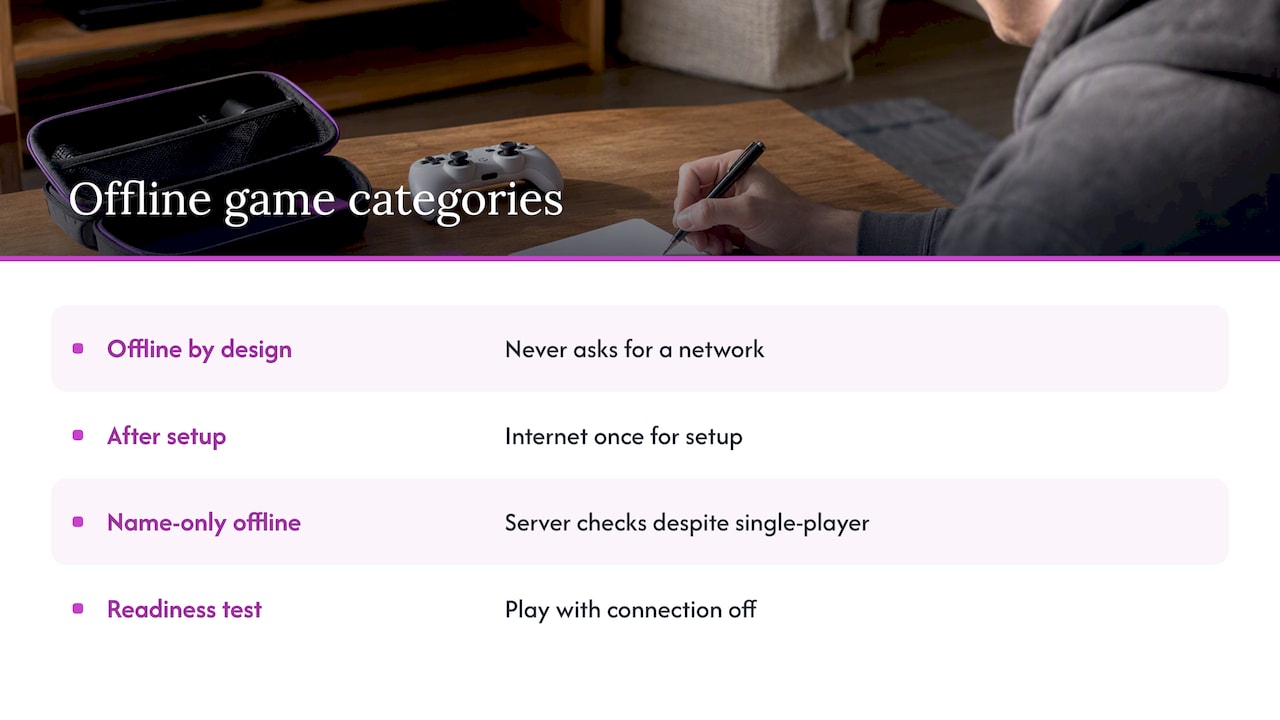
People use “no internet games” for three different things, and mixing them up causes most of the frustration.
Offline by design. The game never asks for a network. Classic cartridge-era titles, most puzzle games and many single-player adventures fall here. Nothing to configure.
Offline after setup. The game needs the internet once to download, activate a license or finish first-run setup, then plays without it. Most PC and console single-player games work this way.
Offline in name only. The game has a single-player mode but still checks servers for profile syncs, copy protection or daily rewards. These are the ones that die on a plane. The offline gaming guide at Nerd Burglars notes that single-player games can still need server-side syncs or verification, and that skipping a test before travel can leave them unplayable.
The practical rule: a game is only offline-ready when you have actually played it with the connection off.
Ways to play games without Wi-Fi
Phones and tablets
This is the option most people already own. Plenty of mobile games run fully offline, from puzzle and word games to endless runners and tactics games. The catch is that many free titles load ads or require a login at launch. If you see a login screen that blocks progress, the game is online-mandatory. A travel games guide from Two Average Gamers suggests exactly this check: switch on airplane mode and try the game before you head out.
Battery is the other limit. Your phone is also your boarding pass, map and camera, and a long gaming session drains it.
PC
PC gaming offline depends on the launcher. Steam’s offline mode needs your account credentials saved on the computer and an empty download queue before you disconnect, according to MakeUseOf’s walkthrough. The Epic Games Launcher switches to Offline Mode automatically when the connection drops, and lets you open eligible games that are already installed.
PC offline play is powerful, but it is the most setup-heavy route, and a gaming laptop is not something you pull out on a bus.
Home consoles
Consoles play single-player games offline, with caveats. Windows Central’s offline guide for Xbox explains that games relying on online services generally will not work offline, while solo games without online systems are the most likely to work. It also notes that some digital games must be launched once online to activate their license, and that subscription-library titles may need a connection to authenticate in some cases.
Dedicated handhelds
This is where “no Wi-Fi” is a feature, not a workaround. Handhelds come in a few types:
- Cartridge-based retro handhelds. You buy physical game cartridges. One reviewed in 2026 by Tom’s Guide costs $199 with more than 700 games across its cartridge library and nothing to download, though the reviewer measured battery life closer to 4 hours.
- Single-system nostalgia handhelds. One reviewed model plays Game Boy and Game Boy Color cartridges for $199.99 and runs up to 19 hours on three AA batteries, according to PCMag. You need to own the cartridges.
- Current-generation hybrid consoles. The newest mainstream hybrid costs $450, with $80 first-party games and pricier microSD Express storage, per Wirecutter. It is excellent hardware, and the cost adds up quickly.
- PC handhelds. A top-rated OLED model sits at roughly $549 and handles large offline PC libraries, but it brings launcher setup back into the picture.
- Preloaded multi-system handhelds. The games are already on the device. That is the category Retro Pulse belongs to.
How to prepare any device before you go offline
Whether you are flying, camping or heading to a grandparent’s house with spotty reception, run this routine at home on Wi-Fi.
- Download everything. Install the game, every update and any add-on content while connected. Check that the download queue is empty.
- Launch each game once. First-run setup, shader compilation and account linking often finish only on the first launch. Lootboxd’s offline roundup gives the same advice: open each game once while connected.
- Switch on the offline setting. On PC, that means Offline Mode in your launcher, with credentials saved. On consoles, set the console to offline or mark it as your home console if the system offers that.
- Turn on airplane mode and test. Open the game, load a save, play two minutes. If a login screen appears, that game is online-only.
- Restart the device while still disconnected. A cold start is the real test. A game that survives a reboot in airplane mode will survive the trip.
- Charge everything and pack a cable. Offline play does not help if the battery dies at hour two.
On a PC, reconnect every so often, because platforms ask you to refresh credentials periodically. SnapSong’s outage guide recommends this for extended outages.
What stops a game from working offline
The same few things break offline play again and again.
| Blocker | What happens | How to avoid it |
|---|---|---|
| License activation | A digital game won’t open until it has checked in once | Launch it online first |
| Pending updates | The game refuses to start until it patches | Update before leaving, clear the queue |
| Subscription authentication | Library titles ask to verify your membership | Test each title in airplane mode |
| Profile and cloud sync | Single-player game waits on a server | Pick games that save locally |
| Daily rewards and live events | Content locked behind a connection | Skip live-service games for travel |
The pattern is clear: the more a game depends on an account, the less reliable it is without a connection. The most dependable offline games are the ones that never had an online side, which is why retro libraries are so good for this.
Why retro games are the natural offline library
NES, SNES, Genesis, Game Boy and PlayStation 1 games were designed for a console, a controller and a TV, with no accounts, patches or servers. They load fast, save locally and are built around short sessions that suit a commute or a waiting room. They also reward kids and adults alike: simple controls, clear goals, and no purchases inside the game.
The weak point has always been access. Buying original cartridges across many systems is expensive, and setting up emulation yourself means hunting for files, configuring controls and fixing menus. If you want the backstory on that, our guide on adding games to a retro handheld without a blank game list shows how much work an empty device can be.
What to check when choosing an offline handheld
Looking at handhelds specifically, these are the questions worth asking.

Where do the games come from? Cartridges mean you buy each title. A preloaded library means they are on the device from day one. Neither is wrong, but know which one you are buying.
How long does the battery last, and can you swap it? Real-world battery life often falls short of the box claim, as the 4-hour result above shows. A removable battery lets you carry a spare for long trips. If you want to stretch any device further, our 12 handheld battery fixes apply to most models.
Is the screen good enough? Small screens live or die on sharpness and brightness. We break down the details in what actually matters in retro handheld screen quality.
Are the controls real? A true D-pad, proper sticks and shoulder triggers matter for platformers, fighters and racing games. Touch controls do not replace them.
Does it need an account? The best offline device asks for none. No login, no store, no subscription.
What does the total cost look like? Compare the price of the device plus every game you will want. We run the numbers in Switch or retro handheld: 15,000 games versus per-game costs.
Is it safe and backed up by a seller? With any preloaded device, check the warranty, return window and where it ships from. Our page on the three risks to check on preloaded consoles covers what to look for.
Our perspective on offline gaming
We built Retro Ports around one frustration: retro gaming should not need a weekend of setup. Most people who search for ways to play without internet are not looking for a project. They want to hand over a device on a long drive and have it work.
That is why Retro Pulse is offline-first. The library is stored on the device, so there is no download, no subscription and no sign-in between you and the game. It is curated, so you do not scroll through thousands of near-duplicate entries to find something good. We ship from a U.S. warehouse, which means shorter waits and fewer of the quality and delivery headaches that come with overseas suppliers, and we test devices before they go out.
We also think the honest comparison matters. A cartridge handheld is great if you already own cartridges. A current-generation console is great if you want new releases and do not mind the price. A phone is fine for ten minutes. But for parents who want to share the games they grew up with, commuters who need something that survives a tunnel, and students who want a lot of play for little money, a preloaded handheld is the simplest tool. The four things we would check on any device: battery you can swap, controls you can feel, a screen you can read, and a return policy if it is not right.
— Sean
Retro Pulse: offline play with nothing to set up
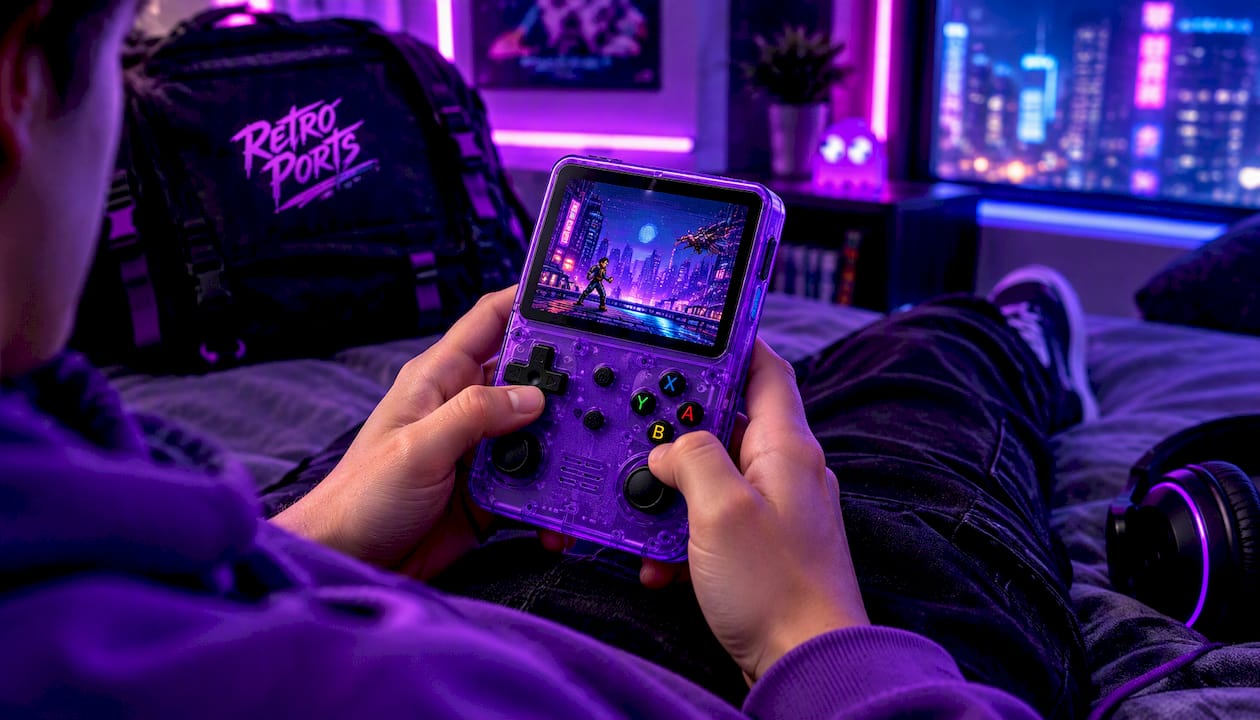
Retro Pulse is our handheld with 15,000 classic games from over 20 systems, including NES, SNES, Genesis, PS1, N64, Game Boy, GBA and arcade. It plays offline from the first power-on.
- 3.5" IPS display
- Real D-pad, twin sticks and L/R triggers
- Removable battery with 6 to 8 hours of play
- USB-C charging
- Dual microSD slots if you want to add your own games
- 1-year warranty and 30-day returns, shipped from a U.S. warehouse
See the full details and current price on the Retro Pulse product page.
Using an offline handheld with kids and on the road
For families, the best offline device is one a child can pick up without a parent managing accounts. No store means no accidental purchases, and no browser means no wandering off. Our offline travel games for kids checklist lays out a 30 to 60 second check you can run before leaving the driveway.
For commuters, think in short sessions. Retro games are built for this: you can play a level, save and pocket the device. A removable battery means a spare in your bag covers a long week of rides.
If you also own a mini console that plugs into the TV, it helps to know what each does best. We compare them in mini console versus handheld. And if arcade games are your favorite, see arcade emulation on handhelds.
One practical note: any handheld can warm up in long sessions. If yours does, our guide to retro handheld overheating and battery risks explains the safe fixes.
A quick decision guide
- You only need something for one flight, and you have a phone: download two or three games that pass the airplane mode test.
- You already own a PC library: set the launcher to offline mode, clear the queue and test.
- You want new releases and don’t mind spending: a current console is the best fit, with game costs in mind.
- You own old cartridges: a cartridge-compatible handheld keeps them playable.
- You want a huge classic library, no accounts and a gift-ready device: a preloaded retro handheld such as Retro Pulse is the direct route.
FAQ
What games can you play offline?
Single-player games with no server component. That includes classic console titles, many puzzle and strategy games, and installed PC or console games that have been launched once while online. Test each in airplane mode, because some single-player games still check a server.
How do you play any game without internet?
You can’t play every game. Online-only and live-service games need a connection. For the rest, download the full game and updates, launch it once online, switch on the offline mode where the platform has one, then restart with the connection off to confirm it works.
Is there a handheld that doesn’t need Wi-Fi at all?
Yes. Cartridge handhelds and preloaded retro handhelds both run without a network. Retro Pulse stores its 15,000 games on the device, so there are no downloads, accounts or subscriptions to manage.
Do offline games still need updates?
Often, yes, for digital PC and console games. A pending update can block launch until you are back online, so clear the download queue before you travel. Retro titles on a preloaded handheld do not rely on patches in the same way.
Sources
- Offline Gaming Guide: Play Without Internet on PC, Xbox and more (Nerd Burglars)
- 7 Offline Games for Flight, Hotel, Waiting Room (Two Average Gamers)
- How to Use Steam Offline Mode to Play Games Without Internet (MakeUseOf)
- How do I run games in Offline Mode using the Epic Games Launcher (Epic Games)
- How to use an Xbox Series X|S or Xbox One console offline (Windows Central)
- Evercade Nexus review (Tom’s Guide)
- ModRetro Chromatic Review (PCMag)
- Switch 2 vs. Switch 1: What to Consider Before You Upgrade (Wirecutter)
- The 4 Best Handheld Gaming Consoles (Wirecutter)
- Best Games You Can Play Offline (Lootboxd)
- Prepare a gaming device for an outage (SnapSong)