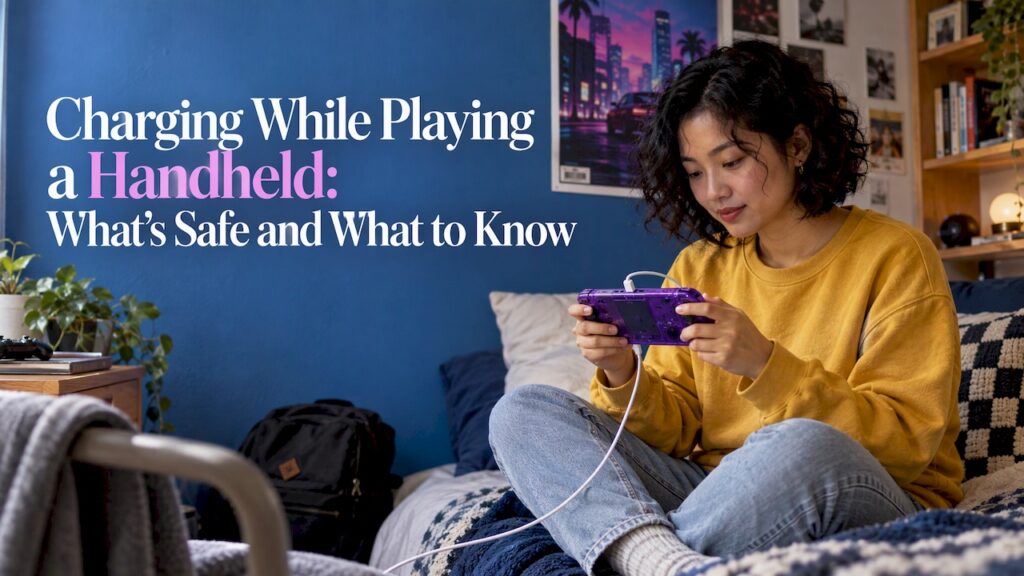
Yes, you can charge a handheld while you play, and on modern lithium-ion handhelds it is a normal thing to do. Two things change: the battery fills more slowly, because the screen and processor are pulling power at the same time, and the device runs warmer. Get those two right with a good charger, clear vents and a sensible habit, and playing plugged in is fine. This guide covers how it works, what the console makers themselves say, and how to keep long sessions from wearing out your battery.
The questions people type about this are mostly about Nintendo Switch models, so we use the manufacturer’s published guidance as the reference point. The same physics applies to any rechargeable handheld, including a retro handheld like our Retro Pulse.
TL;DR
- Playing while charging is normal. Expect slower charging, because the device is spending power on the screen and processor while it refills the battery.
- Heat is the real thing to watch. Keep vents uncovered, avoid soft surfaces, and stop if the console gets too hot to hold comfortably.
- Use a charger rated for your device. An underpowered adapter may barely keep up during demanding games.
- Long-term battery health depends on charge cycles and heat, not on whether you were playing. Avoid draining to zero and avoid charging in hot rooms.
- If you want long sessions without hunting for an outlet, battery runtime and a removable battery matter more than any charging trick.
Table of Contents
- The short answer: yes, with two side effects
- Why charging slows down while you play
- Is it safe? Heat is the thing to manage
- How to charge while playing, model by model
- Do the controllers charge too?
- Does playing while charging hurt the battery?
- Picking a charger that keeps up
- When it won’t charge at all
- Why battery design matters more than charging tricks
- Retro Pulse: built for long sessions
- Our perspective
- FAQ
- Sources
The short answer: yes, with two side effects
A handheld has one battery and one charging port. When the charger is plugged in and the game is running, the incoming power first feeds the device, and whatever is left goes to the battery. That is why the percentage climbs slowly, or sometimes not at all, in a demanding game on a weak charger.
The maker’s numbers show the effect. Nintendo’s US support page says a Switch takes about three hours to charge fully when it is powered off or asleep, and that charging takes longer when the console is in use. The exact extra time depends on the game, the screen brightness and the charger.
So the practical rule is simple. If you only need a few percent to get through a commute, plugging in while you play works. If you need a full battery fast, pause the game and let it charge in sleep mode.
Why charging slows down while you play
Think of the charger as a tap and the game as a drain left partly open. A handheld screen, the processor and the wireless radios all draw power continuously. Heavier games and brighter screens open the drain wider.
Three things decide how much reaches the battery:
- Charger wattage. A higher-rated charger leaves more headroom after the device takes its share.
- How demanding the game is. A 2D platformer sips power. A 3D game at full brightness gulps it.
- Temperature. A warm device manages itself by reducing performance and sometimes charging speed to stay in a safe range.
The older the console, the more this matters. Retro games from 8-bit and 16-bit systems are light workloads, so a retro handheld playing a NES or Game Boy title leaves plenty of charging headroom. A modern 3D title leaves very little.
Is it safe? Heat is the thing to manage
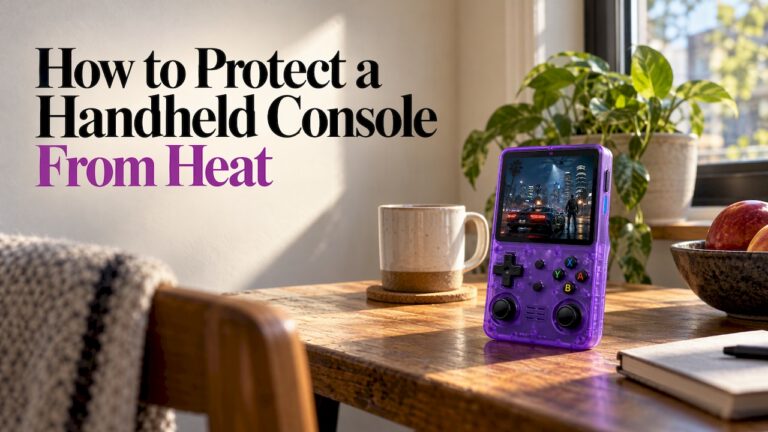
Charging and playing together is not dangerous by itself. The concern is heat building up where air cannot move.
Nintendo’s safety booklet says to stop playing if the console or controllers become too hot while held during charging, and not to cover the air intakes or vents. Its support Q&A adds that a console may get warm when charging or in use and that this is not a defect. The same page advises using the console between 5 and 35°C (41 to 95°F), leaving at least 10 cm (about 4 inches) of space around the vents, and warns that prolonged skin contact with hot parts can cause low-temperature burns.
Turn that into habits you can follow:
- Play on a hard, open surface or hold it in your hands. Pillows, blankets and a lap under a jacket trap heat.
- Keep the cable out of the way so you are not pulling on the port while you play.
- Take a break if it feels hot. Let it cool before you carry on.
- Skip the car dashboard and direct sun. Charging in extreme heat can speed up capacity loss, and the official operating range tops out at 95°F.
If your handheld regularly runs hot even on a good charger, our guide to retro handheld overheating and safe fixes walks through the causes, and handheld charging safety covers warning signs worth acting on.
How to charge while playing, model by model
How you plug in depends on the device. Here is what the official support pages say for the Switch family, which is where most of these searches come from.
| Device | How to charge directly | Notes |
|---|---|---|
| Switch and Switch OLED | HAC-002 adapter into the console, or the adapter plugged into the dock with the console docked | Takes about 3 hours to fully charge |
| Switch Lite | HAC-002 adapter directly into the USB-C port | The Lite has no dock use, and its port is for charging only |
| Switch 2 | NGN-01 adapter in either USB-C port, or HAC-002 directly | An unlicensed adapter of 54W or more may work but can have compatibility problems |
The details come from Nintendo’s pages on charging the Switch and charging the Switch 2. Nintendo’s play-mode page also confirms an HAC-002 adapter can charge a Switch 2 in tabletop or handheld mode, and that the Switch 2 has a USB-C port on top as well as the bottom, so you can plug in without blocking how you hold it.
On a Switch 2, the plug on the top edge is the answer to the classic complaint that the port sits at the bottom and gets in the way of a kickstand or a comfortable grip.
Do the controllers charge too?
On the original Switch family, yes. Nintendo says to attach Joy-Con controllers to the console while it is charging to recharge them. A separately sold charging grip connected to the dock lets you play while the controllers charge.
One catch for Switch 2 owners: original Joy-Con cannot attach to a Switch 2, and need a Switch console or a charging grip or stand to charge, per Nintendo’s compatibility page. A handheld with built-in controls, like a retro handheld with a D-pad, sticks and triggers fixed to the body, avoids this entirely: one device, one battery, one charger.
Does playing while charging hurt the battery?
Not directly. Battery wear comes from the total number of charge cycles and from heat, and playing is just one way of using up charge.
Nintendo’s US support page explains that, as with most lithium-ion batteries, capacity falls gradually, and after about 800 charge cycles it drops to about 80% of new. It describes this as normal, not a fault. A “cycle” is the equivalent of one full charge, so two half charges count as one cycle.
A few habits stretch that number:
- Do not drain to zero routinely. Engadget’s November 2026 charging guide makes the case that deep discharges waste finite cycles. It also gives the common rule of thumb of keeping charge between 20% and 80%.
- Use the 90% limit if your device has one. The same article reports that Switch 2 has a “Stop Charging Around 90%” option in System Settings.
- Do not leave a device dead on a shelf. Nintendo’s booklet says to charge built-in batteries at least once every six months.
- Keep it cool. Heat does more damage to a lithium-ion cell than any particular play pattern.
For a deeper list, our guide on improving handheld battery life collects twelve fixes you can apply to any handheld.
Picking a charger that keeps up
Most “it won’t charge while I play” problems are charger problems. A phone-sized 5W brick can be too weak to cover a handheld’s draw during a demanding game, so the battery stays flat or even drops while plugged in.
What to look for:
- A charger meeting the device maker’s stated wattage. For Switch 2, Nintendo says an unlicensed adapter of 54W or more may be used but may have compatibility problems.
- A cable in good condition. Frayed or loose cables cause slow or on-and-off charging.
- A matching standard. Most modern handhelds use USB-C, but cables and chargers vary in how much power they can deliver. A short primer on USB-C Power Delivery basics explains how a charger and a device agree on the power level.
If your device uses USB-C, our page on USB-C charging on handhelds covers chargers, cables and fixes in one place.
When it won’t charge at all
If a handheld was fully drained, it may not respond right away. That does not mean it is broken.
For a Switch, Nintendo’s no-power troubleshooting page says that if the battery is nearly empty, the screen may stay off with only a brief charging indicator. Charge for at least 15 to 30 minutes with an undamaged adapter before trying to power on. The same page gives a reset: unplug the adapter for 30 seconds and hold the power button for 20 seconds to force a shutdown.
For Switch 2, Nintendo’s cannot-be-charged page adds two points: if the 90% limit is on, the console will not charge past it, and you should try the other USB-C port. If one port works and the other does not, Nintendo says the console needs service.
Why battery design matters more than charging tricks
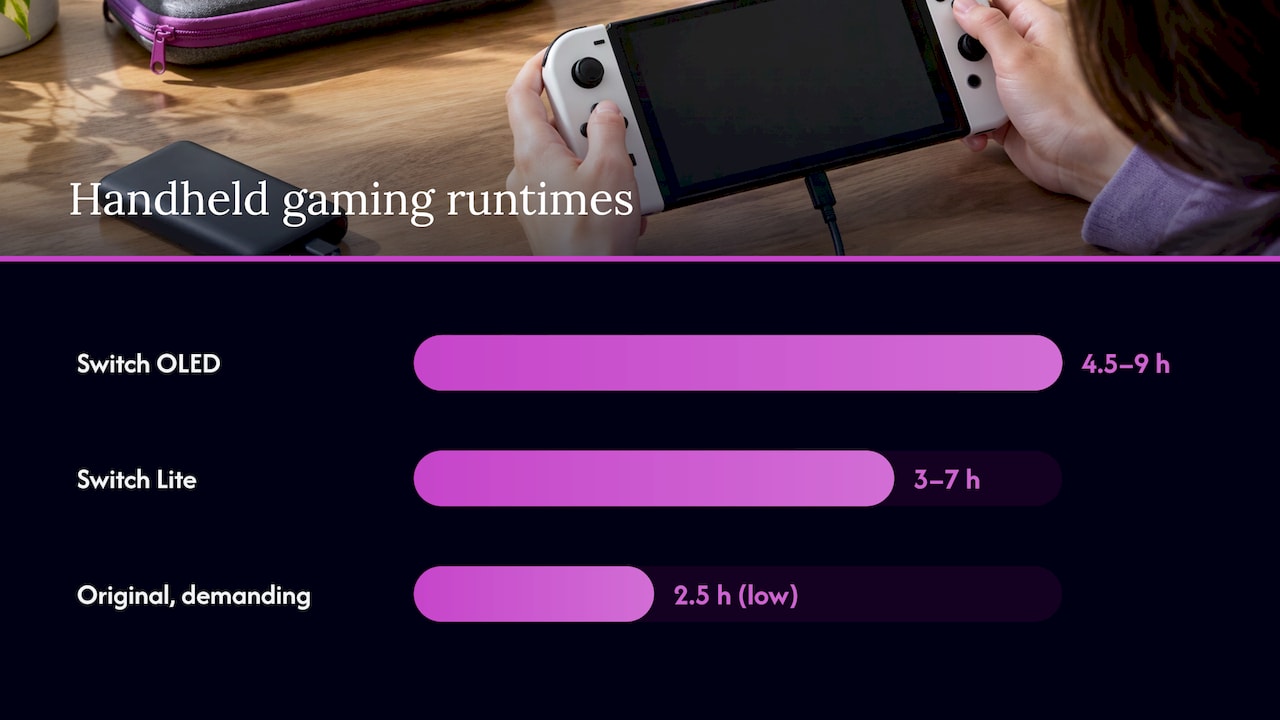
If you play on the go, the best answer to “can I charge while I play?” is to need it less often. Runtime figures from the maker show how much devices differ. Nintendo lists about 4.5 to 9 hours for the OLED model and about 3 to 7 hours for the Switch Lite, and the original model can run as little as 2.5 hours in demanding games.
That is why a retro library suits long trips. Classic 8-bit, 16-bit and 32-bit games are light on a processor, so the battery lasts and the device stays cooler.
Before a flight, check airline and TSA battery rules. Our guides to flying with a handheld console and TSA rules for lithium batteries cover what you can carry.
Retro Pulse: built for long sessions
Retro Pulse is our handheld, preloaded with 15,000 classic games from more than 20 systems, including NES, SNES, Genesis, PS1, N64, Game Boy, GBA and Arcade. It is designed around the situations this article describes: a commute, a car ride, a long afternoon with the kids.
- Removable battery. It is built for extended playtime, with a rated life of 6 to 8 hours.
- USB-C charging. One common cable and charger type.
- 3.5" IPS display and real controls. A D-pad, twin sticks and L/R triggers sit on the body, so there are no detachable controllers to keep charged.
- Offline-first. Games run from the device, with no downloads or subscriptions, so you are not burning battery on connections.
- Dual microSD slots. You can add games later.
- Warranty and returns. It ships from a U.S. warehouse with a one-year warranty and 30-day returns.
If you are weighing a handheld for yourself, a kid or a gift, you can see the Retro Pulse and its full details. For the bigger picture of how a 15,000-game device compares with buying games one at a time, read our Switch or retro handheld comparison for U.S. buyers.
Our perspective
Most people ask about charging while playing because their battery let them down mid-game. The fix people reach for is a charger trick. We think the better fix is a device where you rarely have to think about it.
That is how we approached Retro Pulse. Classic games are light on hardware, so a 6 to 8 hour battery goes a long way. The battery is removable, which keeps long sessions in mind from the start. Charging is USB-C, so the cable you already own is likely the cable you need.
The same goes for setup. We wanted a console you open and play, with 15,000 games already on it, no downloads and no subscription. That includes the parents handing a childhood favorite to a kid in the back seat, and the student who wants something affordable for the bus.
Treat heat sensibly whatever you play on: hard surface, clear vents, a break when it gets warm. Do that, and charging while you play is one more normal part of owning a handheld.
Sean
FAQ
Can you play a handheld while it charges?
Yes. On lithium-ion handhelds it is a normal use. The battery will fill more slowly than when the device is off or asleep, because the screen and processor are using power at the same time. For a Switch, Nintendo says a full charge takes about three hours when off or asleep and longer when in use.
Is it safe to use a device while it is charging?
It is safe when you manage heat. Keep vents clear, play on a hard surface, and stop if the device or controllers get too hot to hold. Use the charger the maker specifies or one that meets its stated wattage.
Why is my handheld not gaining charge while I play?
The charger is most likely too weak for the game’s power draw, or the device is warm and managing its own temperature. Try a charger with a higher rating, check the cable, lower the screen brightness, and let the device cool. If it still fails, pause the game and charge in sleep mode.
Does charging while playing wear out the battery faster?
Not by itself. Battery wear follows the number of charge cycles and the heat the cell sees. Nintendo says a Switch battery drops to about 80% of new capacity after roughly 800 cycles, which it calls normal. Avoid deep discharges and hot rooms to slow that.
Sources
- How Long Does the Battery Charge Last on Nintendo Switch? (Nintendo Support)
- Technical Specs, Nintendo Switch (Nintendo)
- Nintendo Switch Important Information Booklet
- My console gets hot. Is it broken? (Nintendo Support)
- How to Charge the Nintendo Switch Console (Nintendo Support)
- How to Charge the Nintendo Switch 2 Console (Nintendo Support)
- Play Mode Options on Nintendo Switch 2 (Nintendo Support)
- Joy-Con Overview (Nintendo Support)
- Compatibility of Nintendo Switch with Nintendo Switch 2 (Nintendo Support)
- Nintendo Switch System Has No Power (Nintendo Support)
- Nintendo Switch 2 Cannot Be Charged (Nintendo Support)
- The Charging Mistakes That Could Ruin Your Nintendo Switch (Engadget)