Charge a handheld safely by using the charger and cable made for it, or a certified USB-C charger that meets its power rating. Charge it on a hard, flat surface, in a room that is not hot, and unplug it and stop using it if it swells, smells odd, hisses or gets too hot to hold. The rest of this guide explains each step, what the wattage numbers mean and what to do on the road.
TL;DR
- Use the charger and cable that came with the device. If you buy another, choose one with a recognized lab mark such as UL Listed.
- Wattage is a minimum, not a target. A handheld takes only the power it was designed to draw, so a stronger certified charger is fine, and a weaker one charges slowly or not at all during play.
- Charge on a table or desk, never on a bed, couch or pillow, and keep vents clear.
- Swelling, hissing, popping, a strange smell, smoke or heat you cannot hold are all reasons to unplug at once.
- Audio buzz while charging usually comes from the charging setup, not the speaker.
Table of Contents
- Why charging is the moment that matters
- Choose the right charger and cable
- USB-C charger wattage: what your handheld actually needs
- Where and how to charge
- Warning signs: when to stop charging
- Charging habits for home and the road
- Does charging affect handheld audio?
- Perspective
- Get a handheld that is ready to charge and play
- FAQ
- Sources
Why charging is the moment that matters
A handheld runs on a lithium-ion battery, the same chemistry as your phone and laptop. Batteries warm up as they recharge, and the National Park Service’s fire prevention guidance says this temperature rise can cause overheating, which is why it tells people not to leave portable electronics plugged in when they are away from home.
The charger is part of the system too. In 2019 the U.S. Consumer Product Safety Commission and its Canadian and Mexican counterparts reported that injuries from AC and USB chargers included burns from hot surfaces, fires that started in the charger or cord, electric shock and lithium-ion battery fires from improper charging. They also noted that these incidents are more common when a charger has not been evaluated and certified by an independent testing facility.
None of this means a handheld is risky to own. It means a few habits matter, and they take seconds. The sections below cover them in the order you meet them: buying the charger, matching the wattage, choosing where to charge, and reading the signals your device gives you.
Choose the right charger and cable
Start with what came in the box
The simplest rule comes from several official sources at once. The U.S. Fire Administration advises using the manufacturer-provided charger. The National Park Service goes a step further: use the cable that came with the device, avoid generic or aftermarket chargers and chargers from a different device, and replace a cord when it is damaged.
If you own a Retro Pulse, that means charging it over its USB-C port with the cable and adapter supplied with it. Our handheld has a removable battery and USB-C charging, and keeping to the supplied setup is the easiest way to stay inside the range it was designed for.
When you need a second charger
A spare for the car, the backpack or the nightstand is a reasonable thing to want. Pick it with the same care as the first:
- Look for a lab mark. The Fire Administration recommends checking for a Nationally Recognized Testing Laboratory (NRTL) stamp on the packaging and the product, such as the UL Listed mark. A handheld PC maker’s own user guide gives the same instruction for U.S. and Canadian buyers: choose a Listed charger that carries an NRTL mark.
- Check for recalls. The Fire Administration also points buyers to the Consumer Product Safety Commission’s site, saferproducts.gov, to look up recall information before buying.
- Be wary of bargain no-name adapters. UL Research Institutes warns that low-quality and counterfeit chargers often lack protection against overcharge, overdischarge, overcurrent and overheating.
- Inspect the cable. A frayed, kinked or warm-at-the-plug cable is retired, not repaired with tape.
Why mismatched chargers cause trouble
Modern USB-C chargers and batteries talk to each other. UL Research Institutes explains that a compatible pair performs a logic handshake that sets the charging protocol. When the pair is mismatched, they do not communicate properly, and the battery can be overcharged, over-discharged or charged at very high current. That is the technical reason a certified charger beats a lookalike, even when both plug in without complaint.
USB-C charger wattage: what your handheld actually needs
Wattage is the number people search for most, so here is the plain version.
A charger offers; the handheld chooses. With USB-C Power Delivery, the charger lists the power levels it can supply and the device requests one it can use. A handheld built for 45 watts does not become a 65-watt device on a 65-watt charger. That is why a higher-rated certified charger is generally safe for a device that supports the standard, and why a lower-rated one is the real problem.
Too little power is a performance issue, too much quality-free power is a safety one. An underpowered charger will usually just charge slowly, or fail to keep up while you play. A poorly made charger of any wattage is the genuine hazard.
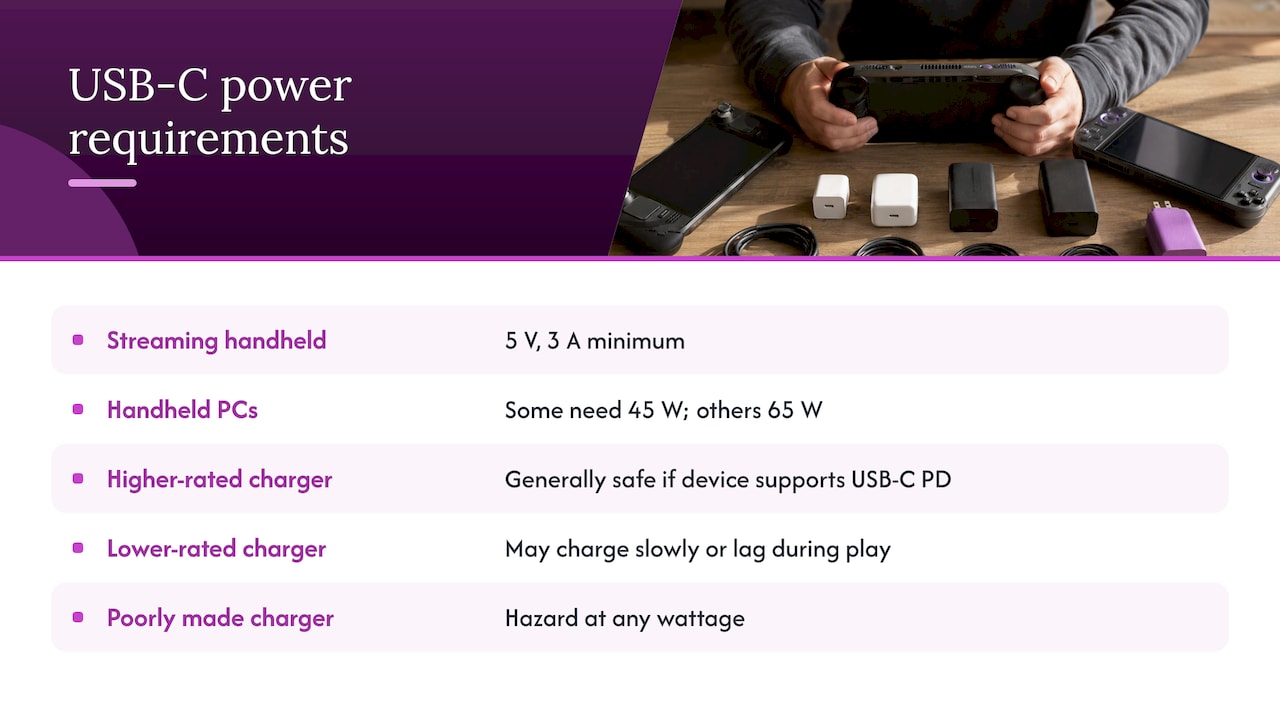
Published requirements for handheld PCs and consoles vary widely. Reported figures range from a 5 V, 3 A minimum for a streaming-style handheld to 45 W for some handheld PCs and 65 W for others, per one compatibility roundup. A retro handheld is a much lighter device than any of these, so do not assume it needs a laptop-class brick.
A practical way to check
- Find the input rating in the manual or on the product page for your device. It is usually printed as volts and amps, or watts.
- Read the rating on your charger’s label. Make sure each output profile it lists includes what your handheld asks for.
- Confirm the charger carries a lab mark such as UL Listed.
- Use a cable rated for the job. A cable with a higher power rating cannot be bypassed by a stronger charger, so a thin, cheap cable is often the weak link.
For the Retro Pulse, use the charger supplied, and consult the product page or the included materials for the rated input if you want a spare. Our product page is at Retro Pulse.
Where and how to charge
Hard, flat and open
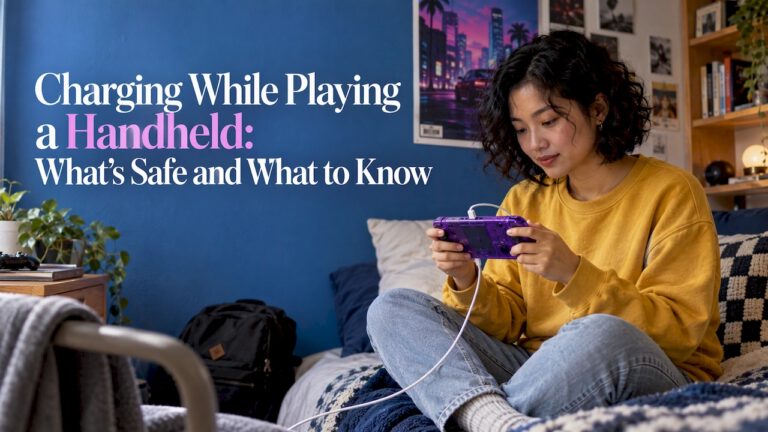
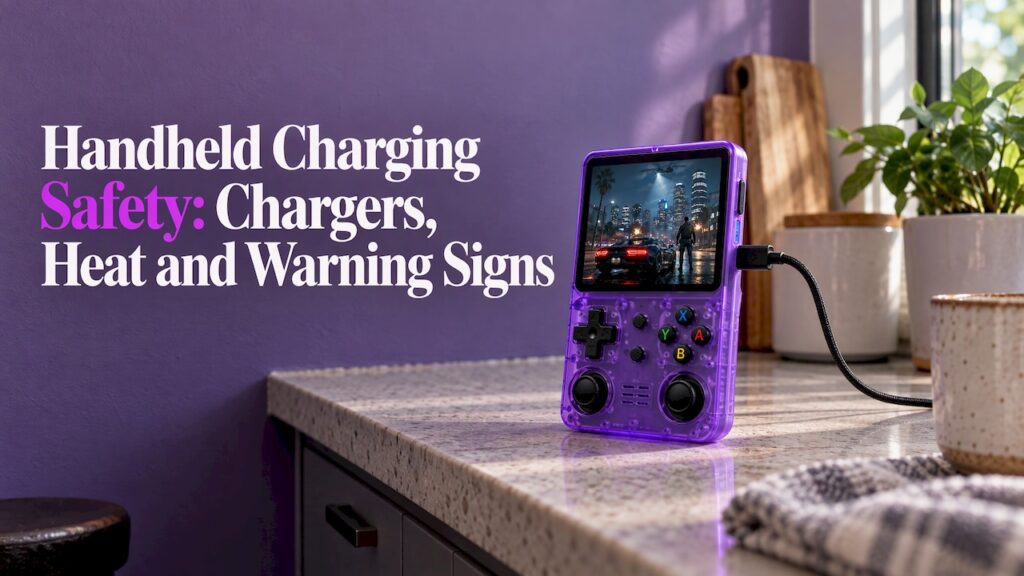
This is the habit with the most agreement across sources. The National Park Service says to place the device on a hard surface while charging and never to charge it on a bed, couch, pillow or other flammable material. The Consumer Product Safety Commission’s console and computer tips make the same point for computers: batteries can get hot during normal use, and soft surfaces like a sofa, bed or carpet restrict airflow and can cause overheating.
In practice: a desk, a kitchen table or a nightstand with nothing on top of the handheld. In the car, a cupholder or console tray beats the seat cushion.
Plug straight into the wall
The Fire Administration advises plugging charging devices directly into an outlet, not an extension cord or multiplug adapter, and not overloading outlets. A power strip with six things on it is the wrong place for a charger you leave running overnight.
Mind the room temperature
Batteries like moderate temperatures. One handheld PC maker’s guide lists a recommended charging range of 10°C to 35°C (50°F to 95°F), and a major console maker’s support page gives 5°C to 35°C. A hot car dashboard in July is outside both. Charge indoors, or at least out of direct sun.
Our separate guide on retro handheld overheating goes further on what to do when a device runs warm during play.
Should you leave it plugged in?
Two official positions are worth knowing together. The major console maker above says that once its console is full, charging stops automatically, so staying connected to the adapter does not cause overcharging. The National Park Service, though, says to unplug or remove the battery when fully charged and never to leave portable electronics plugged in when you are not home.
The habit that satisfies both: charge while you are home and awake, unplug when full, and never leave a charging handheld unattended while you are out or asleep. Because the Retro Pulse has a removable battery, you can also take the battery out when you store it for a long stretch.
Gentle handling counts too
The Consumer Product Safety Commission says not to crush, puncture or put heavy pressure on a battery, because that can cause an internal short circuit and overheating. It also says to keep a loose battery away from metal objects such as coins, keys or jewelry. If you carry a spare removable battery, give it its own pouch or a case with a divider, not a pocket full of change.
Warning signs: when to stop charging
UL Research Institutes’ Take C.H.A.R.G.E. tips list the signals to watch: swelling, punctures, unusual sounds such as hissing or popping, excessive heat and a strange odor. UL says to immediately unplug and stop using a device that shows any of them, and that white or gray wispy smoke means immediate danger of fire.
| What you notice | What to do |
|---|---|
| Case bulging, back panel lifting, screen pushing up | Unplug, stop using it, and contact the seller |
| Hissing or popping | Unplug and move away from it if safe to do so |
| Strong or chemical smell | Unplug and stop using it |
| Too hot to hold comfortably | Unplug, let it cool somewhere cool, and do not resume until it is normal |
| White or gray wispy smoke | Treat as immediate fire danger: get away and call 911 |
| Shuts off by itself or loses charge while plugged in | Stop playing and charging, let it cool, and recheck charger and cable |
The last two heat-related rows follow a charging guide for a popular console, which advises letting a device cool in a cool place after it gets too hot, drops battery while plugged in, or shuts down on its own.
If the device is under warranty, see our guide on the handheld console warranty for how a claim works. The Retro Pulse carries a one-year warranty.
UL also stresses that these tips are interconnected steps rather than separate ones: certified gear, careful handling, alertness to warning signs and proper recycling each support the others. The same guidance says to recycle devices and batteries properly, so a swollen battery should go to a battery recycling drop-off, not the household trash.
Charging habits for home and the road
At home
- Keep a dedicated charging spot: a hard shelf or desk, away from curtains and bedding.
- Charge during the day or evening while you are around.
- Keep the vents clear. Charging while playing adds heat from both the battery and the processor, so avoid long play-and-charge sessions in a hot room.
Commuting and travel
- Charge before you leave rather than leaving the device in a bag to charge.
- Do not leave it in a parked car in summer or deep winter.
- If you use a power bank, pick a certified one and a short, good cable.
- Carry a spare removable battery only in a separate pouch.
With 6 to 8 hours of battery life, a Retro Pulse covers most commutes and many long drives on a single charge. Our guide to improving handheld battery life covers settings that stretch that further, and the offline travel games for kids check is a useful pre-trip routine.
Storage
A major console maker’s support page recommends charging at least once every six months to avoid over-discharge during storage. A device in a drawer is not healthier for being forgotten. Top it up a couple of times a year.
Kids and gifts
If a handheld is a gift or a kid’s device, set the rules with the handheld: charge on the kitchen table, not in bed, and use the supplied cable. Our guide on sharing retro games with kids covers the setup side, and our gift ideas page covers buying.
Does charging affect handheld audio?
Sometimes. If you hear buzzing or hissing from speakers or headphones only while the device is plugged in, the cause is often electrical noise in the setup, not a damaged speaker. Elgato’s support page describes ground-loop buzzing and hissing when charging a controller through some systems, and its fix is to unplug from the system and use the device wirelessly.
For a handheld, apply the same logic:
- Unplug the charger and listen. If the noise disappears, the charging path is the source.
- Try the supplied charger and cable, in a different wall outlet.
- If you use a power bank, car adapter or a TV or computer USB port, try the wall charger instead.
- Try wired headphones with the charger removed, or the other way around.
A persistent noise with the original charger is a reason to contact the seller, particularly while the unit is covered by warranty.
Perspective
We built the Retro Pulse around one idea: you should be able to open the box and play. Charging is part of that. A removable battery with 6 to 8 hours of life, USB-C charging and a one-year warranty are meant to make the power side of a handheld simple and predictable.
Our advice is the same advice we would give a friend. Use the charger that shipped with the device. If you want a spare, buy a certified one. Charge it on a hard surface while you are home, and unplug it when it is full. Those three habits do more for safety than any accessory.
We ship from a U.S. warehouse and test what we ship, because quality control and a clear return path matter just as much as the first charge. Our 30-day returns and warranty are there so you never have to wonder what to do if something seems off.
Sean
Get a handheld that is ready to charge and play
The Retro Pulse is a 3.5" IPS handheld preloaded with 15,000 classic games from more than 20 systems, with USB-C charging, a removable battery and U.S. shipping. It comes with a one-year warranty and 30-day returns.

See the details and current offer on the Retro Pulse product page. If you are weighing it against other ways to play, our guide on phone emulation versus a handheld lays out the differences.
FAQ
Can I use any USB-C charger with my handheld?
Use the supplied charger first. If you want another, choose a certified one with a lab mark such as UL Listed and check its output against your device’s rated input. A stronger charger is generally fine because the device draws only what it requests, but a poor-quality charger is a risk at any wattage.
Is it safe to charge a handheld overnight?
The official advice leans cautious. The National Park Service says to unplug when fully charged and not to leave electronics plugged in while you are away. Charge on a hard surface and avoid leaving it charging unattended while you sleep, especially on a bed or sofa.
How hot is too hot while charging?
Warm is normal. If it is too hot to hold comfortably, unplug it and let it cool somewhere cool. Swelling, hissing, popping, a strange smell or smoke mean you should unplug and stop using it at once, and call 911 if you see smoke.
Does a higher-watt charger charge a handheld faster?
Not beyond what the handheld is designed to draw. During USB-C Power Delivery negotiation, the device picks a power level it can use from what the charger offers. A cable rated too low can also hold charging back.
What should I do with a swollen or damaged battery?
Stop using it and unplug it. Contact the seller about warranty options, and take the battery to a proper battery recycling drop-off rather than the household trash.
Sources
- U.S. Fire Administration: Lithium-Ion Battery Safety for Electronic Devices
- National Park Service: Fire Prevention 52, Charged and Explosive
- CPSC: Tips on console, game and computer use
- CPSC: Consensus recommendations on product testing (2019)
- Handheld PC user guide, charger and temperature guidance
- CPSC SaferProducts.gov recall database
- UL Research Institutes: Universal Chargers and Safety
- UL Research Institutes: Take C.H.A.R.G.E. of Battery Safety
- Console charging support page
- Handheld USB-C charger compatibility roundup
- USB-C charging guide for a popular console
- Elgato: Buzzing or hissing when charging