A good retro handheld screen is sharp at the size the games were designed for, shows correct colors, scales pixels cleanly and adds no visible lag. Resolution is only one of those four things. A panel that looks great on a spec sheet can still make NES sprites shimmer, stretch Game Boy Advance games or leave huge black borders around a Genesis title. This guide shows what to check, what to ignore and how to match a display to the games you actually play.
TL;DR
- Judge a screen on four things: panel type, aspect ratio, scaling and latency. Pixel count alone tells you little.
- Most retro handhelds use a 4:3 panel around 3.5 to 4 inches, which suits the majority of 8-bit, 16-bit and 32-bit era games.
- Clean (integer) scaling matters more than a bigger screen. Blurry or uneven pixels are the most common complaint.
- Square and widescreen panels each favor a different library. Pick based on what you play most.
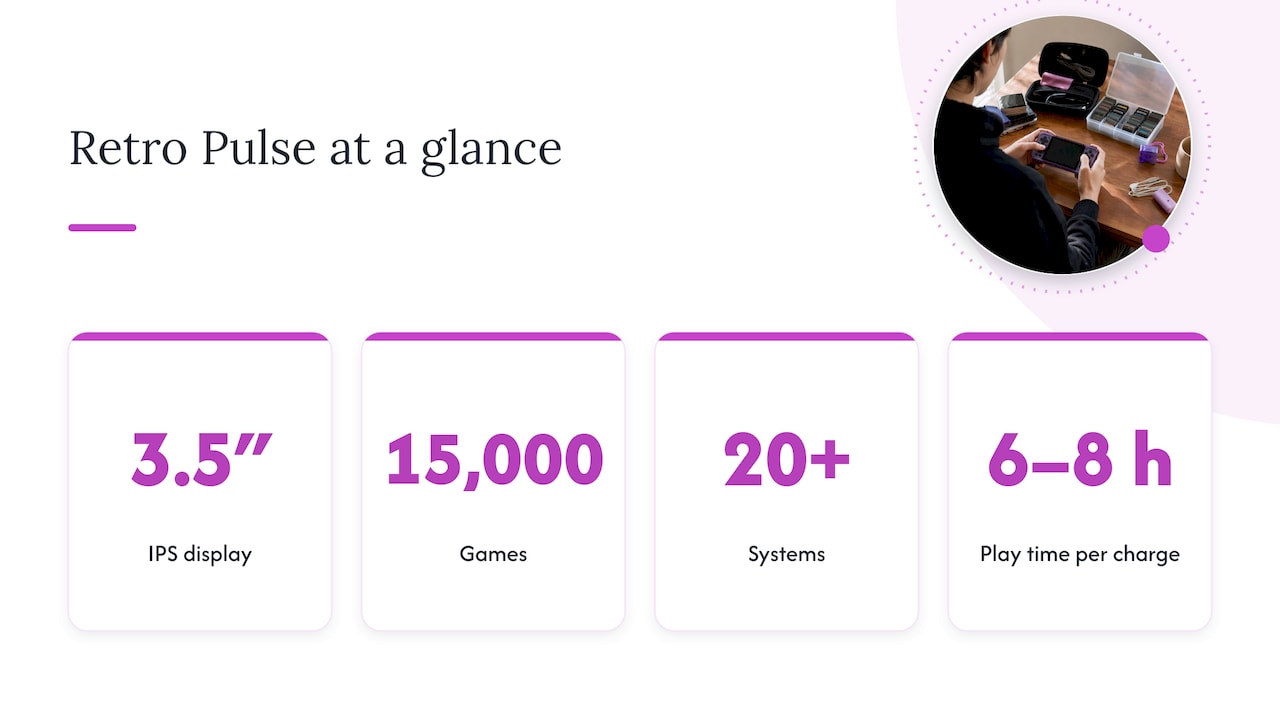
- Our Retro Pulse uses a 3.5" IPS display, built for pick-up-and-play across 15,000 preloaded games from over 20 systems.
Table of Contents
- Resolution is the least interesting spec
- The four things that define a good retro screen
- Matching screen size to the games you play
- Filters, shaders and the CRT look
- Perspective: why we chose a 3.5" IPS panel
- How to test a retro handheld screen in ten minutes
- How phones, handhelds and the Switch compare on screen
- Ready to see it for yourself?
- A note on the games themselves
- FAQ
- Sources
Resolution is the least interesting spec
Shoppers compare numbers first, and that is understandable. But retro games were built for tiny frames. Many classic consoles output only a few hundred pixels across, so the screen’s job is to show those pixels faithfully, not to add more of them.
The most common setup on current handhelds is a 4:3 panel at 640×480, according to one widely read shader and screen guide. The same guide notes that PlayStation and Nintendo 64 output at 320×240 maps to that panel at an exact 2x scale. That is the real appeal of a 480p screen: many games divide into it evenly.
So when you read a spec sheet, ask what the resolution lets the games do, not how large the number is.
The four things that define a good retro screen
1. Panel type
IPS panels are the practical standard for handhelds in this category. They keep colors consistent from wide viewing angles, which matters when you are holding a device at an odd tilt on a train, a couch or the back seat of a car. They are also bright enough for most indoor use.
AMOLED panels are the premium option. Reporting on newer premium models says they deliver perfect blacks and vivid color, and that black bars blend into the bezel on non-widescreen games. That is a real advantage, though it comes with a higher price class of device. For a family, a commuter or a student, a good IPS panel gives you most of the visible benefit at a more sensible cost.
2. Aspect ratio
Aspect ratio decides how much of the screen your game uses. Classic consoles from the NES through the PlayStation and N64 were designed for 4:3 televisions, so a 4:3 handheld fills the panel with those games. Here is how the common shapes compare:
| Aspect ratio | Best for | Trade-off |
|---|---|---|
| 4:3 | NES, SNES, Genesis, PS1, N64, arcade | Black bars on widescreen content |
| 1:1 (square) | Vertical shooters, early handheld systems | Smaller image for 4:3 games |
| 3:2 | Game Boy Advance | Narrow fit for most other systems |
| 16:9 / 16:10 | Modern emulators, widescreen hacks, CRT-style filters | Wide borders on most retro games |
One device guide describes the logic: 1:1 or 4:3 suits older systems such as Game Boy, Game Boy Color and arcade, while 16:9 or 16:10 suits modern gaming and filters. Our own take on the diagonal-versus-shape question is in why 4:3 scaling beats diagonal size for retro screens.
On the common question of whether GBA games are 4:3: no. The Game Boy Advance screen is 3:2, so on a 4:3 handheld you will see small bars at the sides or a slight stretch, depending on settings.
3. Scaling
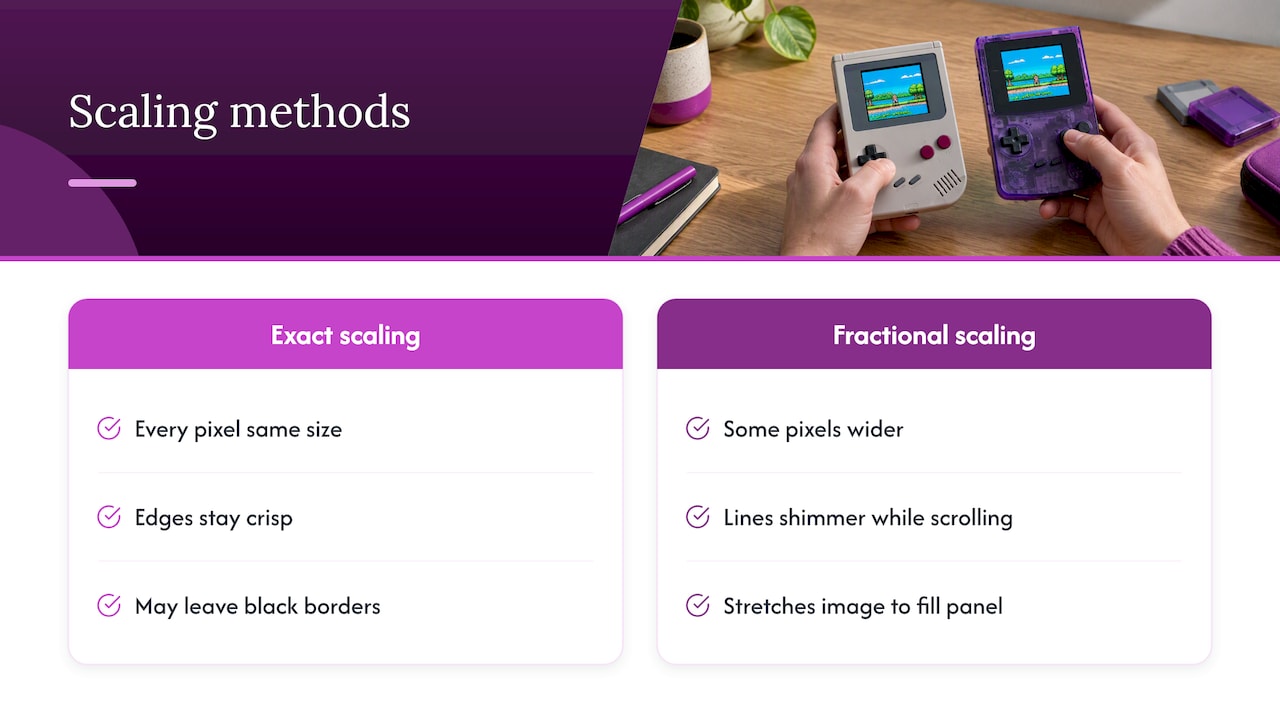
Scaling is where a good display and a mediocre one separate. Retro game pixels are blocky by design. When a handheld draws them at an exact whole-number multiple (2x, 3x, 4x), every pixel is the same size and edges stay crisp. When it stretches an image to fill the panel by a fractional amount, some pixels get wider than others and lines shimmer as characters scroll.
You may lose some screen area to black borders with exact scaling. Most enthusiasts accept that trade because the picture is clean. If you want the detail, we wrote a separate piece on when to use nearest or bilinear scaling for pixel art at 2x to 4x.
A quick test is simple. Load a game with a scrolling background and thin horizontal lines, such as a platformer with fences or a racing game with road stripes. If lines crawl or thicken as the screen moves, the scaling is uneven.
4. Latency and color accuracy
Expert reviewers point out that screen quality is not only resolution but color accuracy and latency. Latency is the gap between pressing a button and seeing the result. In fast games like Contra, Mega Man or F-Zero, a slow panel feels mushy even if the picture is perfect.
You cannot measure this from a spec sheet. Look for reviews that test it directly, and judge by feel in the first hour of play.
Matching screen size to the games you play
Bigger is not automatically better. Many retro handhelds have a usable 4:3 area of about 3.5 to 4 inches, and the largest widescreen models stretch to roughly 4.5 inches of diagonal. But a wide 4.5-inch panel does not give you a bigger 4:3 picture than a well-shaped 4-inch one.
Some premium devices now push the 4:3 shape further. One recent preview of a 4:3 handheld describes a 4.5-inch, 1280×960, 120Hz AMOLED panel. That is an enthusiast-level screen, and the extra pixels help with shaders and filters. For straightforward play of classic cartridges, you do not need it.
At the other end, the square 4-inch, 720×720 IPS panel on one popular device shows the idea behind 1:1: it removes uneven scaling for the systems it targets, but gives a smaller picture for 4:3 consoles.
Here is a simple way to decide.
- Mostly 8-bit and 16-bit (NES, SNES, Genesis): a 3.5 to 4 inch 4:3 IPS panel is plenty.
- Mostly PS1 and N64: you want 4:3 and clean 2x scaling, and comfortable controls such as real sticks and triggers.
- Mostly Game Boy, Color and Advance: a small display is fine, since the originals were tiny. A 3:2 or 1:1 panel gives the nicest fit.
- Mixed library or modern emulators: a widescreen panel gives you the most flexibility, with the cost of side borders on classics.
If you are still weighing which device type suits your household, our retro handheld comparison for parents lays out the choices without the tech jargon.
Filters, shaders and the CRT look
Many handhelds offer visual effects that imitate a tube television: scanlines, soft phosphor glow, slight curvature. They can look charming, but they have a cost. Scanlines darken the image, and they work best on higher-resolution panels where there is room to draw them without eating the game’s own pixels.
Our advice is to start with filters off. Play with clean scaling for a few sessions. If a game looks too sharp or harsh, such as a PS1 title with jagged 3D edges, try a gentle filter for that system only. You will quickly learn which games benefit.
Perspective: why we chose a 3.5" IPS panel
When we talk with people about handhelds, most start with specs and end with a question: “Will my games look right?” That is the right question. We built Retro Pulse around the answer being yes without homework.
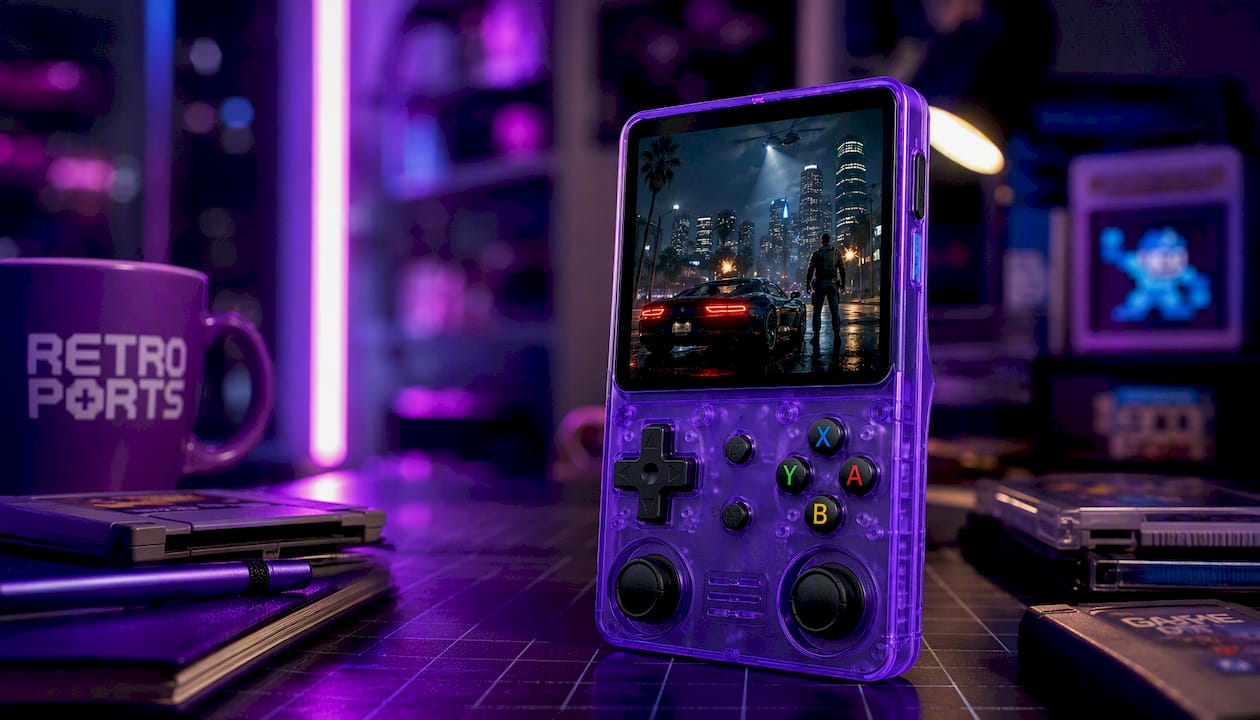
The Retro Pulse has a vibrant 3.5" IPS display, real D-pad, twin sticks and L/R triggers, and a library of 15,000 games from over 20 systems, from NES and SNES to Genesis, PS1, N64, Game Boy, GBA and arcade. For that range of systems, a compact IPS panel is a sensible match. It keeps the device pocketable, the colors steady from any angle and the battery draw moderate. The removable battery gives 6 to 8 hours of play, so the screen is not the thing that ends your trip.
We also believe the best screen is the one you do not have to fiddle with. Many handhelds ship as a blank canvas that needs menu setup, shaders and downloads before the picture looks right. Ours is curated and ready to play instantly, offline, with no subscription. If you want to tweak, you can, and there are dual microSD slots for adding games. But you should not have to in order to enjoy Super Mario World or Final Fantasy VII on day one.
The honest limit: a 3.5-inch panel is not a TV. If you want to play on a big screen, a different product type is a better fit, and we compare the two in mini console versus handheld. What a small IPS screen does well is make classic games feel close, bright and personal.
— Sean
How to test a retro handheld screen in ten minutes
Whether you are looking at a device in a review or one on your doorstep, run through the same checks.
- Scrolling test. Play a side-scroller and watch the background. Shimmer or uneven pixel widths point to fractional scaling.
- Text test. Open an RPG menu. Small text should be readable without a halo or smear.
- Dark scene test. Play a night or cave level. Washed-out blacks and backlight bleed at the edges show up here.
- Angle test. Tilt the device the way you would hold it on a couch or bus. Colors should not invert or fade.
- Reaction test. Play a fast game you know well. If it feels laggy compared with your memory, the display or the software is adding delay.
- Brightness test. Check it near a window. Glossy panels reflect, and a screen that is fine indoors can disappear outside.
If a device passes all six, the spec sheet matters far less.
How phones, handhelds and the Switch compare on screen
People often ask whether a phone does the same job. Phone screens are excellent, but they are widescreen, so 4:3 classics sit in the middle with borders, and touch overlays cover part of the image. A dedicated handheld has the correct shape and physical buttons. We cover that trade-off in phone emulation versus a handheld.
A modern console’s handheld mode is a different category again. It is designed for current games, and retro titles cost extra one by one. If you are deciding between the two, see Switch or retro handheld for the per-game cost picture.
For N64 and PSP-style games that need two sticks, the shape of the screen and the controls work together. Our page on dual analog handhelds goes into it.
Ready to see it for yourself?
If a compact, bright IPS screen and a library that works out of the box sounds right, the Retro Pulse is our answer. It ships from a U.S. warehouse, comes with a one-year warranty and has a 30-day return window, so you can judge the screen with your own favorite games in your own hands.
A note on the games themselves
Screen quality talks about how games look, but where they come from matters too. Emulation software is generally legal in the United States, but downloading commercial ROMs without authorization is copyright infringement, even if you own the original cartridge. The archival-copy provision in U.S. copyright law covers making your own backup, not fetching one from a third party. If you have questions about a specific situation, an attorney who handles copyright matters is the right person to ask. This is one reason we preload a curated library rather than sending you searching.
FAQ
Is a higher resolution always better on a retro handheld?
No. Retro games are drawn at low resolutions, so what matters is how cleanly the screen scales them. A 640×480 panel can look better than a larger one if it maps game pixels in whole-number steps. Higher resolution helps mostly when you use shaders or filters.
Are GBA games 4:3?
No, the Game Boy Advance uses a 3:2 screen. On a 4:3 handheld you will see small borders or a slight stretch. Most devices let you choose between exact scaling with bars and a fuller image with some distortion.
Is IPS or AMOLED better for retro games?
AMOLED gives deeper blacks and richer color, and it is common on premium models. IPS is more affordable, has strong viewing angles and looks great with classic games. For most families, commuters and students, a good IPS panel is the practical pick.
Are retro handheld consoles legal?
The devices and emulation software are legal in the U.S. What is not legal is downloading copyrighted ROMs without permission. Games that are freely licensed, such as homebrew released for free distribution, are fine to download and play.
Sources
- Guide: Shaders and Overlays on Retro Handhelds
- ModRetro Chromatic review, The Short Cut
- AMOLED handheld screen reporting, Sina
- Device overview, Pocketgaming
- 5 Games That Look Perfect on a 4:3 AMOLED handheld, Retro Handhelds
- When is it Legal to Download ROMs?, Retro Gaming Nerd