Choose a retro handheld if you want a plug-and-play classic library on a budget: most sell for far less than a Switch family device and skip subscriptions entirely.
Choose a Nintendo Switch model if current first-party titles, online multiplayer, and modern 3D games matter more to you. Dedicated retro machines are available that serve the first group.
TL;DR:
- Retro handhelds cost significantly less upfront and do not require subscriptions, making them ideal for players focused solely on classic games.
- Switch devices support a broader library of current titles, online multiplayer, and cloud saves, with ongoing costs for games and Nintendo Switch Online.
- Each platform’s controls are optimized for different game styles: D-pads for retro 2D titles versus analog sticks and motion controls for modern 3D games.
- Retro handhelds usually run on emulators for multiple legacy systems and can expand storage via microSD, while Switch downloads games from the eShop, often needing updates and account setup.
- Legal concerns apply to retro device owners, as copying, sharing, or downloading ROMs without proper licensing can lead to copyright infringement risks.
Table of Contents
- Retro Handhelds vs Switch at a Glance
- What Games Can You Actually Play on Each?
- Controls and Ergonomics: How Different Games Feel
- Battery Life and Portability on the Go
- Performance, Expandability, and Modding
- Staying Legal and Safe With ROMs and Preloaded Libraries
- Which Device Fits Your Buyer Profile?
- Retro Pulse: A Ready-to-Play Retro Handheld
- Build Quality and Durability
- Screen Quality: Resolution, Size, and Refresh Rate
- Availability, Updates, and Community Support
- Nostalgia, Convenience, and Owning Both
- Ready to Go Retro? Here’s What to Check First
- FAQ
- Sources
Retro Handhelds vs Switch at a Glance
The two categories solve different problems, and the right pick depends on which axis matters most to you.
- Best for: retro handhelds suit players chasing classic libraries; Switch devices suit players who want current releases and online play.
- Price and value: retro handhelds typically cost less upfront and carry no subscription; Switch hardware costs more and often pairs with Nintendo Switch Online fees.
- Library: retro handhelds lean on emulation and preloaded or cartridge-based classics; Switch runs a first-party and third-party eShop catalog of modern games.
- Battery and portability: both are pocket-friendly, though runtime varies by brightness, emulation load, and screen size.
- Controls: retro handhelds often prioritize D-pad feel for 2D games; Switch controllers add analog sticks and motion sensing for 3D titles.
- Ease of use: preloaded retro devices tend to power on and play instantly; Switch requires updates, downloads, and account setup for full functionality.
The cost gap is the clearest differentiator. A retro handheld is a one-time purchase with no ongoing game fees once it ships with a curated library. A Switch, by contrast, pairs its hardware cost with individual game purchases that can run $40 to $70 each, plus an optional online subscription for multiplayer and cloud saves. Neither approach is wrong, but they serve different budgets and different reasons to play.
What Games Can You Actually Play on Each?
Game access is where the two categories diverge most sharply, and it should drive your decision more than specs alone.
Switch family devices connect to Nintendo’s eShop, which carries first-party franchises alongside thousands of third-party releases. Online multiplayer, cloud saves, and some exclusive content require a Nintendo Switch Online subscription, an ongoing cost beyond the console itself.
Retro handhelds take a different route. Many ship preloaded with thousands of games spanning multiple legacy systems, while others rely on cartridge slots or microSD expansion for adding more titles. Dual microSD slots, when available, let you separate a preloaded library from a personal collection you add later.
-
Switch: first-party and eShop titles, online subscription needed for multiplayer.
-
Retro handhelds: multi-system emulation, preloaded libraries, and expandable storage via microSD.
One distribution limit matters for every retro buyer: U.S. Copyright Office guidance confirms that Section 117 allows only narrow archival copies of software you already own; it does not authorize distributing backup copies or sharing copyrighted games with others. That limit shapes how legitimate preloaded devices are built and sold.
Controls and Ergonomics: How Different Games Feel
A control layout built for 2D platformers feels wrong for 3D adventures, and that mismatch is easy to underestimate before you buy.
Classic titles like Mega Man or Super Mario World depend on precise D-pad input, where microswitches and a well-tuned pivot point make the difference between clean inputs and missed jumps. Retro handhelds generally prioritize this feel since their libraries skew toward 2D era games.
Switch controllers take the opposite approach: twin analog sticks and motion sensing support the camera control and aiming that modern 3D games demand, from platformers to shooters. That layout handles 2D classics fine too, but it was not optimized specifically for them.
-
Retro 2D titles reward a tactile D-pad with responsive microswitches.
-
Modern 3D games need analog stick precision and sometimes motion control.
-
Family use favors a durable, simple layout kids can pick up without a tutorial.
Pro Tip: If your library is mostly pre-2000 2D games, test the D-pad feel before buying, since that single control often makes or breaks the experience.
Battery Life and Portability on the Go
Runtime expectations should match how you actually play, not just a spec sheet number.
Battery life on both device types shifts with screen brightness, emulation load, and whether Wi-Fi stays active. A removable battery, common on many retro handhelds, lets you carry a spare for long flights or road trips without hunting for an outlet. Fixed batteries, typical on Switch hardware, mean you plan charging stops instead.
- Removable batteries support longer trips when you pack a spare.
- Fixed batteries require access to USB-C charging during extended travel.
- Larger screens improve visibility but shrink pocketability.
A 3.5 inch to 4 inch screen tends to balance visibility and pocket fit better than larger panels, which push a device toward a bag rather than a jacket pocket.
Performance, Expandability, and Modding
Hardware demands vary enormously across retro systems, and matching your device to your target library avoids disappointment.
Modest retro handheld hardware runs NES, SNES, Genesis, and PS1 libraries smoothly in most cases, according to GamesRadar+ testing across retro handhelds. Heavier systems like PSP, PS2, and Dreamcast need higher-tier, often Android-based hardware and more careful setup to run well. Picking a device based on the specific systems you want to play, rather than chasing the highest specs available, tends to produce a better outcome.
Switch hardware, including the newer Switch 2 generation, is built to run native modern titles and benefits from official patches and performance updates over time.
- NES, SNES, Genesis, PS1: comfortable on modest retro handheld hardware.
- PSP, PS2, Dreamcast: need higher-end, often pricier hardware.
- Switch: strongest for native modern titles with ongoing official support.
Custom firmware on either platform can unlock features like save states or expanded emulator options, but it typically voids warranty coverage and can create online service or legal risk.
Staying Legal and Safe With ROMs and Preloaded Libraries
A little caution upfront avoids most of the trouble buyers run into with retro hardware.
U.S. Copyright Office guidance limits archival copying to programs you already own lawfully; it does not permit redistributing those backups or selling unauthorized game copies. Buying a device preloaded with games from an unverified seller, or downloading ROMs from third-party sites, carries real exposure: potential copyright infringement, malware bundled with pirated files, and no recourse if the seller disappears. Willful copyright infringement can carry statutory damages up to $150,000 per infringed work, according to U.S. Copyright Office guidance, a figure that underscores why sourcing matters.
- Buy from vendors who disclose their licensing and sourcing practices.
- Keep purchase receipts in case you need warranty or return support.
- Avoid marketplaces that sell bulk ROM collections with no licensing information.
Which Device Fits Your Buyer Profile?
Matching the device to the games you actually want to play solves most of the decision in one step.
- Modern-first player: choose a Switch family device for current first-party releases, online multiplayer, and ongoing software support.
- Retro purist who wants instant play: choose a retro handheld like Retro Pulse for a curated classic library with no setup friction.
- Gift for kids or family: either works, though a Switch offers broader brand recognition while a retro handheld offers simpler, distraction-free play.
- Commuter on a budget: a retro handheld typically costs less upfront and avoids per-game and subscription costs.
The games you want to play on day one matter more than any spec comparison, so start there before weighing price or form factor.
Retro Pulse: A Ready-to-Play Retro Handheld
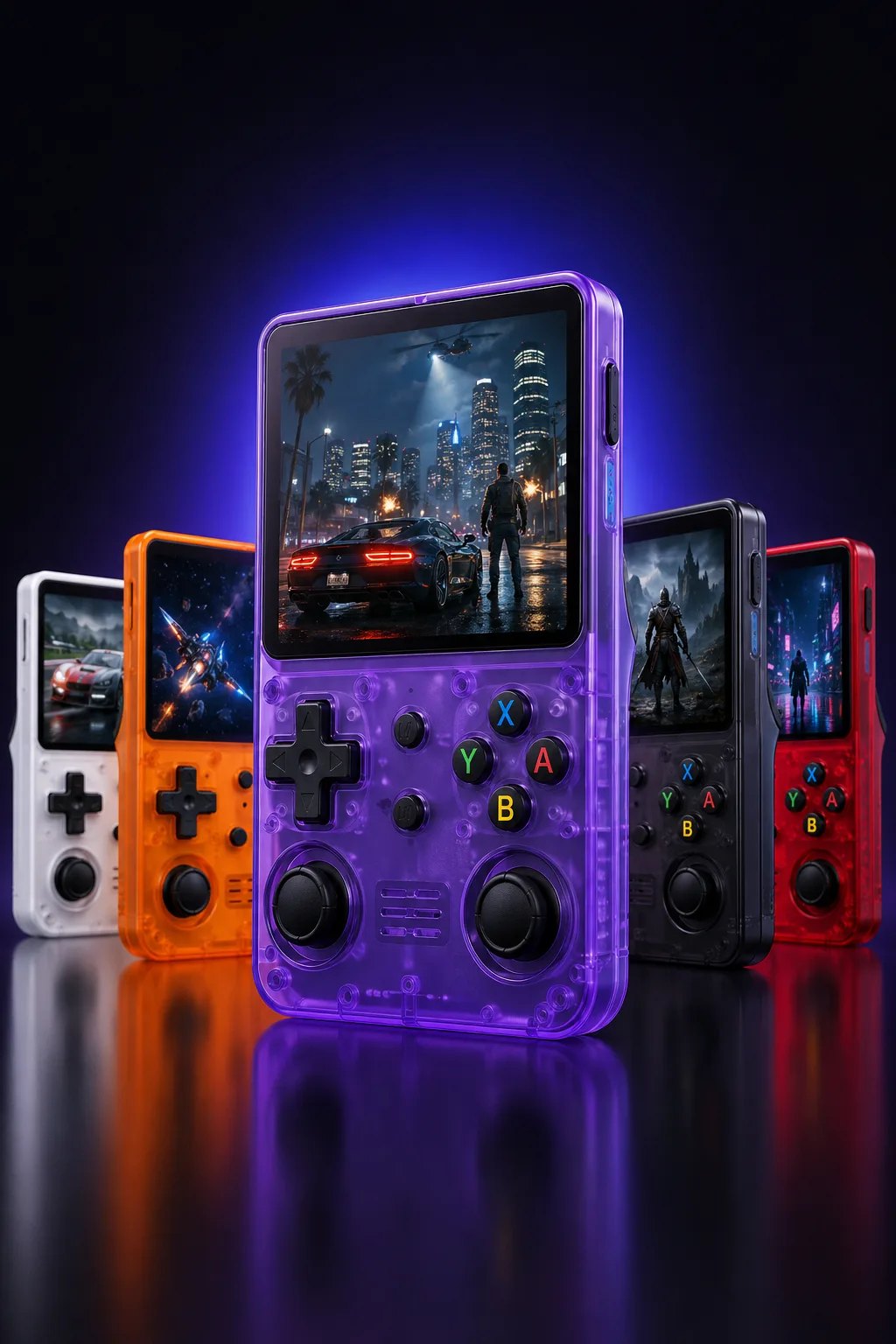
For buyers who land on the retro-first side, Retro Pulse ships preloaded with 15,000 games across more than 20 systems, including NES, SNES, Genesis, and PS1. These devices typically feature a 3.5 inch IPS display, removable battery, USB-C charging, and dual microSD slots for adding more titles.
The offline-first design means no account setup, no downloads, and no subscription before you start playing, which fits buyers who want instant access or want to share childhood games with their kids without a configuration step. They often ship domestically, include warranty coverage, and offer return windows. Check the product page for current bundles and shipping details before you order.
Build Quality and Durability
A handheld that survives drops, bag jostling, and years of button mashing is worth more than one with flashier specs and a fragile shell.
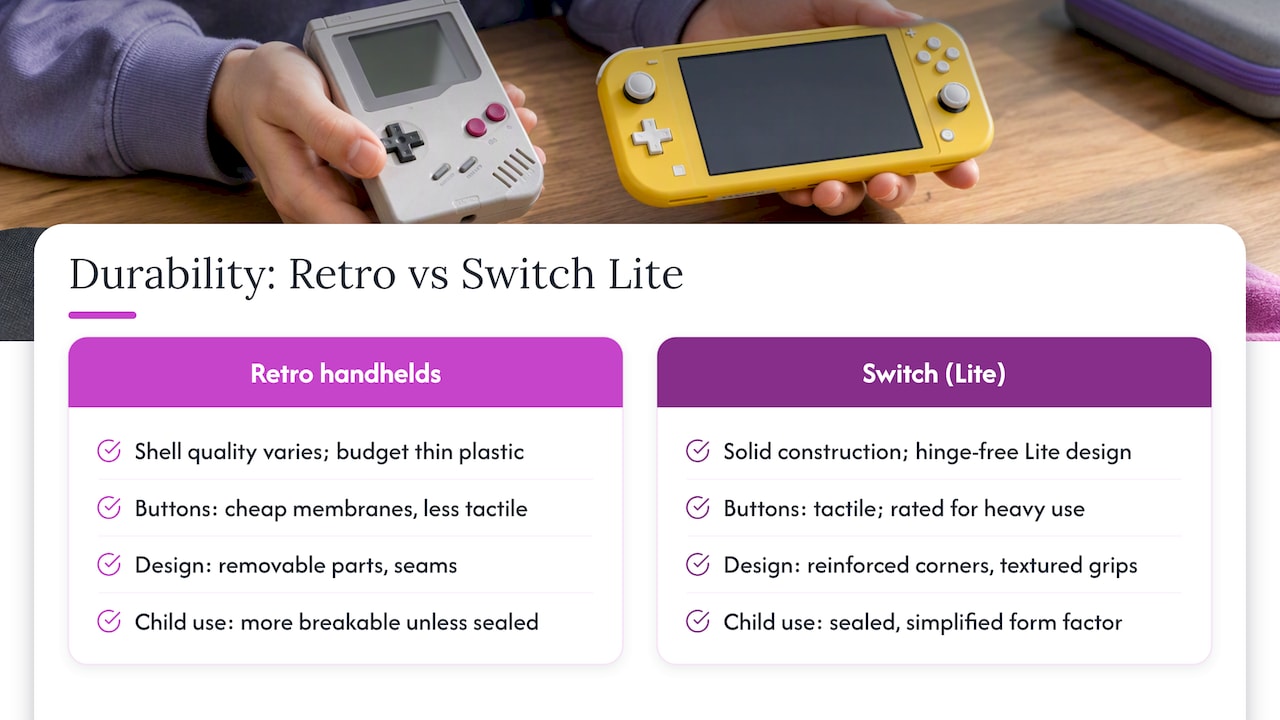
Retro handhelds vary widely in build. Budget models sometimes use thinner plastic shells and less durable button membranes, while better-built units favor textured grips, reinforced corners, and tactile buttons rated for heavy use. Switch hardware, reviewed extensively by The Verge, has earned a reputation for solid construction, particularly in the Switch Lite’s unified, hinge-free design that removes a common failure point found in detachable Joy-Con models.
For family use, a sealed or simplified form factor reduces the number of things that can break under a child’s grip. Removable battery compartments add a slight durability trade-off, since they introduce a seam and a latch, but they offset that with easier long-term battery replacement instead of a sealed unit that degrades over years of charge cycles. Weight and grip shape also affect how a device holds up during regular handling: a lighter shell reduces drop impact, while rubberized edges absorb minor knocks better than smooth plastic.
Whichever category you pick, check the material and button description on the product listing before buying, since marketing photos rarely reveal shell thickness or button feel.
Screen Quality: Resolution, Size, and Refresh Rate
Screen choice affects comfort as much as visual clarity, especially during long play sessions.
Retro handhelds commonly use IPS panels in the 3.5 inch to 4 inch range, which deliver accurate colors and wide viewing angles suited to pixel art and 16-bit era sprites. Smaller screens keep the device pocketable but can make fine detail harder to see for players with larger hands or vision needs.
Switch hardware spans a wider range, from the compact Switch Lite screen up through larger, higher-resolution panels on newer models, with The Verge’s coverage of the Switch 2 generation noting improved display quality and frame rates for handheld play. Higher resolution and smoother refresh rates matter more for modern 3D titles with fast camera movement than for most retro 2D libraries, where pixel accuracy counts more than raw sharpness.
If your priority is classic games, a smaller, color-accurate IPS panel usually serves you better than chasing the highest resolution available. If modern titles with fast motion are the draw, a higher refresh rate panel will feel noticeably smoother during gameplay.
Availability, Updates, and Community Support
How easy a device is to find, update, and expand later affects its long-term value as much as the hardware itself.
Switch hardware benefits from Nintendo’s official update channel, consistent retail availability, and a mature third-party accessory market covering cases, grips, and docks. Community support is broad, with established forums and official patch notes for most titles.
Retro handhelds vary more by vendor. Preloaded devices with curated libraries, direct warehouse shipping, and clear warranty terms tend to offer more predictable support than devices sourced from unverified marketplaces. Community-driven firmware updates exist across the retro handheld space, and they can add features like save states or expanded emulator compatibility, though installing them often voids the manufacturer’s warranty. Accessory support, such as cases or screen protectors, tends to track a device’s popularity rather than its price point.
Before buying any retro handheld, check whether the seller publishes firmware update history and offers direct customer support rather than relying only on community forums for troubleshooting.
Nostalgia, Convenience, and Owning Both
I grew up on a Game Boy and a pile of scratched cartridges, so I get the pull toward a device that boots straight into Chrono Trigger with no menus in the way. But I also play plenty of current games, and nothing beats a Switch for that. The honest answer is that these devices solve different cravings, and plenty of players end up happy owning one of each rather than forcing a single choice.
A practical tip: if your retro library and your modern library both matter to you, budget for a Switch first for new releases, then add a dedicated retro handheld once you know which classic systems you actually revisit.
— Sean
Ready to Go Retro? Here’s What to Check First
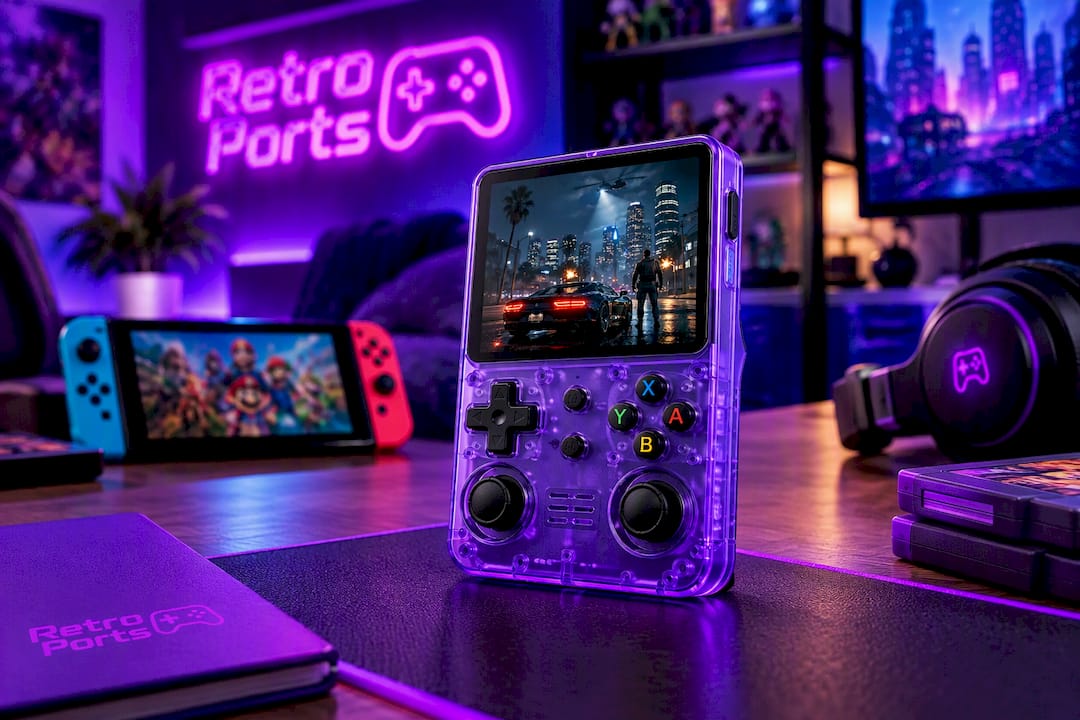
If a curated, instant-play classic library sounds like your pick, Retro Pulse ships preloaded with 15,000 games, runs offline, and uses a removable battery so you’re never tied to an outlet. Before ordering, check the product page for current bundle options, shipping timing, and the 30-day return window.
FAQ
Are retro handheld consoles worth it?
Retro handhelds are worth it if you want instant access to classic libraries without downloads, subscriptions, or account setup. They typically cost less upfront than a Switch device and skip ongoing game or subscription fees, making them a strong fit for budget-conscious buyers and nostalgia-focused players.
Which is better, the Nintendo Switch or the Retroid Pocket 5?
The better choice depends on what you want to play: Switch hardware wins for current first-party and third-party modern releases plus online multiplayer, while higher-end Android-based retro handhelds favor players chasing deeper system compatibility, including heavier systems like PSP or PS2. Neither is universally better since they serve different libraries and budgets.
Can the Nintendo Switch be used as a retro console?
The Switch can access some classic titles through select eShop re-releases and subscription-based retro game collections tied to Nintendo Switch Online, but it was not built as a dedicated emulation device. A purpose-built retro handheld generally offers broader classic-system compatibility out of the box.
Is a modded Switch illegal?
Modding a Switch to run custom firmware is a legal gray area that typically voids the warranty and can risk an online ban, but simply owning modded hardware is not automatically criminal. Using it to download or distribute copyrighted games without authorization crosses into copyright infringement, which U.S. Copyright Office guidance addresses directly.
Sources
- Best retro handheld 2026: my portable picks for playing the classics | GamesRadar+
- Copyright and digital files (FAQ) | U.S. Copyright Office
- The best thing I bought this year: The Nintendo Switch 2 | The Verge