Use nearest neighbor scaling when you need to preserve pixel art and retro sprites exactly as drawn, especially at integer scale factors. Use bilinear scaling for photographs and continuous-tone images where smoothness matters more than crisp edges. When downscaling photos, a dedicated averaging filter often beats either, and when sharpness is critical at larger scales, bicubic or Lanczos can outperform bilinear.
TL;DR:
- Nearest neighbor scaling preserves pixel art’s sharp edges and palette but can produce jagged lines and stair-stepping on curves.
- Bilinear scaling offers smoother edges and reduces jaggies in photographs and gradients but softens detail and contrast, making it unsuitable for pixel art.
- Hardware support makes bilinear filtering nearly free on GPUs, often defaulted by game engines, despite pixel art benefits from nearest neighbor.
- For downscaling images, area-based averaging prevents moire patterns better than bilinear or bicubic filtering.
- Choose scaling methods based on data type: nearest neighbor for categorical content and pixel art, bilinear or bicubic for photographs, with performance constraints dictating the final decision.
Table of Contents
- How nearest and bilinear scaling actually look
- What happens mathematically during each scaling method
- Speed, hardware support, and common implementation traps
- A practical checklist for choosing a scaling method
- Why Retro Pulse keeps pixel art looking the way it was drawn
- The scaling debate has a simpler answer than most guides admit
- Play your retro library the way it was meant to look
- Sources
- FAQ
How nearest and bilinear scaling actually look
The two methods produce visibly different results, and once you know what to look for, you can tell them apart in a screenshot.
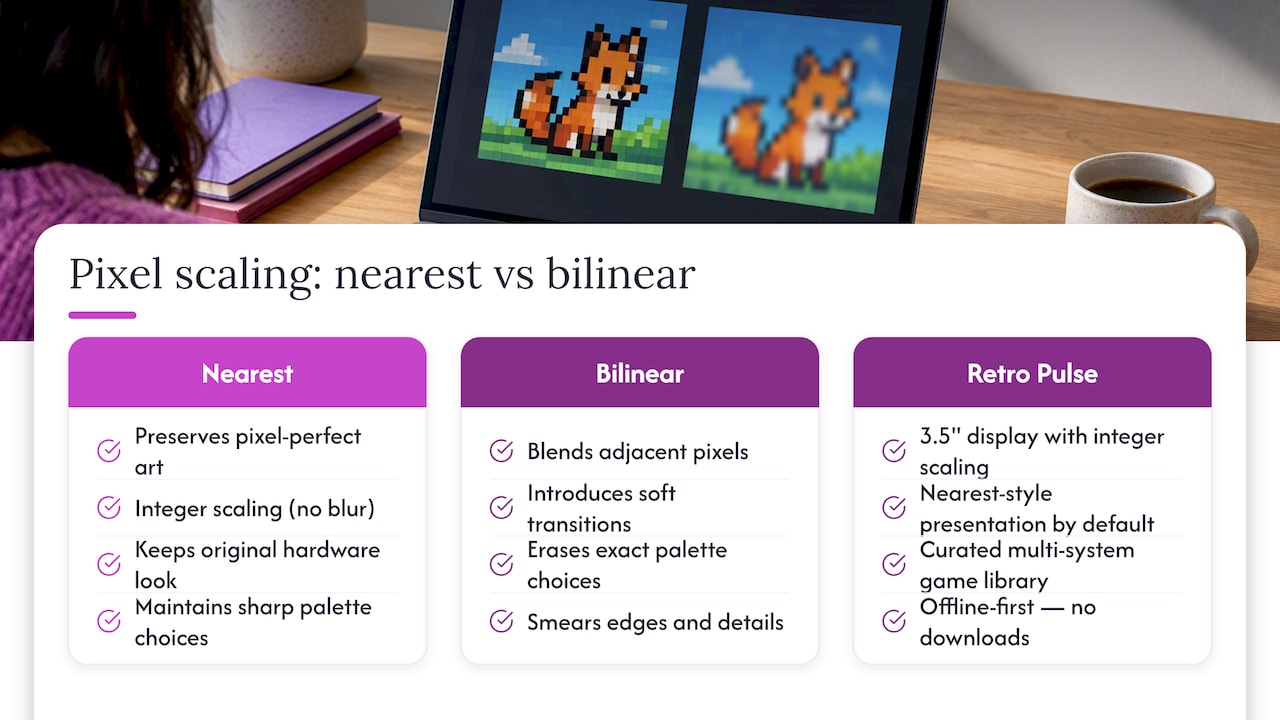
- Nearest neighbor keeps hard edges and the original palette intact, but diagonal lines and curves show visible stair-stepping, often called jaggies.
- Bilinear smooths those same edges and reduces jagged stair-stepping, but it softens detail and lowers contrast right at the boundary between colors.
- Pixel art and sprite-based retro games look sharper and truer to the source with nearest, since every pixel stays a clean block of color.
- Photographs and gradients look more natural with bilinear, since the eye expects soft transitions rather than hard blocks.
A popular hybrid exists for retro visuals: scale by an integer factor using nearest neighbor first, then apply a light smoothing pass afterward to mimic the soft glow of an old CRT screen, an approach described in the comparison gallery of image scaling algorithms. If you want to see the difference yourself, load the same sprite or photo into an emulator or an image editor and switch between nearest and bilinear filtering modes. The change is immediate and often more convincing than any written description.
What happens mathematically during each scaling method
Both methods answer the same question, what color should this new pixel be, but they answer it very differently.
- Nearest neighbor looks at the new pixel’s location, finds the closest source pixel, and copies its value directly. No new color is ever invented, which is why palettes and category labels stay intact.
- This simplicity has a downside: when a sample point lands exactly on the corner between four source texels, the rounding rule decides which one wins, and different implementations can round differently, according to GeeksforGeeks. In motion, that inconsistency can cause flicker or tearing between frames.
- Bilinear takes the four nearest source pixels and computes a weighted average based on distance. A sample point sitting exactly in the center of a 2×2 block gets 25% weight from each neighbor, producing a blended value no single source pixel actually had.
- That blending is exactly why bilinear softens edges and reduces contrast: a sharp line between black and white becomes a short gradient of grays instead of a clean jump.
Graphics libraries expose both as named flags. OpenCV uses INTER_NEAREST and INTER_LINEAR, documented in its resize and interpolation guidance, and most real-time graphics APIs implement bilinear filtering directly in hardware for texture sampling, as Microsoft’s bilinear texture filtering documentation explains with worked numeric examples. That hardware support is a major reason bilinear remains the default in game engines and GPU pipelines.
Speed, hardware support, and common implementation traps
Nearest neighbor is the fastest option available, since it only requires a lookup and a copy, no math beyond addressing. Bilinear needs four reads and a weighted sum, but modern GPUs compute it in dedicated texture units, so in real-time rendering it is effectively free, a point echoed in discussions on NVIDIA’s developer forums about hardware-accelerated filtering.
On typical consumer GPUs, bilinear texture filtering runs in the same hardware path as a plain texture fetch, so it adds no measurable frame-time cost compared to nearest sampling. That single fact explains why so many engines default to it even for pixel art, sometimes to the detriment of the retro look.
A few practical notes help avoid common mistakes:
- For downscaling, OpenCV’s own guidance recommends
INTER_AREAoverINTER_LINEARto avoid moire patterns that appear when shrinking detailed images. - For upscaling,
INTER_LINEARis a reasonable default, whileINTER_CUBICtrades extra computation for sharper results. - Mipmapping, a technique that precomputes smaller versions of a texture, helps prevent the shimmering that happens when a photo-like texture is downsampled far below its native resolution.
- On embedded or low-power hardware, nearest neighbor’s low cost can matter more than its visual roughness.
A practical checklist for choosing a scaling method
Work through these questions in order before picking an algorithm:
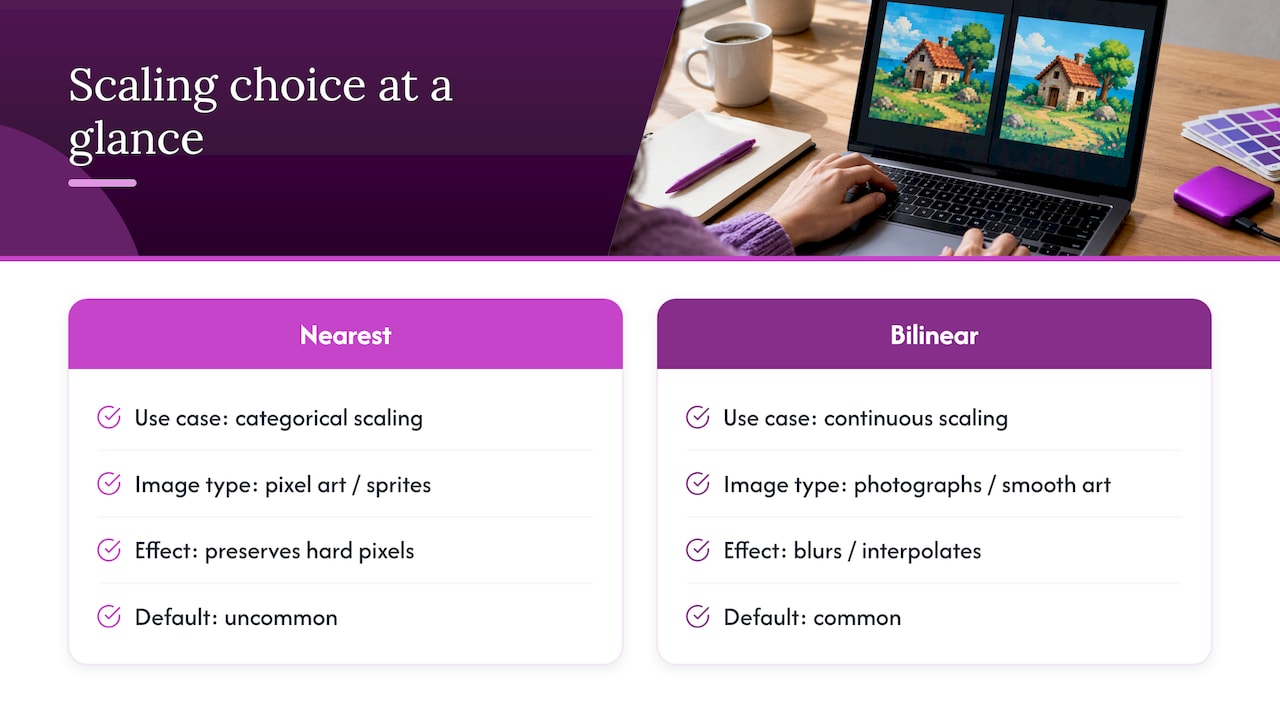
- Identify the data type. Categorical data such as map classifications or pixel art palettes needs nearest. Continuous data such as photographs or elevation maps tolerates blending.
- Check the scale factor. Integer scaling (2x, 3x, 4x) keeps nearest-neighbor output clean; fractional scaling introduces more visible artifacts regardless of method.
- Weigh performance constraints. On a GPU, bilinear is nearly free; on constrained embedded hardware, nearest may still be the safer default.
- Decide the output goal. Authenticity favors nearest for retro content, while smoothness favors bilinear, bicubic, or Lanczos for photographic content.
For retro gaming specifically, integer nearest scaling is the right starting point, with an optional smoothing pass layered on top only if you want a CRT-style softness. For photographs, bilinear is a solid everyday choice, but switch to bicubic or Lanczos when sharpness matters, and switch to area-based averaging when shrinking an image rather than enlarging it. For GIS rasters and any map built from discrete classes, nearest is not just preferred, it is required, since bilinear would invent fractional class values that mean nothing on a categorical map, a point raised in interpolation guidance from Columbia’s IRI.
Pro Tip: When in doubt about a texture’s content, treat it as categorical and use nearest. Blurring a label is a worse mistake than leaving a photo slightly less smooth.
Why Retro Pulse keeps pixel art looking the way it was drawn
Pixel art was designed pixel by pixel, often with a deliberately limited palette, so stretching it through a blending filter erases the exact choices an artist made decades ago. A 3.5-inch display that renders those sprites with integer scaling and nearest-style presentation keeps the game looking the way its original hardware intended rather than smearing it into something softer and less legible.
Retro Pulse pairs that pixel-accurate approach with a curated library spanning multiple systems, an offline-first design that skips downloads and subscriptions, a removable battery for longer sessions, and a warranty. Those are concrete, checkable specifics built for players who care how their classic games actually look on screen, not just that they run.
The scaling debate has a simpler answer than most guides admit
Most articles on this topic treat bilinear and nearest as if they were competing for the same crown, ranking one “better” overall. That framing misses the point. The two methods solve different problems, and the real skill is recognizing which problem you have in front of you, categorical or continuous, pixel art or photograph, before you touch a single setting.
The bigger mistake is defaulting to whatever the engine or library ships with, which is usually bilinear, because it looks acceptable almost everywhere. Acceptable is not the same as correct. A sprite sheet scaled with bilinear is not wrong in the sense of broken, it is wrong in the sense that it no longer looks like the game it is supposed to represent. If you only take one thing from this comparison, let it be this: decide what your image actually is before you decide how to scale it. The algorithm choice should follow from that answer, not from whatever happens to be the default.
— Sean
Play your retro library the way it was meant to look
If you have made it this far, you already know why nearest-style, pixel-preserving presentation matters for classic games. Retro Pulse is built around that same principle: a small display that shows retro sprites as sharp blocks of color rather than a softened approximation, paired with a library of thousands of games across more than 20 systems, ready to play without downloads or subscriptions.
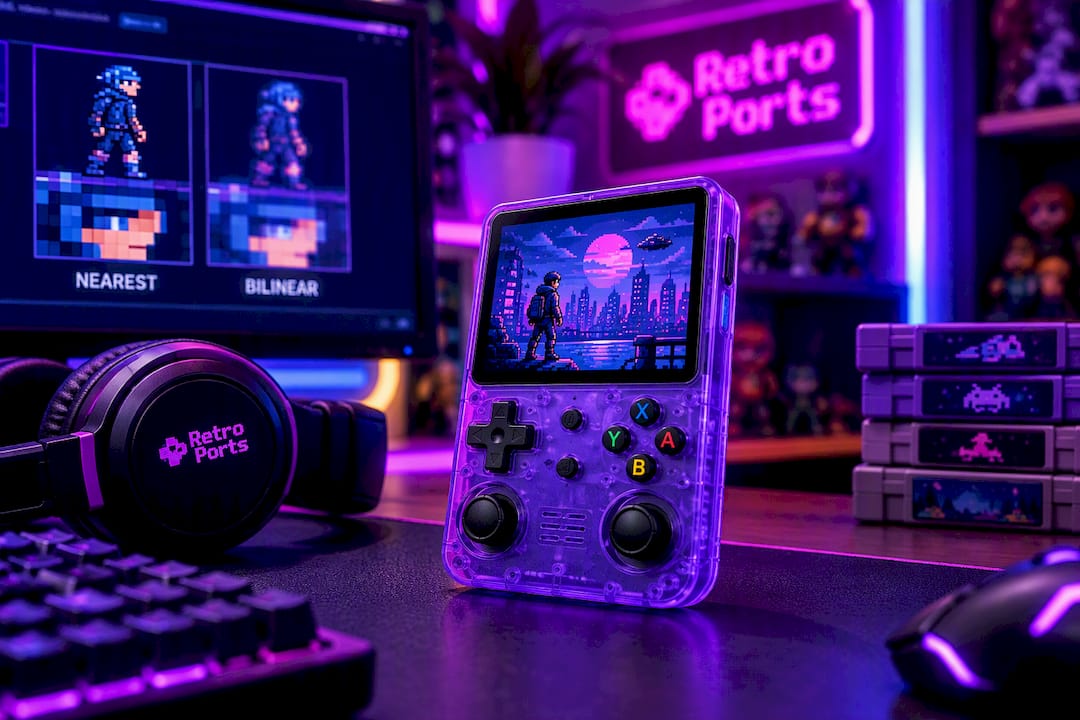
Units ship with a warranty and a return window, so you can check the display quality for yourself. Visit Retro Ports to view full specs or place an order.
Sources
- Bilinear texture filtering – UWP applications — Microsoft Learn
- OpenCV resize and interpolation flags — OpenCV docs
- What is bilinear interpolation? — GeeksforGeeks
FAQ
Is bilinear or bicubic better for image quality?
Bicubic generally produces sharper results than bilinear because it samples a wider neighborhood of pixels, but it costs more to compute. Bilinear remains a reasonable everyday choice when speed matters, such as real-time rendering, while bicubic suits static image editing where quality outweighs processing time.
Is 16x anisotropic filtering better than 8x?
Anisotropic filtering improves texture clarity at oblique viewing angles, and a higher sample count like 16x generally looks sharper than 8x at the cost of extra GPU work. The practical difference shrinks on modern hardware, where both levels run efficiently, so the choice often comes down to available performance headroom rather than visible quality.
Is Lanczos better than bilinear for resizing photos?
Lanczos typically preserves more detail and sharpness than bilinear, particularly when enlarging images, because it uses a wider, more complex sampling kernel. The trade-off is higher computational cost, which makes bilinear a better fit for real-time or performance-constrained tasks.
What are the disadvantages of bilinear interpolation?
Bilinear interpolation softens edges and reduces local contrast, which makes it a poor choice for pixel art, text, or categorical data like map labels. It can also introduce rounding inconsistencies at pixel corners that cause flicker during motion, as noted in GeeksforGeeks.
Can bilinear scaling be used for retro game sprites?
Bilinear scaling is generally not recommended for retro sprites because it blurs the hard edges and exact palette that define pixel art. Nearest neighbor, ideally at an integer scale factor, keeps the original artwork intact.