To improve handheld battery life, work on two separate things: how long a single charge lasts today, and how many years the battery keeps its capacity. Lower screen brightness, cut wireless radios you don’t need and pick lighter games to stretch one session. Avoid heat, deep discharges and sitting at 100% to protect the cell for the long run. Both are covered below, with the safety limits that matter if you ever open a device.
TL;DR
- Screen brightness and wireless connections are the fastest wins for a single session. Apple’s battery guidance names both.
- For long-term health, keep the charge roughly between 20% and 80% when you can, and avoid draining to 0%.
- Heat is the main enemy. Don’t charge or leave a handheld in a hot car, on a sunny dashboard or under a pillow.
- Storing a handheld for months? Leave it at about 50% and top it up every six months.
- A swollen, hissing or crackling battery means stop using the device now. Don’t try to reuse a removed cell.
Table of Contents
- Two goals that get mixed up: runtime and lifespan
- Fixes that extend a single charge
- Fixes that protect the battery for years
- Safety: when the battery is the problem
- Common questions about draining and “restoring” a battery
- A quick routine you can follow
- Perspective: what we see at Retro Ports
- How the Retro Pulse handles battery life
- When another type of device makes sense
- FAQ
- Sources
Two goals that get mixed up: runtime and lifespan
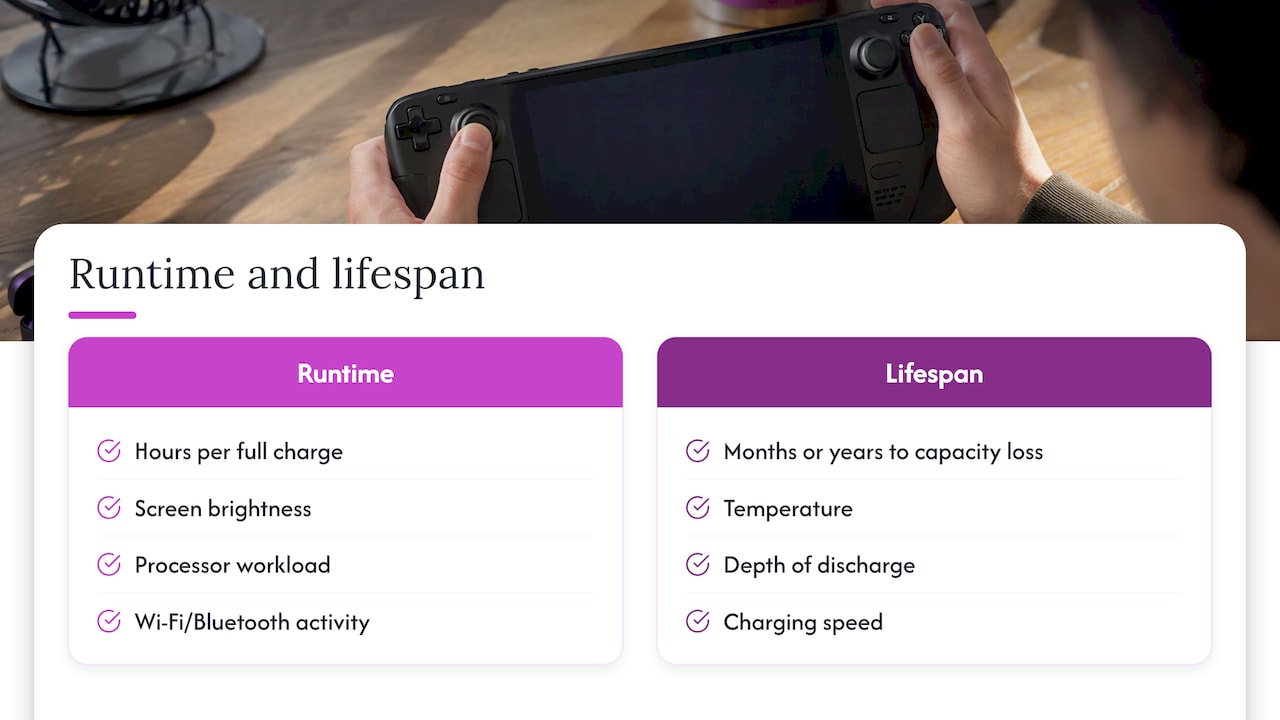
Most advice online blends two different problems. Runtime is how many hours you get from a full charge. Lifespan is how many months or years before that full charge turns into noticeably less.
Runtime depends on what the device is doing: how bright the screen is, how hard the processor works, whether Wi-Fi or Bluetooth are active. Lifespan depends on how the battery is treated: temperature, depth of discharge, charging speed and storage.
You can win on one and lose on the other. Running at maximum brightness with a power-hungry game drains you fast, but it doesn’t damage the battery by itself. Parking a fully charged handheld in a hot car does nothing to your session today, yet it can quietly cost you capacity for good. The fixes below are sorted accordingly.
Fixes that extend a single charge
1. Turn the screen down first
The display is usually the largest single drain on a handheld. Apple’s battery guidance lists dimming the screen or turning on auto-brightness as one of two simple ways to preserve battery life, no matter how you use a device.
You don’t need to play in the dark. Try dropping brightness one notch below where you normally leave it, play for a few minutes, and only go back up if you actually strain to see. On a small 3.5-inch IPS screen, indoor brightness at a middle setting is usually plenty, because the pixels are packed tightly and the image stays crisp. If your screen looks dim even at high settings, that is a different problem, and our six-step brightness fix for retro handhelds walks through menus and hardware causes.
2. Cut radios you aren’t using
The second tip in Apple’s guidance is Wi-Fi: a device that keeps searching for or maintaining a connection spends power doing it. If you’re playing a game stored on the device, there is nothing to download and nothing to sync. Switch Wi-Fi and Bluetooth off, or use airplane mode where the device offers it.
This is one reason an offline-first design pays off. A handheld whose games live on a memory card never needs a connection to run them. Cloud-streamed or online-dependent games keep the radio busy the entire session.
3. Mute or lower the volume, or use wired headphones
Speakers draw power, and louder means more. For long trips, headphones at moderate volume use less than pushing the built-in speaker to its limit. The saving is smaller than brightness, but over a four-hour train ride it adds up. Wired headphones also remove the extra drain of a Bluetooth link.
4. Pick games that match the hardware’s effort
Handheld PCs and modern consoles drain fast because they push demanding graphics. The manufacturer guidance for PC handhelds, for instance AYANEO’s, points to lower graphics presets and lighter titles as a way to stretch runtime. Retro systems sit at the opposite end: an 8-bit or 16-bit game asks very little of the processor, so the screen and speaker dominate the power budget rather than the chip.
If you’re deciding between devices for travel, this is worth weighing. A handheld running NES, SNES, Genesis or Game Boy titles will last far longer per charge than one running a recent 3D game. Heavier systems such as N64 and PS1 titles sit in between. For a comparison with a mainstream console on cost and play style, see our Switch versus retro handheld breakdown.
5. Skip features you don’t need
Rumble, always-on lighting, high-refresh or boost modes and background apps all take a share. Reports from Switch 2 owner tests covered by Wccftech put the cost of one performance boost mode at roughly 25% of battery life when it was turned on. The exact figure will vary by game and device, but the pattern is consistent: any mode that raises performance raises drain. If a setting says boost, turbo or max performance, treat it as a trade you make deliberately.
6. Carry a spare, if your device allows it
The most direct way to double a day’s play is to swap in a second battery. Most handhelds sealed with adhesive can’t do this at all. A removable battery turns a dead device into a ten-second fix. It also means the cell can be replaced when it ages, instead of the whole console. More on that in the Retro Pulse section below.
Fixes that protect the battery for years
7. Keep the charge between 20% and 80% when practical
Consumer Reports reports that lithium-ion batteries last longer when the charge level stays between roughly 20% and 80%, and that repeatedly charging to 100% or running to 0% adds stress to the chemistry. That is the answer to the common question about the “20/80 rule” for batteries.
You don’t need to follow it religiously. Charge to 100% before a long flight, and don’t fret about a single full cycle. The idea is to make shallow top-ups your default and treat 0% as an emergency, not a routine.
8. Avoid deep discharges
Apple explains that battery health is counted in charge cycles, where one cycle equals using 100% of capacity, not necessarily in one sitting. Capacity falls slowly as cycles accumulate. The same guidance notes that draining to very low levels does more harm than the plain cycle count. Apple’s explanation of lithium-ion batteries is the clearest short read on this.
Practical version: plug in at 20% to 30%, not at 2%. If you play in short bursts, that is easy. Two 30-minute sessions with a top-up between them are gentler than one marathon that ends in a shutdown.
9. Keep it cool, and never charge it hot or frozen
Heat does more lasting damage than any other everyday factor. Apple says to avoid exposing devices to temperatures above 95°F (35°C), and its guidance puts the ideal comfort zone at 62° to 72°F (16° to 22°C). Nintendo’s charging guidance tells owners to charge in an environment between 5 and 35°C, which is 41 to 95°F.
In practice:
- Don’t leave a handheld in a parked car in summer, or on a dashboard.
- Take it out of a thick case or off a blanket while charging.
- If it is warm to the touch after a long session, let it cool before plugging in.
- In winter, let a device that spent time in a cold bag come up to room temperature before charging. Cold causes temporary power drops, and charging a cold cell can cause lasting damage.
If your handheld runs hot during play itself, read our guide to retro handheld overheating and battery risks for six safe fixes.
10. Use a good charger, and be careful with fast charging
Fast charging is convenient, but Consumer Reports notes it can produce more heat, and heat is what wears out lithium-ion cells. The same source advises against cheap, non-certified aftermarket chargers, which may not work properly with the device’s battery management system and can cause overheating or other safety problems.
A sensible habit: use the cable and adapter that came with the device or a reputable, certified charger of the right rating. Save the fastest charging for when you really need it. An overnight slow charge is gentler than a rapid one, though you still shouldn’t leave the device buried under bedding.
11. Store it properly
If a handheld is going in a drawer for months, don’t leave it full or empty. Nintendo’s guidance says to charge at least once every six months, because a console left uncharged for a long period can reach a state of over-discharge and may no longer charge properly. A stored battery at about 50% and checked twice a year is the safe routine. Consumer Reports-cited manufacturer advice similarly favors storing batteries at partial charge instead of full.
This matters for gift buyers too. A console bought in October and tucked away until December should be taken out and checked, not left at zero in its box.
12. Replace the battery when it’s actually worn
If a device that used to last hours now dies quickly even after cool, careful use, the cell has probably aged. Replacing it is often cheaper than a new console, but the procedure has real hazards, covered next.
Safety: when the battery is the problem
Most battery advice is about convenience. This part is about safety.
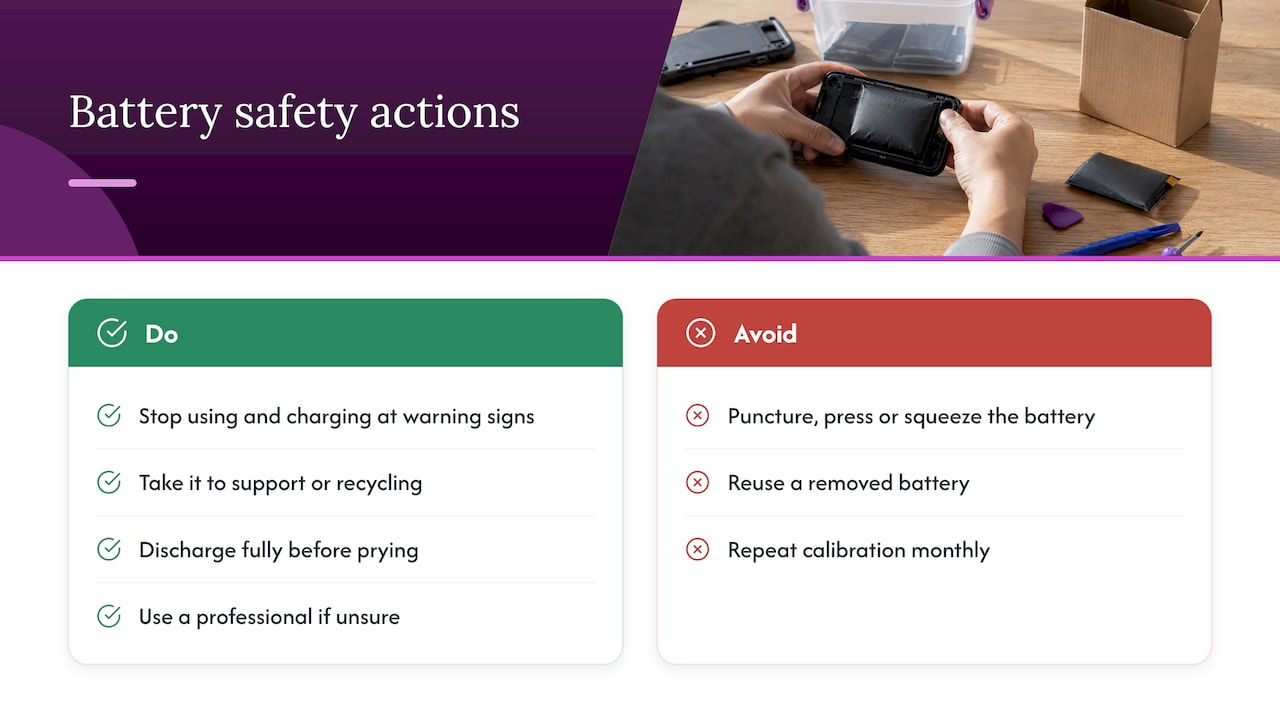
Warning signs. UL’s guidance on lithium-ion safety treats swelling, hissing or crackling sounds as critical warnings. A swollen battery indicates internal gas buildup and a risk of fire. If you see a bulging back cover, a screen lifting from the case or a gap that wasn’t there before, stop using and charging the device. Take it to a retailer, manufacturer support or a local battery recycling drop-off. Don’t puncture, press on or squeeze it.
Replacing a sealed battery. iFixit’s Steam Deck battery replacement guide tells you to let the device discharge fully before starting, because a charged lithium-ion polymer cell is dangerous if punctured while you pry it from its adhesive. The same guide’s advice is to treat a removed battery as damaged and fit a new one rather than reuse it. If you aren’t comfortable with that, use a professional repair service.
Calibrating after a swap. iFixit’s PSP battery page describes a calibration routine for a new cell: charge to 100% and keep charging for at least two more hours, run the device until it shuts off on its own, then charge uninterrupted back to 100%. Do this once, so the battery meter reflects the real capacity. It isn’t something to repeat monthly, since it includes a full discharge.
Common questions about draining and “restoring” a battery
Two of the questions people type most are how to make 20% or 30% last all day and how to get a battery “back to 100%.” The honest answers:
- Making a low charge last: use the runtime fixes above. Brightness down, radios off, volume low and a lighter game will do more than any hidden trick.
- Restoring lost capacity: you can’t. Capacity loss from age is chemical. Recalibration can fix an inaccurate percentage readout, but it can’t add capacity back. If the runtime is truly gone, the cell needs replacing.
A quick routine you can follow
- Before you play: set brightness to the lowest comfortable level and switch off Wi-Fi and Bluetooth.
- Choose games to match the trip. Save the demanding ones for when you’re near an outlet.
- During play: stay out of direct sun and heat. Don’t cover the vents or grip area with a thick case.
- After play: plug in around 20% to 30% if you can, and unplug when you reach a healthy level rather than leaving it for hours at full.
- Monthly: glance at the case for swelling or gaps.
- Before storage: aim for about 50% and set a six-month reminder.
Perspective: what we see at Retro Ports
We build our advice from how people actually use a retro handheld: on a commute, on the couch, in the back seat on a road trip. Most of them don’t want a lecture on chemistry. They want to know how long it lasts and what not to do.
Here is where we land. First, game choice matters more than people expect. Classic 8-bit and 16-bit games ask little of a processor, so a handheld built for retro play can run far longer per charge than hardware built for modern 3D titles. Second, a removable battery changes the whole equation. When a cell ages, you replace the cell instead of the device, and on a long trip you can carry a spare. That is why the Retro Pulse uses one. Third, offline-first design helps with both runtime and focus: no downloads, no subscriptions, no background syncing, and no reason to leave a radio running.
And a plain caution: no setting makes a worn battery new again. Care for it and swap it when it’s done, with the safety steps above.
— Sean
How the Retro Pulse handles battery life
The Retro Pulse is our handheld, preloaded with 15,000 classic games from over 20 systems, including NES, SNES, Genesis, PS1, N64, Game Boy, GBA and arcade. For battery life, the points that matter are these:
- A removable battery, rated at 6 to 8 hours of play.
- USB-C charging, so a common cable and a certified charger do the job.
- A 3.5-inch IPS display, where a moderate brightness setting is usually enough.
- Offline-first operation, so there is no need for Wi-Fi during play.
- Dual microSD slots for adding games, which means you can keep everything on the device without streaming.
- A one-year warranty and 30-day returns, shipped from a U.S. warehouse.
The 6 to 8 hour figure is a range, and your result will depend on brightness, volume and the system you’re emulating. Following the routine above keeps you toward the top of it.
If you want to see the console for yourself, the Retro Pulse product page has the current details. If you’re buying for someone else, our retro gaming gift ideas guide covers how to match a gift to the person, and our guide on sharing retro games with kids is useful for parents who want less setup and more play.
When another type of device makes sense
Be realistic about what you need. A phone running an emulator is free to try, but it spends your phone’s battery, and a long gaming session can leave you short of power for calls and maps. We compare that trade in phone emulation versus a dedicated handheld. A full-power handheld PC gives you modern games, with the shorter battery life that comes with them. A dedicated retro handheld is the long-lasting, low-fuss choice for classic libraries.
FAQ
What is the 20/80 rule for batteries?
It means keeping a lithium-ion battery between about 20% and 80% charge when you can. Consumer Reports notes that repeated charges to 100% or drains to 0% stress the battery chemistry. It’s a habit, not a hard rule, so charge fully when you need a long session.
How do I make a low battery last longer on a handheld?
Lower the brightness, turn off Wi-Fi and Bluetooth, drop the volume and pick a less demanding game. Avoid any boost or performance mode. These changes help far more than closing menus or other small tweaks.
Can I get my battery back to 100% health?
No. Aging reduces capacity permanently. Calibration only corrects a wrong percentage reading on a new or replaced battery. If runtime has dropped sharply, the fix is a new battery, fitted with the safety steps in the iFixit guides.
Is it bad to leave my handheld plugged in overnight?
Occasionally it’s fine, since devices manage charging, but long periods at 100% and warm conditions both wear a battery faster. Use a certified charger, keep the device uncovered and cool, and unplug when you can. If the case feels hot or looks swollen, unplug it and stop using it.
How should I store a handheld I won’t use for months?
Charge it to about 50%, keep it somewhere cool and dry, and top it up every six months. Nintendo’s support page warns that a console left uncharged for a long time may enter over-discharge and stop charging properly.
Sources
- How to Keep Your Phone and Other Tech Gear Charged, Consumer Reports
- Maximizing Battery Life and Lifespan, Apple
- Lithium-ion batteries, Apple
- Charging the Console, Nintendo Switch 2 Support
- Safety guidelines for large lithium-ion battery systems, UL
- Steam Deck Battery Replacement, iFixit
- Sony PSP 1000 Battery, iFixit
- Switch 2 Handheld Mode Boost and battery life, Wccftech