The right retro handheld is the one that plays the games you actually grew up with, with the least setup you are willing to do, at a price that fits your budget. Everything else, from screen size to battery life, follows from those three answers. This guide walks through the main types of device, the specs that matter in daily use, what each kind of buyer should check, and where we think the trade-offs land.
TL;DR
- Start with the games, not the specs. List the consoles and titles you want to play, then pick the hardware that covers them.
- Decide how much setup you want. Some devices are tinker projects, others are ready to play out of the box.
- Check the basics that you feel every day: a real D-pad, a bright screen with the right shape for old games, and a battery you can swap or charge over USB-C.
- Look at the whole cost: the device, the games, memory cards, shipping and the warranty and return terms.
- Parents, students, commuters and gift buyers each have one or two checks that matter more than the rest, covered below.
Table of Contents
- Start with the games you want to play
- The four kinds of retro handheld
- How much setup do you want?
- Screen: size, shape and sharpness
- Controls: the part you feel every minute
- Battery life and charging
- What retro handhelds cost
- What each kind of buyer should check
- Our perspective
- Where Retro Pulse fits
- A quick checklist before you buy
- FAQ
- Sources
Start with the games you want to play
Most buying mistakes happen because people shop for a device first and a library second. GamesRadar+ advises beginners to identify the specific classic games they want to play first, because that decides the budget and the hardware you need.
Write a short list before you look at a single product page:
- Which consoles? Game Boy and Game Boy Advance titles run on almost anything. NES, SNES, Genesis and arcade games are also easy. PlayStation 1 asks a bit more. Nintendo 64 and PSP are where cheap hardware starts to struggle.
- Which specific games? If you have one or two must-haves, search for how they run on the device you are considering, not just whether the system is listed.
- How many games do you really need? A curated library you will play beats a huge one you scroll through. But if you want variety for a family, breadth matters.
If your list is mostly handheld-era classics, such as Game Boy and GBA, nearly every option works. If it spans the 8-bit, 16-bit and 32-bit eras plus some N64, you are shopping in the middle of the market and the details below matter much more.
The four kinds of retro handheld
Retro handhelds fall into four groups. The names differ from brand to brand, but the trade-offs are consistent.
| Type | How it works | Typical strength | Typical drawback |
|---|---|---|---|
| Original-cartridge devices | Plays real cartridges, sometimes through hardware that recreates the original chips | Authentic play with the games you own | Limited to a few systems and a premium price |
| Modern cartridge systems | Plays new cartridges of licensed collections | Plug and play, no files to manage | You buy each collection separately |
| Open emulation handhelds | Runs emulators; you load your own game files and configure them | Cheapest, endlessly adjustable | Setup time and troubleshooting |
| Preloaded handhelds | Ships with a library installed and emulators already configured | Ready to play on day one | You depend on the seller’s curation |
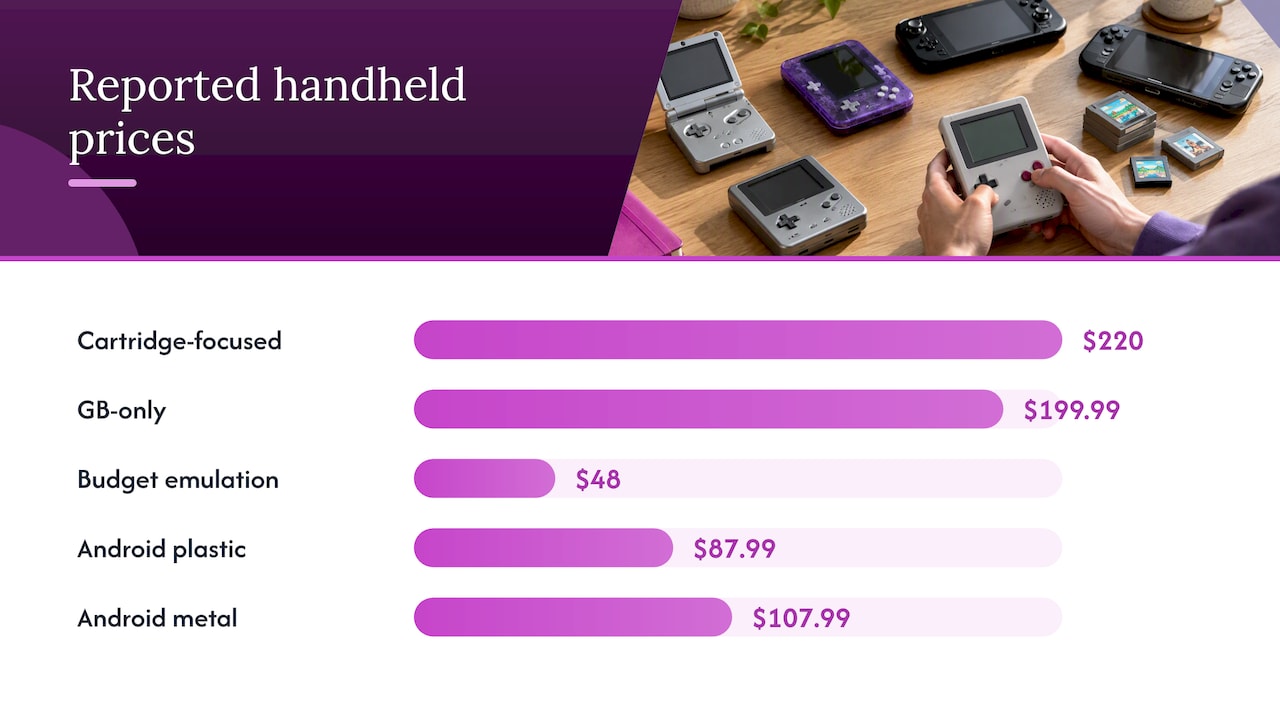
The research behind this guide shows how wide the range is. A cartridge-focused handheld reviewed by Tom’s Guide cost $220 at publication and plays Game Boy, Game Boy Color and Game Boy Advance cartridges, with adapters for several other portable systems. It is a superb device for that library and not a general-purpose machine. A Game Boy-only handheld with a magnesium-alloy body was priced by PCMag at $199.99 in 2026 and supports only Game Boy and Game Boy Color cartridges.
At the other end, a budget emulation handheld was listed at $48 in The Verge’s 2024 gift guide. And The Verge reported in May 2026 a rotating-screen Android handheld at $87.99 in plastic and $107.99 in metal, with temporary discounts below those figures. Prices move quickly, so treat all of these as a snapshot of the range rather than a quote.
The practical lesson: a device that costs four times as much is not four times better. It is better at something specific, such as authenticity, build or a single system.
How much setup do you want?
This is the question beginners skip. With an open emulation handheld, you typically find or supply the game files, copy them to a memory card, choose emulator settings per system and sort out controller mapping. Some people love that. Others abandon the device within a week.
A plug-and-play alternative exists on the cartridge side. Tom’s Guide describes a $199 cartridge-based handheld that avoids ROM downloads and heavy software configuration by using dedicated cartridges. The trade-off is that you pay per collection and you play what the cartridge contains.
Preloaded handhelds sit between the two. The emulators are already set up and the games are on the card. You turn it on and pick a title. If you want the step-by-step version of what setup involves on an open device, our plain-English emulation handheld setup guide covers it, and it will help you judge how much of that work you would rather skip.
Be honest with yourself on three points:
- Will you enjoy tweaking settings, or do you want to press Start?
- Is anyone else going to use it, such as a child or a relative who will not troubleshoot?
- Do you want to add your own games later? If so, look for a microSD slot, ideally two.
Also be careful about where games come from. Copyright law applies to game files, and the legal picture around downloading old titles is not simple. If you add your own games, use backups of titles you own, and ask a lawyer if you need a definite answer for your situation.
Screen: size, shape and sharpness
Most retro games were designed for 4:3 or smaller screens. That has two consequences.
First, a screen that is very wide leaves black bars or stretches the picture. A 3.5-inch 4:3 panel shows NES, SNES, Genesis and PS1 games at their native shape with clean scaling. We explain this in more detail in our piece on why 4:3 scaling beats diagonal size.
Second, brightness and viewing angle matter more than raw resolution. Old pixel art on a dim or washed-out panel looks worse than on a bright IPS display with a wide viewing angle. If you play on trains, in cars or in a bright room, check brightness and glare before you check pixel counts. Our guide to what actually matters in retro handheld screen quality goes through the checks.
What to look for:
- An IPS panel for viewing angles and color
- Integer or near-integer scaling options, so pixels stay crisp
- A size you can hold for an hour without wanting to put it down. Under 3 inches gets cramped for adult hands, and over 5 inches stops fitting in a jacket pocket.
Controls: the part you feel every minute
A spec sheet can look great and still lead to a miserable device if the D-pad is mushy. For 2D classics, the D-pad and face buttons are everything. Look for a real directional pad that does not slip diagonally when you want to go straight, and buttons with a clear press.
Shoulder buttons matter for SNES, GBA, PS1 and later systems. Analog sticks matter for N64 and PSP-era games, where a D-pad is a poor substitute. If those systems are on your list, a device with twin analog sticks is worth the extra cost. We cover that in our guide to dual analog handhelds for N64 and PSP games.
If arcade games are your thing, check how the device handles coin and start mapping, and how it lays out the fighting-game button sets. Our arcade emulation on handhelds page explains what to expect.
Battery life and charging
Battery claims range widely. The cartridge-based device mentioned above is estimated at about five hours. The Game Boy-style handheld from PCMag’s review uses AA batteries rated up to 19 hours, or an optional $29.99 rechargeable pack. The $220 cartridge handheld has a 6 to 10 hour estimate.
These are manufacturer or reviewer estimates, and real life depends on screen brightness and the system you emulate. What you should compare:
- Is the battery removable? A swappable battery means a spare in your bag and an easy replacement years later.
- Does it charge over USB-C? That lets you use the same cable and power bank as your phone.
- Is the rated life realistic for your use? For a daily commute of 40 minutes each way, 4 to 5 hours is plenty. For a long flight or a road trip, you want more.
What retro handhelds cost
The price ranges in the research fall into three bands:
| Band | What you get | Examples from the research |
|---|---|---|
| Under about $100 | Small emulation devices, mostly for 8-bit, 16-bit and Game Boy-era games | $48 and $87.99 listings from The Verge |
| About $100 to $250 | Authentic-cartridge devices and modern cartridge systems; some larger emulation devices | $199, $199.99 and $220 devices from Tom’s Guide and PCMag |
| Above that | Powerful handhelds that run modern PC and Android games as well as retro | Out of scope for classic gaming |
When you compare, add the hidden costs:
- Games. Cartridge systems need cartridges. Open devices need a game source and memory cards.
- Shipping and wait time. Devices shipped from overseas can take weeks, and returns get complicated. A U.S. warehouse removes much of that risk.
- Warranty and returns. A cheap device with no real support is expensive if it fails in month three. Look for a stated warranty period and a return window, then read the terms.
What each kind of buyer should check
Parents sharing classic games with kids
Your main concerns are durability, ease of use and what your child can reach. Pick a device that boots straight into a game list without menus a child can break, and with a build that survives drops. A curated library helps, because it keeps the selection manageable. Check the warranty, because kids are hard on hardware. Our retro handheld comparison for parents lays out the questions to ask.
Commuters
Portability and battery are your two numbers. Look for a pocketable size, a screen you can read in daylight, quick suspend and resume so you can stop mid-level, and a battery that gets through your trip with a margin. A removable battery is a real advantage if you do long travel days.
Students
Budget is the constraint, but the cheapest device is not always the cheapest option. A $50 device that needs hours of setup and fails after a semester is worse than a mid-priced one that works on day one. Compare the cost of the device with the games you will actually play. If you already own a modern console, our comparison of a Switch versus a retro handheld shows how per-game costs add up, and our look at phone emulation versus a dedicated handheld is useful if you are tempted to use the phone you already have.
Gift buyers
Choose something that works out of the box, because the recipient should not need a weekend to enjoy it. Check the return window, in case the gift misses. Confirm the delivery time before a holiday, and confirm the box includes a charging cable. Avoid devices that need the recipient to source their own games unless you know they enjoy that.
If you are also weighing a plug-in mini console for the living room, our mini console versus handheld comparison sets out when each makes sense.
Our perspective
We built Retro Pulse around one belief: most people who want retro games want to play them, not manage them. The common complaint we hear is not that the hardware is weak. It is that the first evening goes to downloads, folders and settings, and the fun starts late or never.
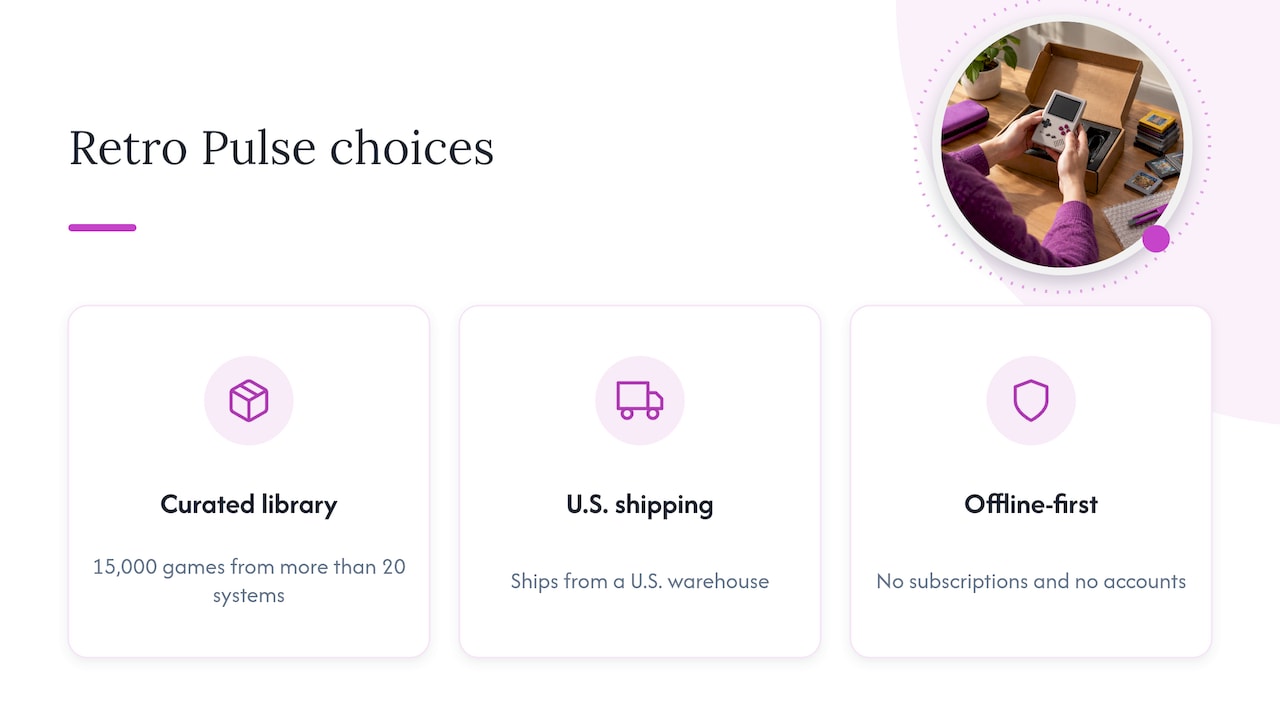
So we made three choices. We curated the library, which holds 15,000 games from more than 20 systems, so you are not scrolling through duplicates and broken files. We ship from a U.S. warehouse, which avoids the long waits and the quality headaches that often come with China-based suppliers. And we kept it offline-first, with no subscriptions and no accounts, so it works on a plane or in a basement.
There are honest reasons to buy something else. If you only care about Game Boy cartridges you own, a cartridge-based device is more authentic. If you love tuning settings, an open device gives you more room. If you want the widest range of retro systems with the least work, that is the gap we aim at, and we think it is the right fit for most families, commuters and gift buyers. For a deeper look at the authenticity question, see why U.S. fans pick a preloaded handheld over original hardware.
— Sean
Where Retro Pulse fits
Retro Pulse is a handheld with 15,000 classic games from over 20 systems, including NES, SNES, Genesis, PS1, N64, Game Boy, GBA and arcade. It has a 3.5-inch IPS display, a real D-pad, twin sticks and L/R triggers, a removable battery rated at 6 to 8 hours, USB-C charging and two microSD slots if you want to add your own games. It comes with a one-year warranty and 30-day returns.
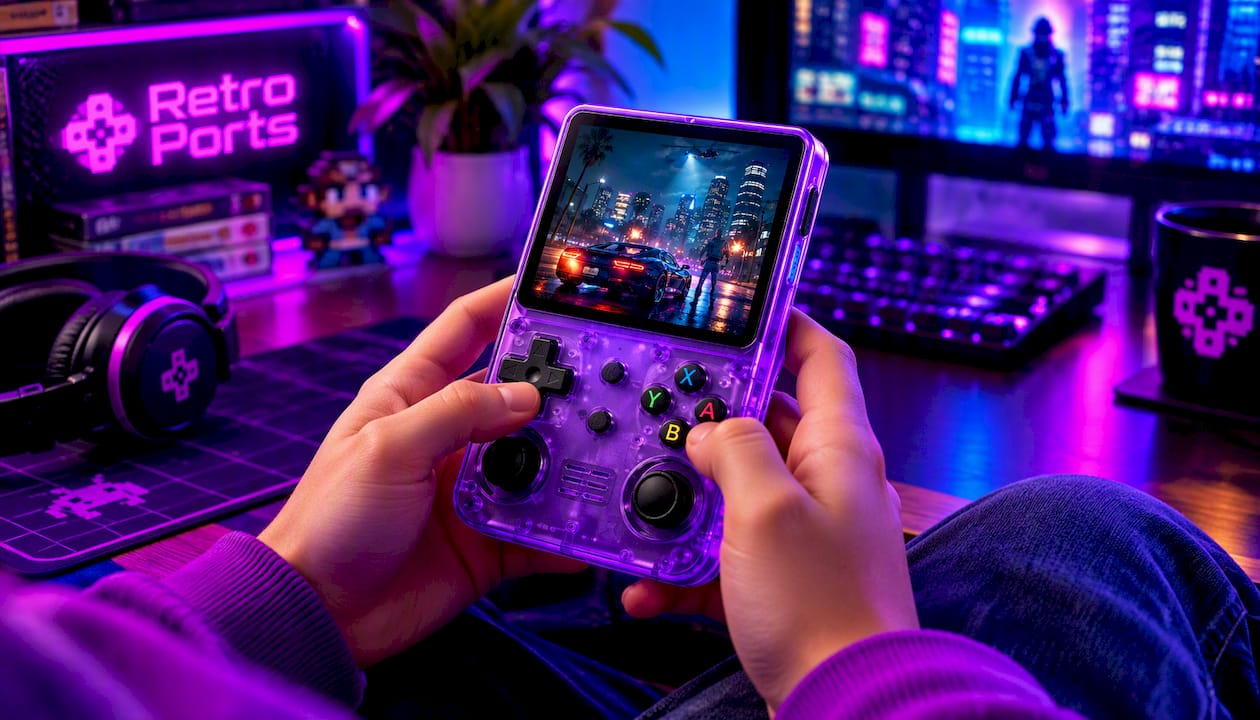
If that matches your list, you can see the details and order on the Retro Pulse product page.
A quick checklist before you buy
- Have you written down the systems and games you want?
- Do you know whether you want plug-and-play or tinkering?
- Is the screen shape right for the systems you play?
- Does it have a real D-pad, and sticks if you want N64 or PSP?
- Can you charge it over USB-C, and can you swap the battery?
- Is there a stated warranty and a return window?
- Where does it ship from, and how long will delivery take?
- Can you add games later with a memory card slot?
If you can answer yes to most of these for a device, you are likely looking at a good fit.
FAQ
What is the best retro handheld for a beginner?
The best beginner device is the one with the least setup for the systems you care about. Plug-and-play options, whether cartridge-based or preloaded, remove the usual early frustrations. Open emulation devices are cheaper but ask more of you.
How much should I spend on a retro handheld?
In the research, small emulation devices appear below about $100, and cartridge-focused or premium devices cluster around $200. Spend more only for something specific, such as authentic cartridge play or analog sticks for N64 games. Include games, memory cards and shipping in your total.
Can a retro handheld play N64 and PSP games?
Some can, but those systems demand more processing power and need analog sticks to feel right. Many small, cheap devices handle 8-bit, 16-bit and Game Boy-era games well but struggle with N64 and PSP. Check that your specific titles are known to run on the device you pick.
Is a retro handheld a good gift for a child?
Yes, if it works out of the box and has a sturdy build. Look for a curated library, a clear warranty and a return window. A device that needs a parent to set up game files every few weeks will soon become a chore.
Sources
- Best retro handheld 2026, GamesRadar+
- Analogue Pocket review, Tom’s Guide
- Evercade Nexus review, Tom’s Guide
- Ultimate retro games handheld, Tom’s Guide
- ModRetro Chromatic review, PCMag
- The Verge’s 2024 holiday gift guide
- Anbernic RG Rotate price report, The Verge