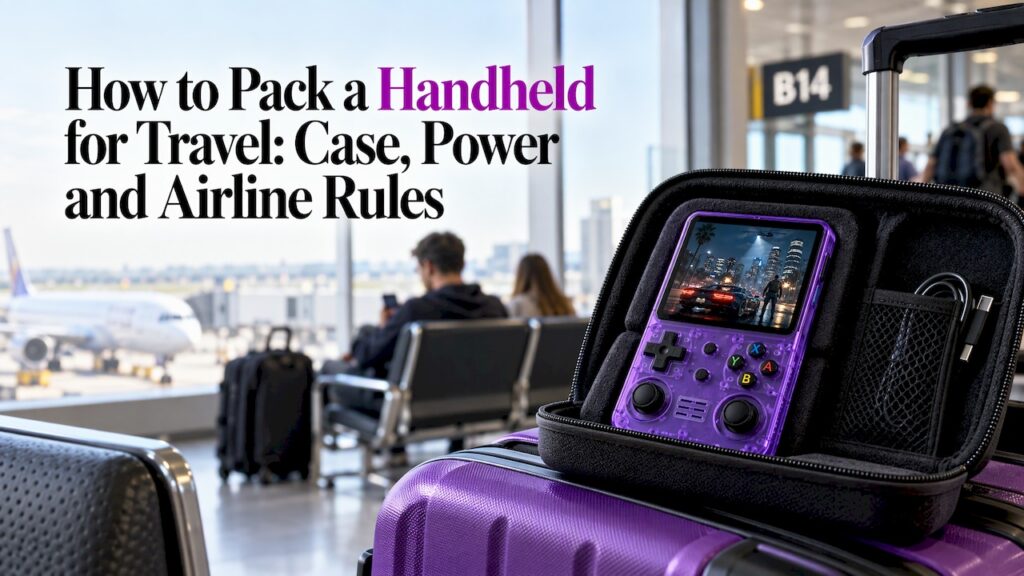
Pack your handheld in a snug hard case, carry it in your cabin bag, bring one known-good USB-C charger and cable, and keep any spare battery or power bank in your carry-on at 100 Wh or less. Load your games before you leave so nothing depends on airport Wi-Fi. A handheld that is already offline-first makes this easy, which is why we built the Retro Pulse around a curated library you can play with no connection at all.
TL;DR
- Use an exact-fit case that does not press on the sticks, triggers or screen, and keep the handheld in it even inside another bag.
- Spare lithium batteries and power banks go in your carry-on only. The FAA limit is 100 Wh without airline approval.
- Bring one proven USB-C charger and a cable rated for the wattage you need, and keep cables tied or pouched.
- Prepare games and saves at home, then test them with Wi-Fi off before you leave.
- At the checkpoint, take the handheld out of your bag and put it in a bin by itself.
Table of Contents
- What to pack: the short list
- Choose a case that actually protects the handheld
- Power: charger, cable and power bank
- U.S. airline rules for handhelds and batteries
- Get your games ready before you leave
- Traveling with kids
- A pre-departure checklist
- Our view: why a simple handheld travels best
- Take the Retro Pulse on your next trip
- FAQ
- Sources
What to pack: the short list
Most trips need less than people bring. A good travel kit has five parts: the handheld, a case, power, audio and storage. Everything else is optional.
| Item | Why it earns its place | Notes |
|---|---|---|
| Handheld | The reason you are packing | Fully charged, powered off for flights |
| Hard or semi-hard case | Protects against pressure and drops in a bag | Must fit the device closely |
| USB-C charger and cable | Keeps you running at the hotel or gate | Use the one you already know works |
| Power bank (optional) | Extra runtime on long days | 100 Wh or less, carry-on only |
| Wired headphones or earbuds | Private audio on planes, trains and buses | Easy-access pouch |
| Spare microSD card (optional) | More games without a connection | Load it before you leave |
| Microfiber cloth | Clears fingerprints from the screen | Takes no space |
A travel dock, a separate controller or a hub only makes sense if you plan to play on a hotel TV. For a commute, a flight or a car ride, skip them. Fewer loose items means fewer things to lose, and a TSA reminder notes that a cluttered, overstuffed bag takes longer to clear screening.
Choose a case that actually protects the handheld
The case is the single most important purchase for travel. A bag full of keys, chargers and water bottles puts constant pressure on a device, and the weak points are the screen, the analog sticks and the shoulder buttons.
When you pick or check a case, look for these things:
- A close fit. A loose case lets the device slide and knock against the walls. Too tight, and you strain the buttons while zipping.
- Room over the controls. A case checklist from Handheld Settings says to look for raised stick wells, a molded tray or enough lid depth so the lid does not press on sticks, triggers or shoulder buttons.
- A divider or pocket for hard accessories. Chargers, power banks and metal adapters should never rest against the display, because hard objects can transfer pressure to the screen.
- A zipper that closes without force. If you have to squeeze, something is pressing where it should not.
A travel guide for handheld PCs from How-To Geek (May 2025) adds three habits that apply to any handheld: keep the device in its case during transport even when the case sits inside another bag, use a screen protector, and add thumbstick covers to protect the joysticks from jostling.
Organize the rest of the bag
Tie cables with a strap or tuck them into a small pouch so they do not tangle around the device. Put the things you will reach for mid-trip, such as earbuds, a power bank and a charging lead, in one easy-access pocket. That way you never unpack the whole bag at your seat.
Power: charger, cable and power bank
Power is where most travel gaming goes wrong. A dead handheld at the gate is usually a charger problem, not a battery problem.
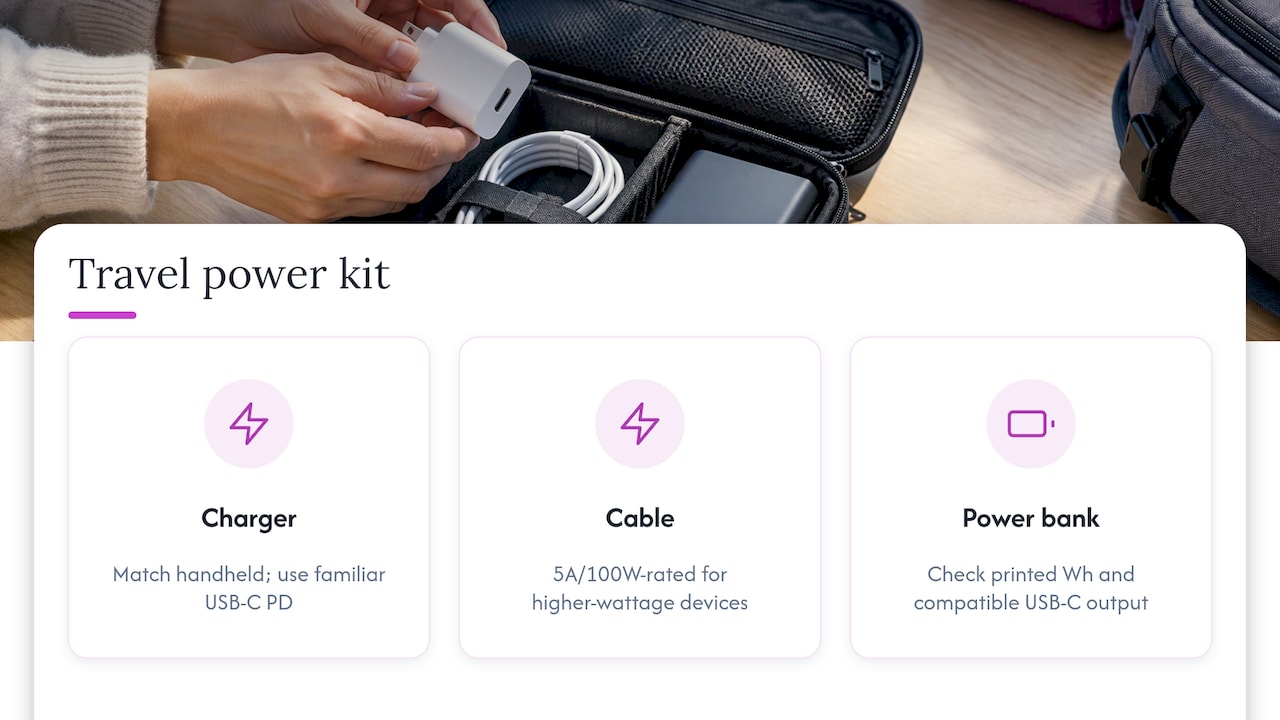
Charger. Bring the charger that came with the device or a compatible USB-C Power Delivery (PD) charger you have already used. Match it to what your handheld needs. If you want a deeper walkthrough, our guide to USB-C charging on handhelds covers chargers, cables and common fixes.
Cable. A cable that cannot carry the wattage will throttle the charger. For higher-wattage devices, a Handheld Verdict packing guide recommends a 5A/100W-rated cable. Most small retro handhelds draw far less, but a known-good cable is still the right choice. Pack a short one for use on a tray table or in a car seat.
Power bank. For a short trip you probably do not need one. For a long flight, a layover or a day without outlets, it is worth the space. The same How-To Geek guide recommends one when long sessions might outlast the built-in battery. Read the printed watt-hour (Wh) label, and check that its USB-C output suits your device.
Battery life, honestly planned
The Retro Pulse runs about 6 to 8 hours on a charge and has a removable battery, so a long travel day is manageable on one battery. Charging is over USB-C, which means the same charger can often serve your phone too. Charge fully the night before, and keep the charger in your personal item rather than the checked bag.
To stretch any handheld’s battery, you can lower brightness and volume and pick less demanding games. Retro systems such as NES, SNES, Game Boy and GBA are light on the hardware, so they suit long sessions.
For charging habits that keep the device and battery healthy on the road, read our handheld charging safety guide.
U.S. airline rules for handhelds and batteries
This part is not optional, and it is simple once you know the numbers. The FAA’s passenger battery FAQ sets these limits for lithium-ion batteries:
- 0 to 100 Wh: allowed in carry-on.
- 101 to 160 Wh: needs airline approval, and you may carry no more than two spares.
- Over 160 Wh: not allowed on passenger aircraft.
Spare batteries and power banks must travel in carry-on baggage only, and they must be protected from damage and short circuits. A handheld with its battery installed may be checked only if it is powered off and protected from accidental activation, but the safer habit is to keep it in the cabin.
Gate-checked bags
If the airline gate-checks your carry-on, the FAA’s PackSafe guidance says spare lithium batteries and power banks must be removed and kept with you in the cabin. Pull them out before you hand the bag over. Do the same with a removable handheld battery if you carry it as a spare.
Protect loose batteries
A loose battery can short-circuit if its terminals touch metal. Put each spare in its own pouch, or cover exposed terminals with non-conductive tape. A 2026 airline battery guide suggests limiting yourself to two power banks of no more than 100 Wh each and checking your airline’s dangerous-goods page before you leave. For more on what is and is not allowed, see our guide to TSA rules for lithium batteries.
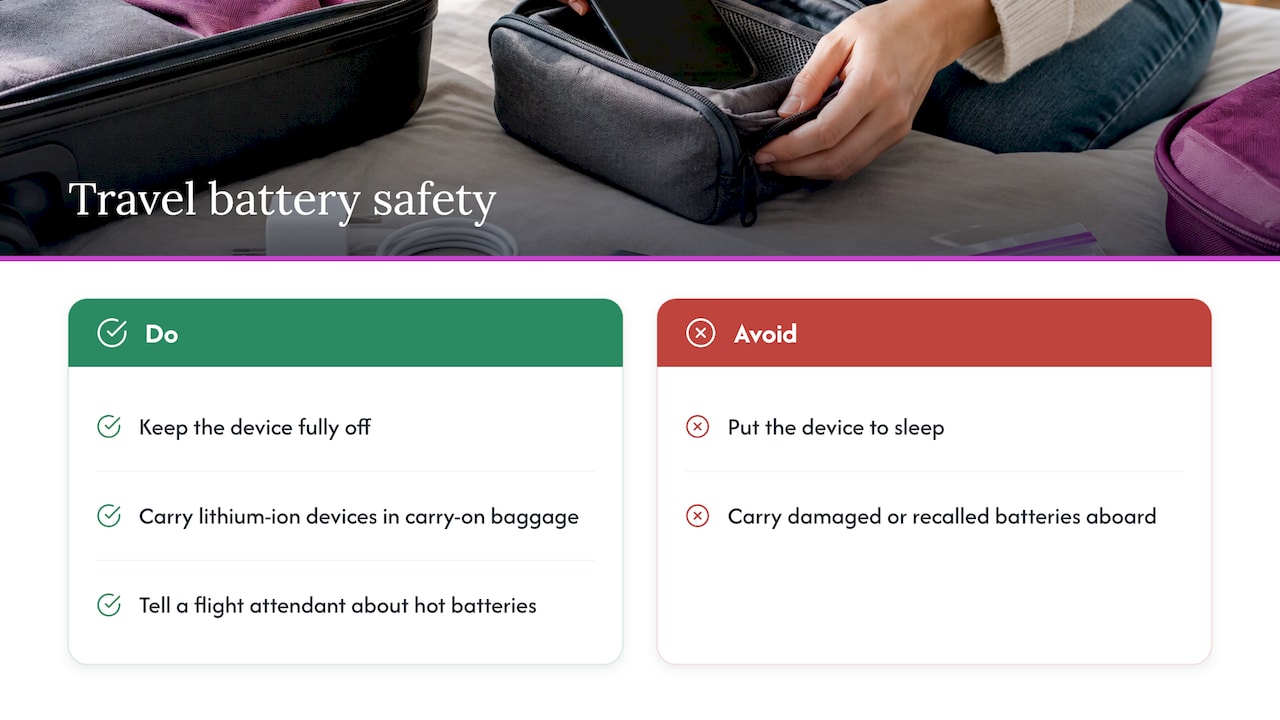
Power it off completely
A device that wakes from sleep inside a bag can heat up with nothing to cool it. Engadget reported in November 2026 that devices with lithium-ion batteries belong in carry-on baggage because of thermal runaway risk, and that you may be asked to turn a device on at screening, so keep it fully off otherwise. Shut it down rather than putting it to sleep.
If a battery or device ever becomes hot, swells, smokes or burns on board, tell a flight attendant immediately. The FAA says crews are trained to respond to these events, and that damaged or recalled batteries must not be carried aboard.
At the checkpoint
The TSA travel checklist says handheld game consoles and other electronics larger than a cellphone should come out of your carry-on and sit in a bin with nothing above or below them in standard lanes. Keep the handheld in an outside pocket or near the top, so you can pull it out in seconds. Lanes and procedures can differ by airport, so follow the officer’s instructions.
Get your games ready before you leave
The most common travel disappointment is a game that will not launch because it wants a connection. Before you leave, run through this routine.
- Load everything at home. Install games, patches, language packs and any data a title needs.
- Confirm saves. Make sure each game has a local save you can load.
- Switch to offline. Turn Wi-Fi off or use airplane mode.
- Launch, load, quit, restart, launch again. A full offline test like this catches problems while you still have a connection to fix them.
- Charge and shut down.
This is where an offline-first handheld saves real effort. The Retro Pulse ships preloaded with 15,000 classic games from over 20 systems, including NES, SNES, Genesis, PS1, N64, Game Boy, GBA and arcade titles. There are no downloads, accounts or subscriptions to prepare, so the offline test is a minute of checking rather than an evening of updates. Our article on gaming without internet explains what works offline and what does not.
Extra games and saves
The Retro Pulse has dual microSD slots for adding games. If you want to bring more on a long trip, load them at home and confirm they show up in the list; our guide to adding games to a handheld walks through it. Keep the spare card in a labeled pouch or inside the case.
Before a long journey, also back up the games you care about. Our piece on save backups for retro handhelds explains why in-game saves are the ones to trust, and save states explains how they behave.
Traveling with kids
Back seats are where a handheld earns its keep. Pick a short list of games the kids already like, check sound and controls, and keep headphones in the same pouch as the device. A quick silent check before you leave the house avoids the “it doesn’t work” moment at 30,000 feet; our offline travel games for kids guide shows a 30 to 60 second routine. If two kids want to play together, see how local multiplayer handhelds work before you go.
A pre-departure checklist
- Case fits closely and closes without pressure on sticks or triggers.
- Screen protector and thumbstick covers on, if you use them.
- Charger and cable are the ones you have tested, and the cable is rated for your device.
- Any power bank shows 100 Wh or less on the label.
- Spare batteries and power banks are in the carry-on, each in its own pouch.
- Games load and save with Wi-Fi off, after a restart.
- Headphones tested, and a microfiber cloth packed.
- Device is fully shut down for the flight.
- Your airline’s dangerous-goods page has been checked for current rules.
Our view: why a simple handheld travels best
Travel punishes complexity. Every account, update and download you need is one more thing that can fail in a terminal with weak Wi-Fi and a dying phone.
That is why we built the Retro Pulse the way we did. It is offline-first, so you press power and play. The library is curated and preloaded, so you are not scrolling through menus you had to set up. Real controls, with a D-pad, twin sticks and L/R triggers, mean the games feel right on a tray table or a train seat.
The removable battery with 6 to 8 hours of life and USB-C charging suit the way people actually travel: one charger, one cable, fewer surprises. Our one-year warranty and 30-day returns exist because we want you to trust it in your bag.
Pack it in a snug case, keep it in your carry-on, and play.
Sean
Take the Retro Pulse on your next trip
If you want a handheld that is ready the moment you sit down, the Retro Pulse comes with 15,000 games from over 20 systems, a 3.5" IPS display, USB-C charging and a removable battery. It ships from a U.S. warehouse and carries a one-year warranty and 30-day returns.
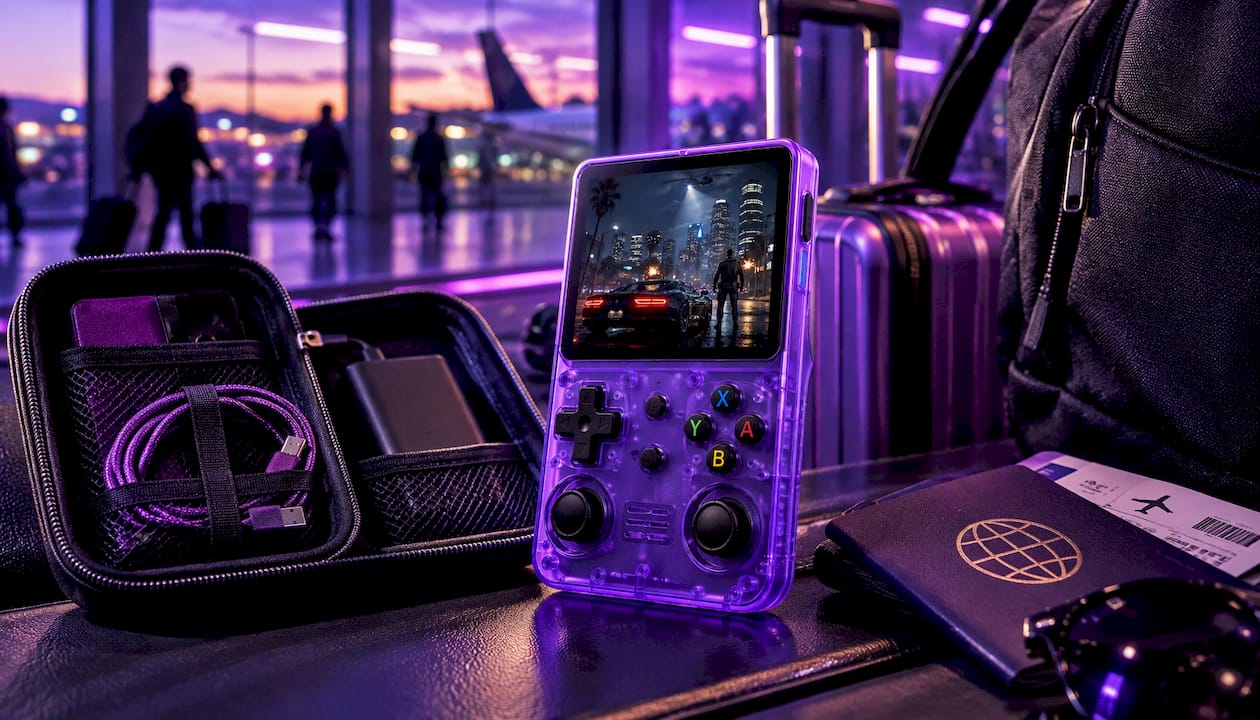
You can see everything it includes on the Retro Pulse page.
FAQ
Can I bring a handheld gaming console on a plane?
Yes. Keep it in your carry-on, powered off, and take it out for screening in a bin by itself in standard lanes, as the TSA checklist describes. Spare batteries and power banks must also stay in the cabin.
How big a power bank can I fly with in the U.S.?
The FAA allows lithium-ion batteries up to 100 Wh in carry-on. Batteries from 101 to 160 Wh need airline approval, with a limit of two spares, and anything over 160 Wh is forbidden. The Wh figure is printed on the bank, so check it before you go.
Do I need Wi-Fi to play a handheld on a trip?
It depends on the device. Many handhelds need downloads, logins or updates for some games, so test them offline before leaving. The Retro Pulse is offline-first with its library preloaded, so you can play without a connection.
What is the best way to carry a handheld in a backpack?
Put it in a close-fitting case with room over the sticks and triggers, and keep chargers and other hard items in a separate pouch so they do not press on the screen. Place the case near the top of the bag so you can reach it quickly at security.
Sources
- FAA: Airline passenger battery FAQ
- FAA PackSafe: Portable electronic devices containing batteries
- TSA: Travel checklist
- TSA: Security screening
- How-To Geek: Top tips for traveling with a handheld PC
- Engadget: What gamers should know when bringing consoles through TSA
- Handheld Verdict: The handheld travel kit
- Handheld Settings: Carrying case size checklist
- Nerd Burglars: Offline gaming guide
- NerdHobbies: Flying with a gaming handheld in 2026