Retro emulation is software that lets a modern device behave like an old game console, so the original games run on hardware that never existed when they were made. Your phone, PC or handheld reads the game’s data and imitates the chips of the NES, Super Nintendo or PlayStation closely enough that the game plays as it did on the original. This guide explains how that works, how emulation differs from simulation, where US law stands, and what it means for the way you actually play.
TL;DR
- Emulation means one system imitates another so that software written for the old one runs unchanged on the new one.
- An emulator executes the original game code. A simulation only imitates a behavior or feature. That is the key difference between the two.
- Emulator software itself is generally protected in the US. Downloading copyrighted game files you do not own is typically against the law.
- Emulation adds things old hardware could not do, such as save states and fast-forward, but accuracy costs processing power.
- If you want the benefits without configuring anything, a preloaded handheld like our Retro Pulse packages the whole thing in one device.
Table of Contents
- What retro emulation actually means
- How emulation works, step by step
- Emulation vs simulation: what is the difference?
- Why people emulate: the real benefits
- The limits of emulation
- Is retro emulation legal in the US?
- Three ways to emulate, compared
- Perspective: why we built around “no setup”
- What this looks like on the Retro Pulse
- Getting the most from any emulation device
- FAQ
- Sources
What retro emulation actually means
The plainest definition: emulation lets one computing system interpret data that was written for a different, usually older, system. A researcher’s overview of emulation as a preservation method uses Pac-Man as its example: an emulation can read the original game’s data by imitating the arcade hardware it was built for.
“Retro” just narrows it to classic hardware: the 8-bit and 16-bit eras, the first 3D consoles, the arcade boards, the handhelds of the late 1990s and early 2000s. When someone says they are playing Super Mario World on their phone, or Sonic on a handheld the size of a candy bar, they are almost certainly using an emulator.
Three pieces are involved:
- The emulator, a program that recreates the old machine’s behavior.
- The game data, usually called a ROM, which is a copy of what was stored on the original cartridge or disc.
- The host device, the modern hardware that actually does the work: a PC, phone, or dedicated handheld.
Take away any one of them and nothing runs. The emulator without a game is an empty console. The game without an emulator is a file nothing can read.
How emulation works, step by step
An original console is a bundle of chips: a processor, a graphics chip, a sound chip, and controller inputs, all talking to each other at precise speeds. A game is a long list of instructions written for exactly those chips.
Your modern device has different chips that speak a different language. An emulator closes that gap. According to the same preservation overview, an emulator reads the instructions meant for a historical system and follows them in a similar way, translating them into a form the host can understand. It may also handle the audio and video output and the controller input.
In practice that breaks into a loop that repeats many times per second:
- Read the next instruction the game wants carried out.
- Translate it into something your processor can execute.
- Update the pretend graphics chip, sound chip and memory to match what the original would have done.
- Draw the frame on your screen and read your button presses, feeding them back as if they came from the original pad.
Interpreting versus recompiling
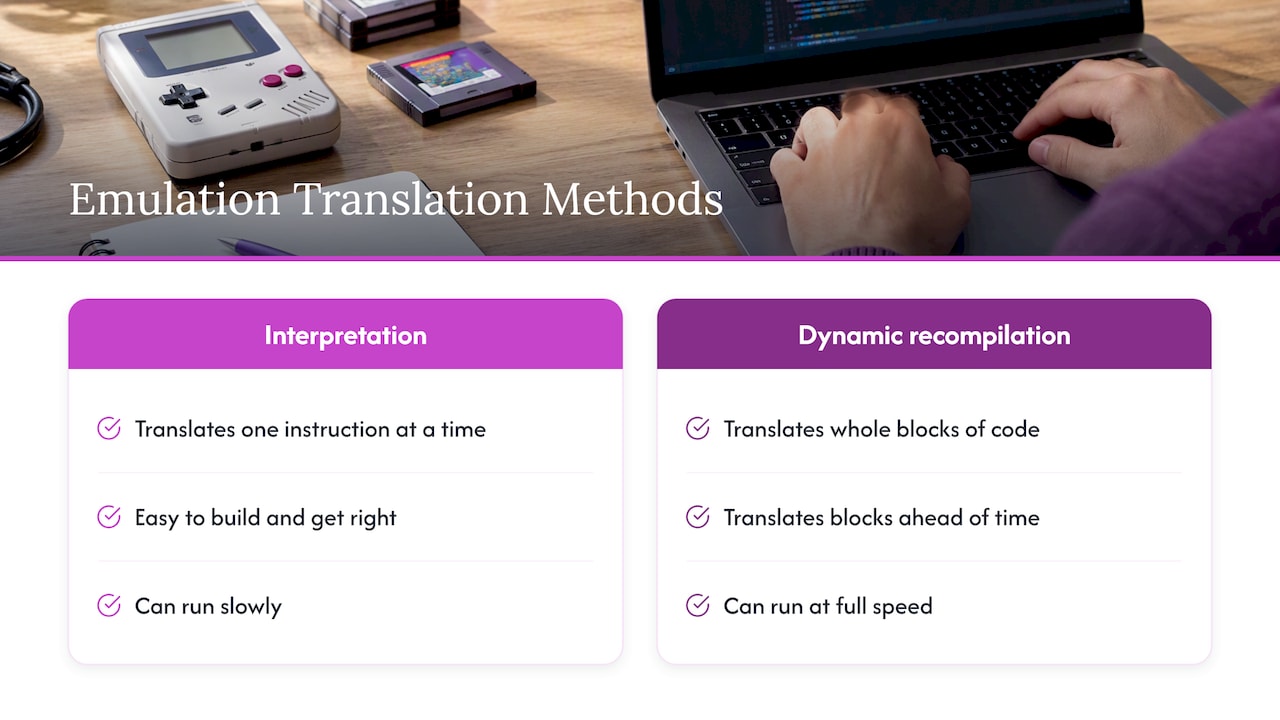
The simplest approach is interpretation, translating one instruction at a time as it comes. It is easy to build and easy to get right, but slow. The Computer History Museum describes how emulation can translate instructions written for one processor architecture into native machine code for another, keeping old software working, and notes that emulated software can run more slowly than it did on its original processor.
Faster emulators translate whole blocks of code ahead of time, a technique usually called dynamic recompilation. That is how a modest handheld can run a PlayStation game at full speed.
Accuracy versus performance
Not all emulators work at the same depth. A presentation on console emulation separates low-level emulation, which reproduces the chips, buses, registers and timing, from higher-level approaches that reproduce the broader behavior of the system. In general, the more accurate the emulation, the more computing power it needs.
That tradeoff explains why the same console can have several emulators. One might run on a cheap device and handle 95 percent of the library perfectly. Another might need a powerful PC but get nearly every quirk right. For most players, the cheap one is the right answer: you want the game to play well, not to pass a hardware audit.
Emulation vs simulation: what is the difference?
People search for this a lot, and the two words are often used as if they meant the same thing. They do not.
A simulation imitates a feature or a behavior. A flight simulator behaves like flying without containing any aircraft software. A game that is “inspired by” Super Mario Bros. and feels similar is a simulation of that feel, with new code written from scratch.
An emulator runs the original code. A talk on building a Game Boy emulator puts it simply: simulation imitates a particular functionality, while an emulator executes the original code written for the console. The game itself is untouched. Only the machine underneath it is pretend.
A quick way to remember it:
| Emulation | Simulation | |
|---|---|---|
| What it recreates | The machine (processor, graphics, sound) | A behavior or a feel |
| What it runs | The original game code | New code written to resemble the original |
| Result | The same game, on different hardware | A similar experience |
| Example | Playing a SNES game file on a handheld | A remake or clone built from scratch |
So when you play a classic cartridge’s contents through an emulator, you are playing the actual game, not an imitation of it.
Why people emulate: the real benefits
Nostalgia is the obvious reason, but it is not the only one.
Features the originals never had. Reporting in The Verge noted that emulation can add save-anywhere states, fast-forwarding, slow motion and cheats that original hardware could not offer. If you have ever lost 40 minutes because the nearest save point was too far away, you understand why people like this.
Preservation. Old cartridges decay, batteries die and consoles break. The preservation overview presents emulation as a way to keep and interpret original digital objects without converting them, so people can experience historical software in its original context. Game historian Frank Cifaldi has argued that emulation helps keep gaming heritage accessible.
Official uses. Emulation is not just a hobbyist trick. Comments filed with the US Copyright Office describe how a Sega Genesis game can be reissued on Xbox Series X through a Genesis emulator without changing the game or having its original source code. The same filing notes that emulation’s link with piracy has contributed to industry resistance.
Convenience. One device can stand in for a shelf of consoles, which matters if you commute, travel, or simply do not have room for a CRT and five systems.
The limits of emulation
In fairness, emulation is not perfect.
- Compatibility gaps. Fast, lightweight emulators can mishandle a few games with unusual hardware tricks.
- Timing and input lag. Software that imitates timing will not always match the behavior of original circuits. Collectors who play on original consoles and CRTs point to this, and it is a real difference for competitive players of fast games.
- Setup. On a PC or phone, you pick emulators, configure controls, sort game files, and fix whatever breaks. That is the part many people give up on.
- Controls. A touchscreen is a poor substitute for a D-pad and shoulder triggers.
Our own take on the originals-versus-emulation debate is in this comparison of emulation and original hardware, and we cover the phone question in phone emulation versus a dedicated handheld.
Is retro emulation legal in the US?
This is the question that worries people most, so here is the careful version. This is general information, not legal advice. If you plan to build a business around emulation or distribute anything, talk to an attorney who handles intellectual property.
The emulator software. Reporting on Nintendo’s legal efforts explains that reverse-engineering hardware to emulate it is generally protected under US law, and points to the 2000 Connectix Virtual Game Station decision as precedent. The same piece warns that including copyrighted BIOS code or decryption keys can create legal risk.
The game files. This is where trouble starts. A US Copyright Office summary of Sega v. MAPHIA says that distributing or enabling downloads of unauthorized copies of copyrighted games was not fair use, and the court stressed that users copied essentially entire works to avoid buying them. Coverage of emulators on Apple’s App Store put it bluntly: downloading copyrighted ROMs is typically against the law in the US. By contrast, the same article says it is generally fine to download and play public-domain homebrew games.
What is still unsettled. Legal analysis from Gizmodo notes there is still no legal precedent covering emulation in all its contexts. Nobody can honestly tell you every situation is safe.
The practical takeaway: emulators are not the problem, and homebrew and public-domain games are fine. Where a game comes from, and whether the rights holder has permitted it, is what matters. Do not rely on a seller’s or a forum’s assurance. If a product ships with games already on it, read the seller’s policies and our note on what to check with preloaded consoles before you buy anything, from anyone.
Three ways to emulate, compared
| Route | Best for | Main catch |
|---|---|---|
| PC with emulator software | Tinkerers who want maximum accuracy and shaders | Most setup, many settings, no real controls unless you buy a pad |
| Phone with an emulator app | Casual play with no extra purchase | Touch controls, battery drain, a screen that is also your notifications |
| Dedicated emulation handheld | People who just want to play | You rely on the device’s built-in library and menu design |
There is no single correct choice. If you enjoy the hobby of configuring things, a PC is a great playground. If you would rather press a button and be in a game, a dedicated handheld removes the middle steps.
Perspective: why we built around “no setup”
We sell retro handhelds, so you should know where we stand. Most people who tell us they want to “get into emulation” actually want something simpler: to play the game they remember, tonight, without spending a weekend on forums.
That is why we think the best emulation is the kind you do not notice. The Retro Pulse is built on that idea. The library is curated and ready when you power it on, nothing needs downloading, and there is no subscription. We ship from a US warehouse, which in our experience spares buyers the long waits and quality surprises common with overseas suppliers.
We also think the hobby is more fun when you understand it. That is why we wrote this guide. You do not need to know how a recompiler works to enjoy Zelda on a train, but knowing what is going on under the hood makes it easier to judge any device, ours included, and to ask the right questions about where its games come from.
— Sean
What this looks like on the Retro Pulse
Here is how the ideas above map onto a real device. The Retro Pulse is a handheld with a 3.5-inch IPS screen, a real D-pad, twin sticks and L/R triggers, and it comes preloaded with 15,000 classic games across more than 20 systems, including NES, SNES, Genesis, PS1, N64, Game Boy, GBA and arcade.
It works offline, so there is nothing to sign into. A removable battery gives 6 to 8 hours of play and you charge over USB-C. Two microSD slots let you add more, and our guide to adding games to a retro handheld covers it. There is a one-year warranty and a 30-day return window.
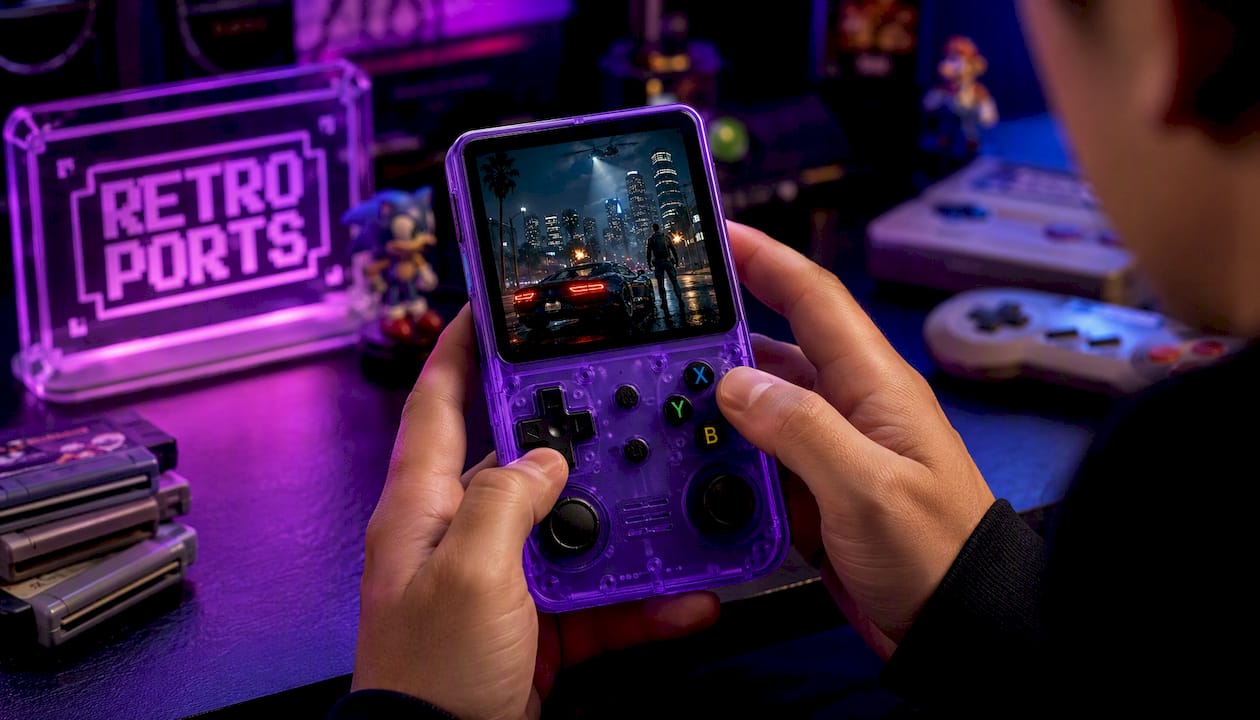
If you want to see the details or order, head to the Retro Pulse page.
Getting the most from any emulation device
Whichever route you choose, a few habits save grief:
- Understand save states versus in-game saves. A save state is a snapshot of the emulator’s whole memory. An in-game save is what the game itself wrote. Mixing them up can cost you progress, so read what save states capture and why to back up real game saves.
- Match the region to the game. US games were built for 60 Hz; many European releases ran at 50 Hz. Our explainer on PAL versus NTSC shows why speed and pitch can feel off.
- Start with a plain setup. If you are new, our handheld setup guide walks through it without jargon.
- Pass it on. Classic games are great for kids, and we have ideas in sharing retro games with kids. Arcade fans can read about arcade emulation on handhelds.
FAQ
What is emulation on a PC?
On a PC, emulation means a program that imitates another machine, such as an old console, so that software made for it can run on your computer. The PC does the work of the original chips in software. You still need the game data, and you usually configure controls yourself.
How is emulation different from simulation?
An emulator runs the original code written for the console, recreating the machine underneath it. A simulation imitates a behavior or a feel with new code. If the game itself is the real one, you are emulating.
Is Nintendo emulation legal?
Emulator software is generally protected in the US, but downloading copyrighted game files you do not own is typically against the law. Public-domain and homebrew games are generally fine. The law is still unsettled in some contexts, so for specific situations, consult an intellectual property attorney.
Does emulation play games as well as original hardware?
For most players and most games, yes. Accuracy and speed trade off, so some demanding or quirky titles may behave slightly differently, and purists who play on CRTs notice timing differences. Emulation also adds conveniences like save states that originals never had.
Do I need to set anything up on a preloaded handheld?
Not for the included library. You turn it on, pick a game and play. If you want to add your own legally obtained games, the microSD slots on the Retro Pulse handle that, and our guide shows how.
Sources
- An Overview of Emulation as a Preservation Method (CLIR)
- Transplanting the Mac’s Central Processor (Computer History Museum)
- Video Game Consoles Emulation: HOWTO?
- How to make a (GameBoy) emulator?
- How the Game Boy found a new life through emulation (The Verge)
- Class 6(b) Reply comments (US Copyright Office)
- How the demonization of emulation devalues gaming’s heritage (Ars Technica)
- The solid legal theory behind Nintendo’s new emulator takedown effort (Ars Technica)
- Sega Enters. Ltd. v. MAPHIA summary (US Copyright Office)
- What to Know About Apple Allowing Game Emulators in the App Store (MacRumors)
- How Does Game Emulation Work and How Legal Is It? (Gizmodo)