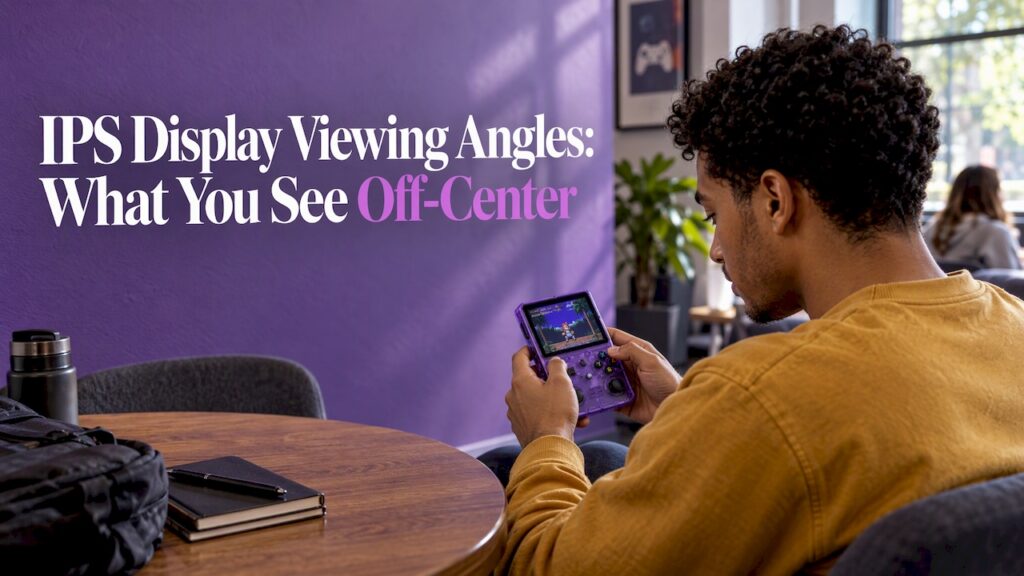
An IPS display keeps its colors and brightness steady when you look at it from the side, far better than older panel types do. Most IPS panels carry a 178/178 degree rating, but “wide” is not the same as “perfect”: dark scenes can pick up a faint glow, and contrast still drifts a little as you move off-center. Here is what that means in real use, especially on a small handheld screen that gets passed around, tilted on a tray table or propped up for a sibling to watch.
TL;DR
- IPS panels are commonly rated at 178/178 degrees, and colors stay far more stable off-center than on TN panels, though some shift remains.
- IPS glow is a soft whitish sheen on dark images seen at an angle. It moves when you move, which is how you tell it from a defect.
- The trade-off for those angles is lower contrast than VA panels, so blacks look more like deep gray in a dark room.
- Color accuracy depends on tuning, lighting and viewing angle, not just the panel type.
- On a handheld, test for glow and bleed with a dark image, low room light and a straight-on view before you decide anything is wrong.
Table of Contents
- What “viewing angle” actually measures
- Why IPS holds color better from the side
- What still changes when you look off-center
- IPS display advantages in everyday use
- Is IPS glow normal?
- How to check a handheld screen for glow or bleed
- IPS panel color accuracy: what really decides it
- Why viewing angles matter more on a handheld
- Perspective: why we chose IPS for Retro Pulse
- Buying checklist: judging a handheld’s screen
- Get a retro handheld with a screen built for sharing
- FAQ
- Sources
What “viewing angle” actually measures
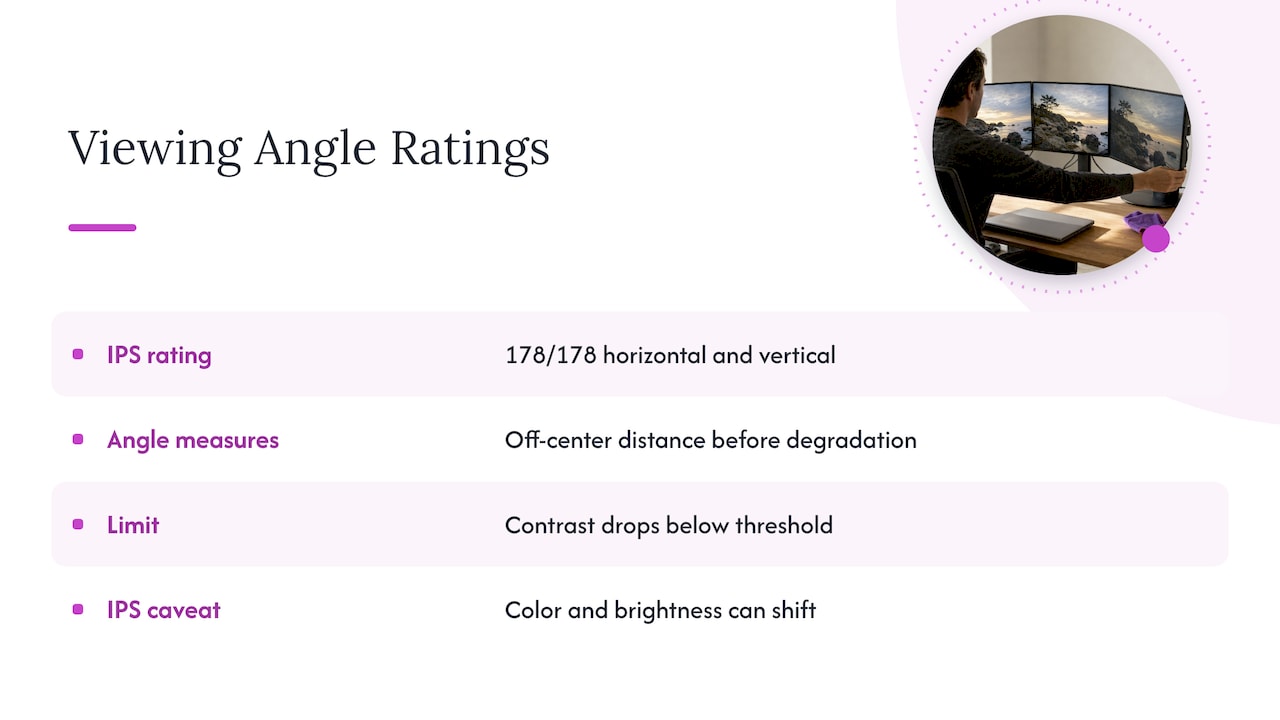
A viewing angle describes how far off the center line of the screen you can move before the picture degrades. Spec sheets quote two numbers: horizontal and vertical. A 178/178 rating means the image is said to hold up almost to the edge of the screen’s plane in both directions, which is nearly the maximum a flat panel could offer.
The catch is what “holds up” means. Manufacturers typically define the limit as the point where contrast drops below a threshold. That tells you the picture is still readable, not that it looks identical to a straight-on view. Colors can warm or cool slightly, and dark areas can brighten, long before the rating is reached.
The TechSpot comparison of TN, VA and IPS panels puts IPS at 178/178 and notes that colors and brightness can still shift when you view the panel off-center, only less noticeably than on TN. That is the honest summary: IPS is the best of the mainstream LCD types here, not a display with zero change.
Why IPS holds color better from the side
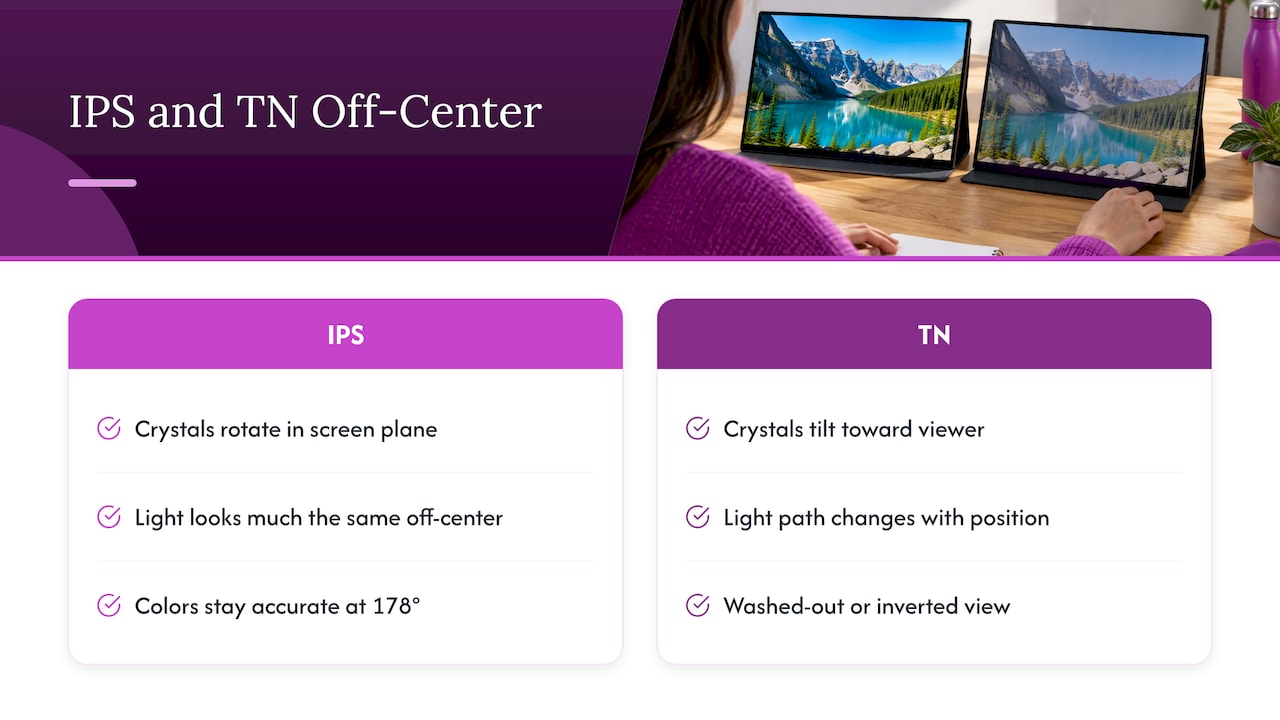
In an IPS (in-plane switching) panel, the liquid crystal molecules rotate in the plane of the screen rather than tilting up toward you. Because the crystals stay lying flat, the light passing through looks much the same whether you look from the front or from the side. Older twisted-nematic designs tilt the crystals, so the path of light changes with your position, and you get the familiar washed-out or inverted look when you lean in from above or below.
A 2023 academic review of liquid crystal devices notes that fringe-field switching, a refined IPS-family design, is widely used in high-end small and medium-sized LCDs for its high transmittance, wide viewing angles and suitability for touch panels. Small and medium screens are exactly where handhelds, phones and tablets live, which is why IPS became the default for them.
The practical payoff: PCMag’s review of a 15-inch portable monitor describes IPS panels as able to offer 178-degree viewing angles with colors staying accurate even at extreme off-center angles. Wired makes the broader point that IPS helped LCDs compete with costlier display technologies by delivering better viewing angles and more accurate color.
What still changes when you look off-center
Three things can shift on an IPS screen even with excellent angles:
- Black level. Dark areas look lighter and slightly cooler from the side. This is the effect people call IPS glow, covered below.
- Contrast. The gap between the brightest and darkest parts narrows a little as you move away from center.
- Tint. Whites can pick up a faint warm or cool cast at steep angles, depending on how the panel is tuned.
A detailed look at how viewing angle affects black level and contrast is part of what display labs measure, and DXOMARK’s test methodology treats viewing angle as one of several factors that change how color is perceived, alongside lighting conditions, reflectance and the manufacturer’s tuning choices. So two IPS screens can behave differently off-center because of how they were tuned, not because one is “fake IPS.”
A simple 45-degree check
Hold the screen at arm’s length showing a mid-gray or a familiar photo. Tilt it away from you by about 45 degrees left and right, then up and down. On a good IPS panel the picture stays recognizable and the color barely changes. A small brightness change at the corners is normal. If the image turns dark, inverts or loses color entirely at a mild tilt, that is behavior you would expect from TN, not IPS.
IPS display advantages in everyday use
When people search for the advantages of IPS, they usually want to know what they get for it. Based on the evidence, the list looks like this:
- Stable color from the side. Useful whenever more than one person looks at the screen, or the screen is not square to your eyes.
- Strong color gamut. TechSpot describes IPS as a balanced choice with strengths in motion performance, gamut coverage and viewing angles.
- Good fit for small screens. As noted above, the technology family is common in small and medium LCDs.
- Touch-friendly. The same academic review lists suitability for touch panels among its strengths.
The same TechSpot comparison is clear about the trade-off: IPS contrast ratios sit well behind VA panels. That means deep blacks in a pitch-dark room are not IPS’s strongest suit. For a handheld played on a bus, on a couch with the lights on, or in the back seat of a car, the angle stability matters far more than the last bit of black depth.
Is IPS glow normal?
Yes, in most cases. IPS glow is an apparent white glow you see when viewing dark imagery at an angle, as TechSpot explains. It is a property of how light passes through the layers of the panel, and it shows up on IPS screens of every price.
It looks like a pale, slightly purple or silvery sheen that spreads from the corners or edges on dark scenes. The key trait is that it changes with your position. Shift your head and the glow moves, fades or brightens. Sit straight in front of the screen and it largely disappears.
IPS glow vs. backlight bleed
They look similar, but they are different problems.
| IPS glow | Backlight bleed | |
|---|---|---|
| What it is | Angle-dependent sheen on dark images | Light leaking at the edges of the screen |
| Moves when you move your head | Yes | No, it stays in the same spots |
| Visible straight-on | Barely or not at all | Yes, in the same patches |
| Typical look | Soft, even, whitish or purplish haze | Bright patches or clouds along edges or corners |
| Normal? | Yes, an expected trait | Mild amounts are common, severe cases may be a defect |
The academic review mentioned earlier adds useful background: in IPS mode, errors in liquid-crystal alignment or polarizer attachment can cause light leakage in the black state. In other words, leakage is a manufacturing variance, and a small amount is not unusual on any LCD.
How to check a handheld screen for glow or bleed
The test is quick and needs no tools.
- Turn the lights down. Glow and bleed are hardest to see in a bright room, so a dim room gives you the real picture.
- Show a fully black image. Load a game with a black loading screen, or pause on a dark menu. Set brightness to a moderate level, not maximum, since very high brightness exaggerates any leakage.
- Look straight on first. Hold the device square to your eyes at a normal playing distance. Note any bright patches.
- Tilt and shift. Move your head or tilt the screen. A haze that slides around and fades when you return to center is IPS glow.
- Compare against the straight-on view. Patches that stay put, in the same spot, even when you look straight at the screen are bleed.
- Judge by play, not by black screens. If you cannot see the effect during normal gameplay at a normal brightness, it is not affecting your experience.
Bleed that is obvious in ordinary dark scenes from a normal playing position, or that looks like a bright smear across a large part of the screen, is worth raising with the seller while you are within the return window. Mild edge brightness visible only on a pure black screen in a dark room is a common trait of LCDs and usually not a reason to send a device back.
If the screen simply looks too dim or too washed out in daily use, that is more often a settings issue than a panel issue, and our step-by-step guide to fixing handheld screen brightness walks through menus first and hardware second.
IPS panel color accuracy: what really decides it
People often assume “IPS” means “accurate.” The panel type gives you a good starting point, but accuracy is the result of several things:
- Tuning. Manufacturers choose a target for white point, saturation and gamma. Some tune for punchy color, others for neutrality.
- Lighting. DXOMARK notes that color perception is affected by lighting conditions, reflectance, viewing angle and design choices. Sunlight on a glossy screen changes what you see more than any panel spec.
- Measurement. Labs use a colorimeter and report DeltaE, where a lower number means less color error.
- Correction systems. High-performance monitors can use internal systems to measure and correct luminance and chromaticity, which shows that factory tuning and calibration matter as much as the glass.
For retro games, absolute color accuracy is rarely the goal. Classic art was designed for CRT televisions and small LCDs with their own quirks, so a vivid, stable image with good angles often looks more faithful to how you remember it than a technically perfect one. For more on what separates a good retro screen from a merely bright one, see our guide to what actually matters in retro handheld screen quality.
Why viewing angles matter more on a handheld
A monitor sits square in front of you. A handheld does not. Think about how it is really used:
- Tilted in your hands. Your wrists and grip change the angle constantly during a long session.
- Shared with a kid. Parents sharing childhood games often watch over a shoulder. A side view that keeps its colors makes that comfortable.
- On a commute. On a train or in a car you rarely hold the screen perfectly square.
- Propped on a table. Leaning the console against a bag or a cup puts you at an angle to the glass.
Screen size interacts with this as well. Small screens exhibit angle problems less obviously than big monitors, because the whole display fits inside a narrow cone of your vision. Size and aspect ratio also decide how much of the picture older games use, which we cover in why 4:3 scaling beats diagonal size for retro screens.
One more note on feel: a screen that looks great from every angle does not fix how a game responds. If a game feels sluggish, the cause is a different part of the chain, and our piece on what causes input lag on retro handhelds explains how to cut it.
Perspective: why we chose IPS for Retro Pulse
We built the Retro Pulse around a 3.5" IPS display because a handheld is never held perfectly still or perfectly square. The screen gets tilted, shared, and propped up on tray tables, and an IPS panel is designed to keep colors and brightness steady through all of that.
We would rather be straight with you about how it behaves. Like any IPS screen, it can show a soft glow on very dark scenes when you look from an angle. That is how the technology works, and it fades when you look straight on. What you get in return is a picture that keeps its color when a kid leans over your shoulder to watch.
Our approach is offline-first and ready to play: no menu setup, no downloads, no subscriptions. The screen follows the same idea. It should simply work in the places people really play, on the couch, in the car, on a commute, with real controls under your thumbs. The Retro Pulse is designed for that kind of everyday, hands-on use, and we stand behind it with a one-year warranty and 30-day returns.
Sean
Buying checklist: judging a handheld’s screen
Whether you are choosing for yourself, a kid or a gift, these checks take a few minutes:
- Confirm the panel type. Look for IPS in the specification rather than a vague “HD screen.”
- Do the 45-degree tilt. Color should stay recognizable from every side.
- Try a dark game scene. Look for glow that moves (normal) and patches that stay put (bleed).
- Test in the light you will use. Check it near a window and in a dim room.
- Adjust brightness before judging. A setting at either extreme makes any screen look worse.
- Check the return policy. If something looks wrong, you want time to send it back.
If you are weighing a handheld against other ways to play, such as a phone or a TV-connected mini console, our comparison of a mini console versus a handheld lays out how each handles screens and portability.
Get a retro handheld with a screen built for sharing
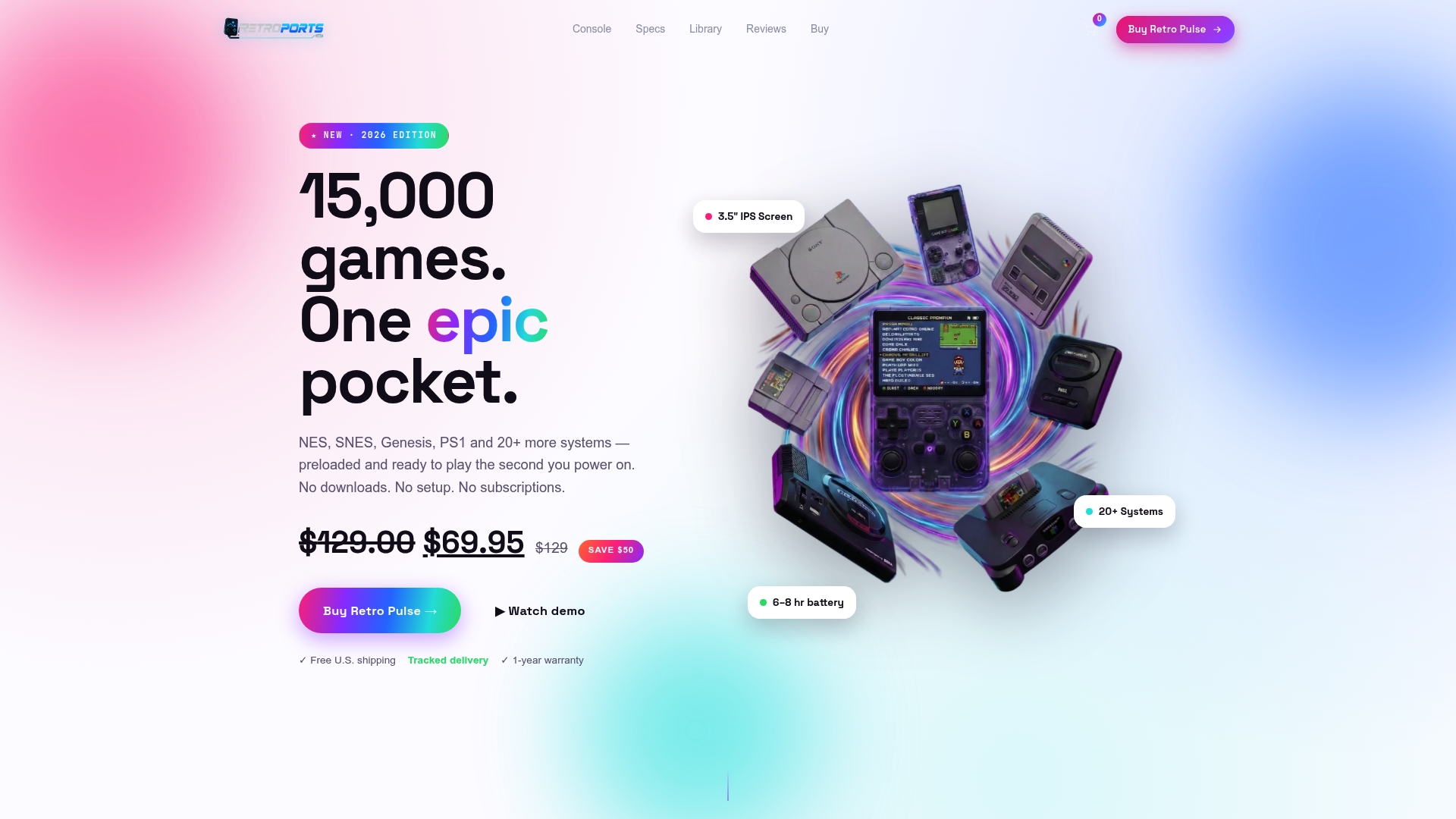
The Retro Pulse is a handheld preloaded with 15,000 classic games from over 20 systems, including NES, SNES, Genesis, PS1, N64, Game Boy, GBA and Arcade. It pairs a 3.5" IPS display with a real D-pad, twin sticks and L/R triggers, a removable battery rated for 6 to 8 hours of play, and USB-C charging. It ships from a U.S. warehouse, and it comes with a one-year warranty and 30-day returns.
It works offline from the first power-on, and dual microSD slots let you add more games later. See the full details on the Retro Pulse product page, or read how to share retro games with kids without a setup session.
FAQ
Do IPS displays have good viewing angles?
Yes. IPS panels are commonly rated at 178/178 degrees, and colors and brightness stay far more stable off-center than on TN panels. Some change still occurs, mostly a lighter black level and a small tint shift at steep angles.
Is IPS glow normal?
Yes, it is an expected trait of IPS technology and appears as a whitish sheen on dark images when you view the screen at an angle. It moves or fades as you change position and is usually not visible straight on. Light patches that stay in the same spots from every angle are a different issue, backlight bleed.
Is IPS or VA better for viewing angles?
IPS is the stronger choice for viewing angles. VA panels generally have higher contrast and deeper blacks, while IPS has the edge on angle stability and color consistency, according to TechSpot’s panel comparison. For a handheld that is tilted and shared, angle stability usually matters more.
Does IPS guarantee accurate colors?
No. The panel type helps, but accuracy also depends on the manufacturer’s tuning, the lighting around you and your viewing angle. Labs measure error with DeltaE, where a lower number is better. For gaming, a stable, vivid picture is usually what you notice most.
How do I know if light bleed on my handheld is a defect?
Check a black screen in a dim room at moderate brightness, looking straight on. Faint edge brightness seen only on pure black is common on LCDs. Bright patches that are obvious during normal dark scenes are worth reporting to the seller within the return window.
Sources
- Display Tech Compared: TN vs. VA vs. IPS, TechSpot
- Recent progress in liquid crystal devices and materials, Journal of Information Display
- LCD, IPS, OLED, and Quantum Dots: All the Confusing Display Terms Explained, Wired
- How DXOMARK tests display quality
- How we test monitors at PCWorld
- The Ability to Display Color Correctly Is Vital, EIZO