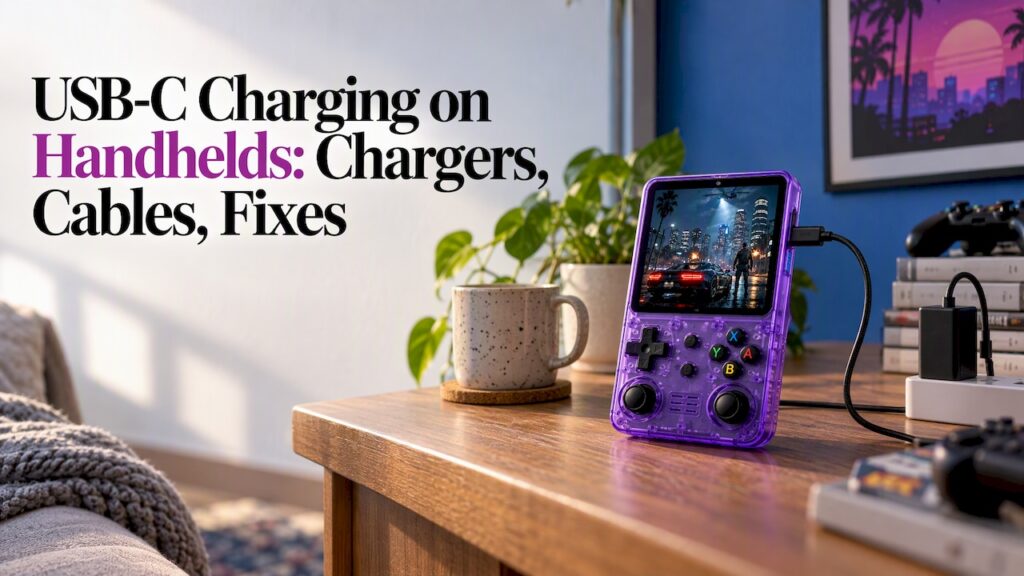
Most handhelds that charge over USB-C will run happily on a reputable phone or laptop charger and a decent cable you already own. The exceptions are budget devices with simple charging circuits, underpowered chargers, and worn cables. This guide covers what USB-C charging means on a handheld, which charger and cable to pick, why a console sometimes refuses to charge, and how to treat the battery well.
TL;DR
- USB-C is a connector, not a promise of fast charging. Speed depends on the charger, the cable and what the handheld can accept.
- Pick a charger from a trusted brand that supports USB Power Delivery (PD), plus an undamaged cable. More wattage than the console needs is normally fine, because the device asks for only what it can take.
- If a handheld won’t charge from a USB-C-to-USB-C cable, try a plain USB-A charger and a USB-A-to-USB-C cable before assuming the console is broken.
- Charge on a hard surface, unplug when full if you can, and stop using any charger or cable that gets unusually hot.
- Retro Pulse charges over USB-C and has a removable battery rated for 6 to 8 hours of play, so a spare cell is another way to keep playing.
Table of Contents
- What USB-C charging means on a handheld
- Which charger does a handheld need?
- Does the cable matter?
- Why your handheld won’t charge from a USB-C charger
- How long does charging take?
- Charging safely and protecting the battery
- Power banks and travel charging
- Retro Pulse: USB-C charging plus a swappable battery
- Quick checklist before you buy a charger
- FAQ
- Sources
What USB-C charging means on a handheld
USB-C is the oval, reversible plug found on most phones, tablets and laptops. On a handheld game console it replaces the old barrel jack or proprietary connector, so one cable and one charger can serve your whole bag. When a major console maker moved its handheld to USB-C in 2017, The Verge reported that it made charging from common USB-C cables, power banks and chargers possible. That is the everyday benefit: your console no longer needs its own special brick.
The catch is that the plug shape tells you almost nothing about power. Behind the same connector sit very different setups:
- Basic 5V charging. The console simply draws power at 5 volts. Slow, simple, and widely compatible.
- USB Power Delivery (PD). The charger and the device talk to each other and agree on a voltage and current. This is how laptops and many gaming handhelds charge quickly.
- Proprietary fast-charge modes. Some phone chargers use their own protocols. A handheld may ignore them and fall back to slower charging.
USB Implementers Forum material describes how USB-C and USB PD promote reuse and interoperability across existing fast chargers and cables that support PD. In plain terms: the standard is built so that chargers you already own keep being useful.
Which charger does a handheld need?
Start with what your device actually accepts, then choose a charger that meets or exceeds it. For handheld gaming PCs, one guide recommends a USB-C PD charger with enough single-port power and says a high-quality 100W charger suits devices that need 45 or 65W. Simpler retro handhelds draw far less than that, so you do not need a big charger. You just need one that does not struggle.
Does a higher-wattage charger hurt the battery?
Not on a compliant device. With PD, the handheld negotiates for the power it needs. SlashGear explained in 2023 that a USB-C PD device asks for what it can handle, though the charger still has to meet the handheld’s requirements. So a 65W laptop charger will not push 65W into a console that only wants 10W.
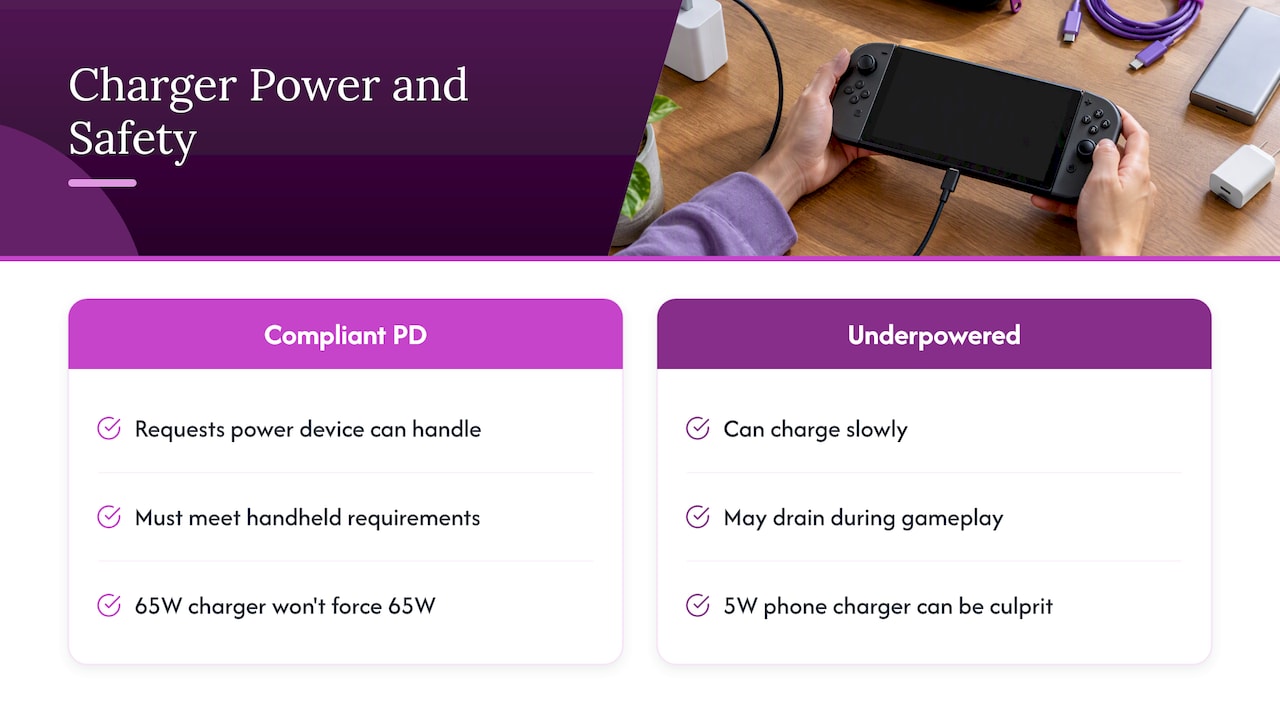
The reverse is where trouble shows up. An underpowered charger can cause slow charging, and on a power-hungry handheld PC it can even mean the battery drains while you play, according to the same SlashGear piece. A tiny old phone charger rated at 5W is the usual culprit for a handheld that seems to charge forever.
A quick wattage guide
| Situation | What to use |
|---|---|
| Retro handheld, overnight or desk charging | Any reputable 5V or PD charger from a phone or tablet |
| Playing while charging | A charger rated comfortably above what the console draws, so it charges and plays at once |
| Handheld PC or laptop-class device | A PD charger sized to the manufacturer’s figure, often 45W to 65W or more |
| Travel with several devices | A multi-port charger, with the power split checked |
That last row matters. Multi-port chargers can divide their total wattage among connected devices, so check the power distribution scheme to make sure your handheld still gets what it needs when your phone is plugged in too.
For Retro Pulse, we do not publish a required wattage on this page. Check the product page and the paperwork in the box for the figure, then pick any trusted charger that meets it.
Does the cable matter?
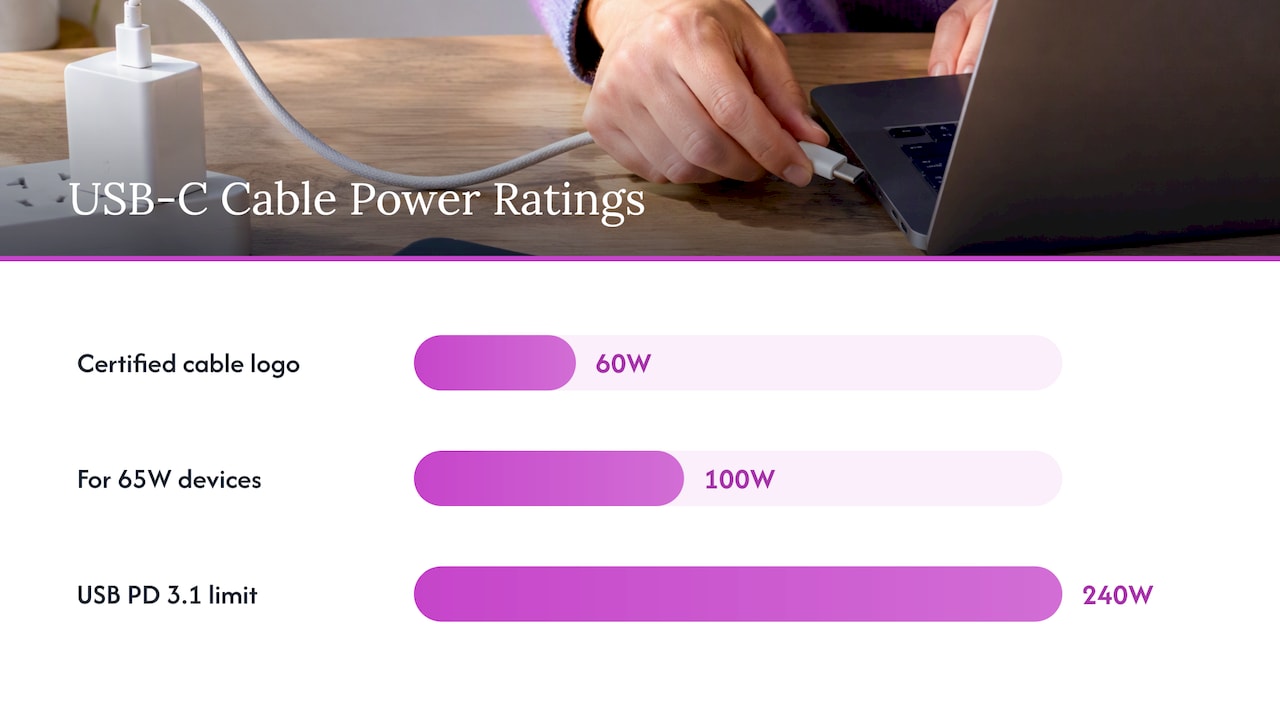
Yes, more than most people expect. A cable that looks identical can be built for slow charging only, or for 60W, or for 240W. The USB-IF announced in 2021 that certified cable logos identify 60W or 240W power capabilities, which gives shoppers a way to tell cables apart without guessing.
A few practical rules:
- Match the cable to the job. For 65W devices, a guide to charging handhelds recommends a 100W or 240W E-marked cable. For a low-power retro handheld, a good standard cable is plenty.
- Look for the logo or rating on the packaging when buying a new cable for a high-power device.
- Retire frayed or bent cables. Intermittent connection causes stop-start charging and can heat the plug end.
- Keep one dedicated cable for the console. It removes the guessing when something stops working.
At the top end, the USB PD 3.1 specification extends power delivery up to 240W over USB-C cables and connectors, up from the earlier 100W limit. The same announcement notes that products using 100 to 240W face tougher safety requirements. You will never need that for a pocket retro console, but it explains why a cable that is fine for a handheld may not be fine for a laptop.
Why your handheld won’t charge from a USB-C charger
It is one of the most common complaints, and it is usually not a dead console. Work through these in order.
1. Try a USB-A charger and a USB-A-to-USB-C cable
USB-C-to-USB-C charging depends on small signaling components in the device. Plugable’s engineering write-up explains that some devices lacking the required pull-down resistors may not charge over a USB-C to USB-C connection, while a USB-A-to-USB-C cable can supply plain 5V power. The takeaway is that USB-C charging relies on signaling over the configuration channel, not on the connector shape alone.
So if a new charger and a new USB-C cable do nothing, dig out an old USB-A wall block and a USB-A-to-USB-C cable. If that works, your handheld’s charging circuit prefers basic 5V, and you have found a compatible setup.
2. Check the charger’s power
A USB-C port alone does not guarantee fast charging. The charger has to support PD and offer enough power on that single port, and an under-rated cable can cap the speed, as the handheld charging guide points out. If the charger is a multi-port model, unplug your other devices and test again.
3. Swap the cable
Cables fail more often than chargers. Try another one before you blame anything else. Pick one that is known to charge a phone or tablet.
4. Seat the battery and clean the port
On a console with a removable battery, remove it and reseat it firmly. Look into the USB-C port with a flashlight. Pocket lint packs in over time and stops the plug from seating fully. Switch the device off and remove debris gently with a wooden or plastic toothpick, never metal.
5. Leave it for a while, then contact support
A deeply discharged cell can take a few minutes on the charger before the light or the screen responds. If nothing happens after trying a different cable and charger, stop experimenting and contact the seller. Retro Pulse comes with a one-year warranty and 30-day returns, and our console return policy guide explains what to expect when you buy a console in the U.S.
How long does charging take?
There is no single number, because charging time depends on three things: the battery’s capacity, the power the charger can actually deliver, and whether you are playing while it charges. A larger battery on a small charger is slow. Play while charging on a weak charger and the net gain shrinks, which is the same effect SlashGear described when an underpowered charger led to slow charging or drain during gameplay.
For Retro Pulse, the battery is removable and gives 6 to 8 hours of play per charge. We do not publish a full-charge time here, so we will not guess one. If you need to know exactly, check the product page. In practice, an overnight charge or a couple of hours at a desk before a trip covers most people.
To stretch a charge once you have it, see our guide to improving handheld battery life. Screen brightness and volume do most of the work.
Charging safely and protecting the battery
Good habits cost nothing and extend the life of any lithium battery.
- Use reputable chargers. Anker notes that trusted brands put each product through independent lab testing, and some premium chargers even show temperature and power in real time. A no-name charger from a gas station rack has no such record.
- Avoid soft surfaces. Don’t charge under a pillow, in a bag or on a blanket. Heat needs somewhere to go.
- Watch for warmth. A device that is slightly warm while charging is normal. One that is hot to the touch, swollen or smelly is not. Unplug it and stop using it. Our guide to retro handheld overheating walks through safe fixes and battery risks.
- Don’t leave it in a hot car. Heat ages lithium cells faster than anything else.
- Keep it away from damaged cables. If a cable’s plug is discolored or loose, replace it.
- Store partly charged if you will not play for weeks, rather than empty or fully topped up.
If you also wonder about what is on the device itself, we cover that in are preloaded consoles safe.
Power banks and travel charging
Because USB-C is shared across phones, tablets and handhelds, a single power bank can top up everything on a flight or a road trip. Three tips:
- Choose a power bank that supports PD if your console benefits from it, and use a short, good cable.
- Charge the console before you leave, then use the bank as a safety net, not your only source.
- For a long trip, a spare removable battery is the easiest way to double your playtime without hunting for an outlet.
Car USB ports are often slow, so a plug-in car adapter with a proper USB-C output is a worthwhile buy for family drives.
Our take on USB-C charging
We chose USB-C for the Retro Pulse because people already own the chargers and cables. You should not have to buy another brick just to play Super Mario Bros. on the couch or Sonic on the train.
We also paired it with a removable battery. USB-C gets you charging anywhere, and a swappable cell means that when a socket is nowhere in sight, a spare gives you another 6 to 8 hours. We think that combination suits commuters, students and families better than a sealed battery on a cable.
Our advice is simple: use a reputable charger, a good cable, and the setup that works reliably for you. If you hit a charging quirk, start with the checks above, and write to us if it still won’t behave. We stand behind the device with a one-year warranty.
Sean
Retro Pulse: USB-C charging plus a swappable battery
If you want a handheld that charges from the cables you already have, Retro Pulse is built for that. It comes preloaded with 15,000 classic games from over 20 systems, including NES, SNES, Genesis, PS1, N64, Game Boy, GBA and arcade, with a 3.5" IPS display, USB-C charging and a removable battery rated for 6 to 8 hours of play. It ships from a U.S. warehouse, and it comes with a one-year warranty and 30-day returns.
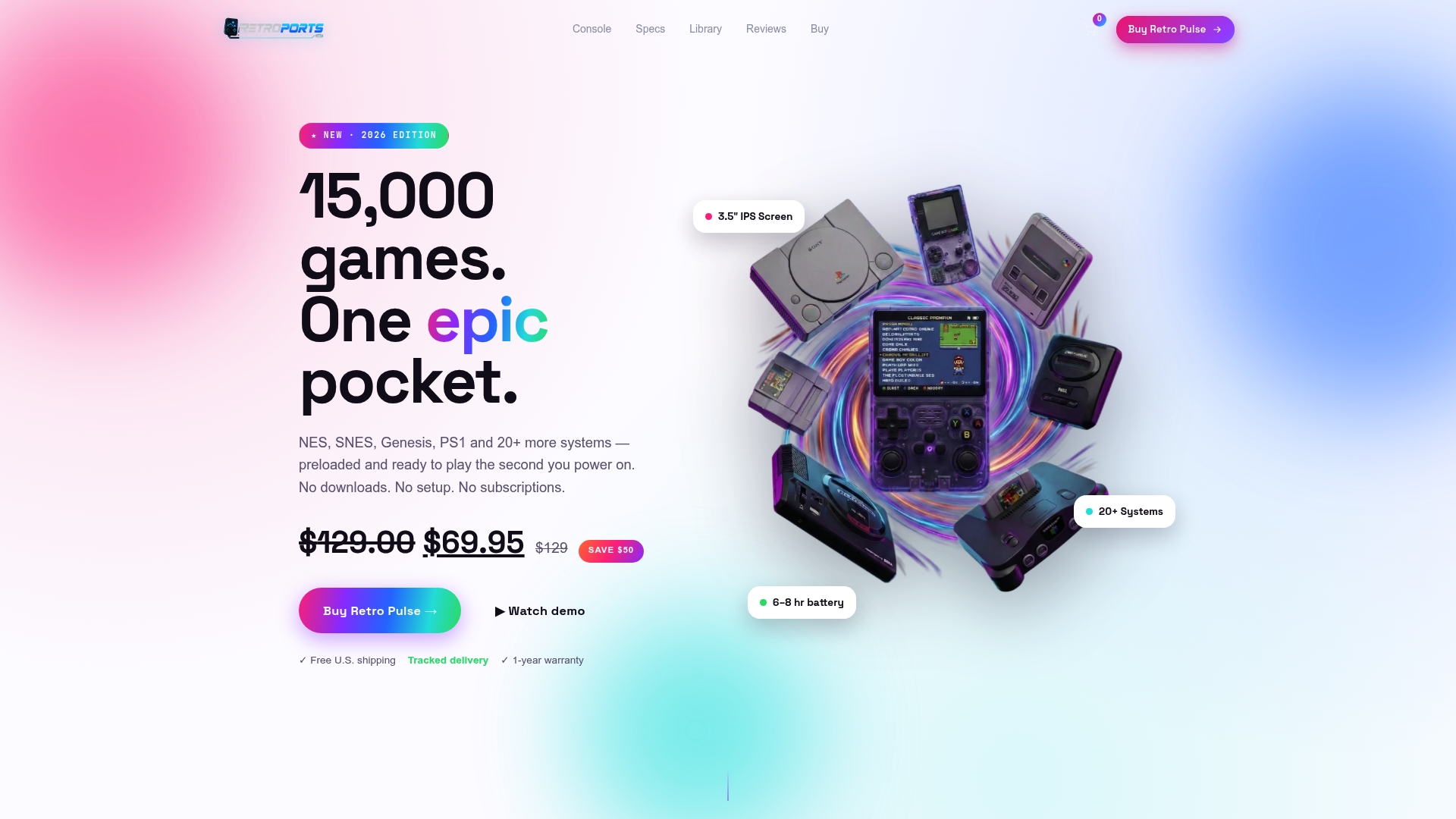
You can see the current price and details on the Retro Pulse product page, or browse the full handheld range.
Quick checklist before you buy a charger
- Does it have a USB-C output, ideally with PD support?
- Does the single-port wattage meet or exceed what your handheld needs?
- Is it from a brand that publishes safety testing?
- Is the cable undamaged and rated for the power you need?
- If it has several ports, how is the power split when two are in use?
- Do you have a USB-A charger and a USB-A-to-USB-C cable as a backup for basic 5V charging?
If you can answer yes to these, charging will be a non-event, which is exactly how it should be.
FAQ
Can I use my phone charger to charge a handheld console?
Usually yes, if it is a reputable USB-C charger that meets the console’s power needs. A PD device negotiates the power it wants, so a more powerful charger is generally not a problem, but a very weak charger can make charging slow. Check your handheld’s manual or product page for the figure.
Why does my handheld charge with one cable but not another?
Cables differ in how much power they carry and how well they are built. A damaged or low-rated cable can cap the speed or stop charging altogether. Some devices also need a USB-A-to-USB-C cable because they lack the signaling parts needed for USB-C-to-USB-C charging, so try that combination.
Is it safe to play while charging?
It is fine on a reputable charger and cable, but charging will be slower because the device is using power at the same time. Stop if the console gets hot, and avoid charging on soft surfaces. If overheating keeps happening, read our overheating guide and contact support.
Does USB-C mean fast charging?
No. USB-C is only the connector. Fast charging needs a charger with PD and enough power on that port, a capable cable, and a device built to accept it. Some simple handhelds charge at basic 5V no matter how strong the charger is.
Sources
- The Nintendo Switch charges over USB-C, The Verge
- USB-IF press release on USB-C and USB PD reuse
- USB-IF certified USB Type-C cable power rating logos announcement
- USB Promoter Group announces USB Power Delivery 3.1
- USB-C charger and power banks for handheld consoles and PCs
- USB-C Not Charging? Why Some Devices Need a USB-A Cable, Plugable
- Is It Safe To Use A Phone Charger To Charge The Steam Deck?, SlashGear
- What Is a PD Charger: USB-C Power Delivery Explained, Anker