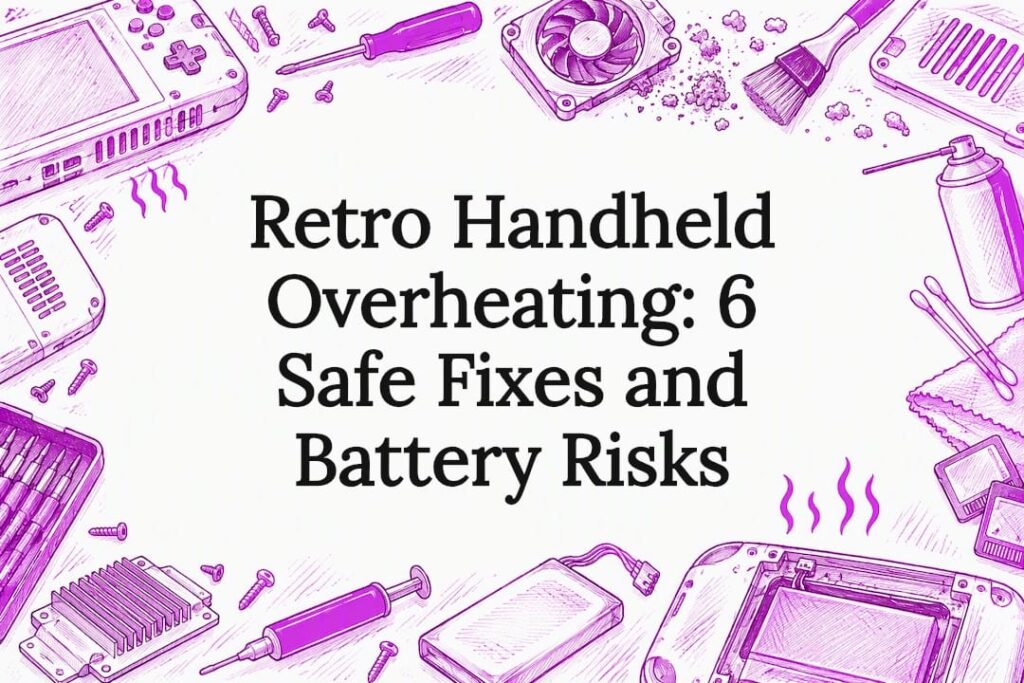
If your retro handheld is very hot, the likeliest causes are blocked vents, heavy CPU load (or playing while charging), or a failing battery. Pause play, unplug the charger, move the device to a cool, hard surface, and let it cool for at least five minutes. Stop immediately if you notice smoke, a burning smell, or a swollen case: those are signs to power down and seek repair, not to keep troubleshooting.
TL;DR:
- Lower brightness, disable unused wireless features, and reduce performance settings; restart without charging and watch whether heat quickly returns during ordinary play.
- A raised screen, widening case seams, newly sticky buttons, or a soft spot in the shell can signal battery swelling; do not remove it yourself.
- Arrange professional repair if overheating persists with clean vents, low brightness, and no charging, or if shutdowns recur after the device cools.
- Clean vents every few months with compressed air held away from openings, and check for battery swelling every three to six months.
Table of Contents
- What Usually Makes Retro Handhelds Run Hot
- Immediate, Low-Risk Fixes to Cool Your Handheld
- How to Spot and Safely Handle a Battery Problem
- Ongoing Maintenance and Habits That Prevent Overheating
- How Retro Pulse’s Design Choices Help With Heat
- Signs of Overheating Specific to Handheld Retro Gaming Consoles
- Comparing Heat Management Across Retro Handhelds
- When to Seek Professional Repair for Overheating Issues
- What I Check First When a Handheld Overheats
- Keep Overheating Risk Lower With the Right Handheld
- FAQ
- Sources
What Usually Makes Retro Handhelds Run Hot
Retro handheld overheating almost always traces back to one of a handful of culprits, and matching your symptoms to the right one saves you from guessing.
Dust buildup is the most common offender. Vents and internal fans pull in air to move heat away from the processor, and when dust clogs those openings, airflow drops and internal temperatures climb even during light use.
Heavy processing load matters too. Emulating certain systems or running background tasks keeps the chip working harder, and fans respond by running more often or faster as workload and ambient temperature rise. Charging while actively playing adds another heat source, since the battery and charging circuit both generate warmth at the same time the processor is under load.
Where you put the device matters as much as what it is doing:
- Soft surfaces like blankets, couch cushions, or your lap trap heat instead of letting it dissipate.
- A hot car, direct sunlight, or a stuffy room raises the ambient temperature the device has to fight against.
- Covering the vents with a case, grip, or your own hand blocks airflow even if the surface underneath is fine.
Battery age or damage is the one cause that will not resolve with a simple fix. An aging or physically damaged lithium battery can generate heat internally, independent of how the device is being used, and a battery that feels unusually warm or looks puffy needs attention before you keep playing.
Immediate, Low-Risk Fixes to Cool Your Handheld
Most retro handheld overheating responds to a short sequence of simple steps. Work through them in order before assuming something is seriously wrong.
- Save your progress if the game allows it, then power off the device completely to stop every background process at once.
- Unplug the charger. Playing while charging adds heat from two sources simultaneously, so separate the two activities whenever you can.
- Set the handheld on a hard, flat, ventilated surface like a table or desk, never on a blanket, pillow, or your lap.
- Lower the screen brightness, since a bright display setting draws more power and generates more heat than a dimmer one.
- Turn off Wi-Fi or Bluetooth if the device has them and you are not using them, and drop any adjustable performance or clock settings to a lower level.
- Leave the device powered off for 5 to 10 minutes in a cool spot, and point a room fan at it if the room itself is warm.
After the rest period, turn the handheld back on without charging it and watch how quickly it warms up again. A device that returns to a comfortable temperature and stays there during normal play most likely had a load or placement issue, not a hardware fault.
Pro Tip: Charge your handheld fully before a session instead of topping it off mid-play. It avoids the combined heat load of charging and gaming at once.
How to Spot and Safely Handle a Battery Problem
A battery that is failing looks and feels different from one that is just warm from normal use, and knowing the difference matters for your safety.
- A case that no longer sits flush, gaps at the seams, or a screen that looks slightly raised can indicate a swollen battery pushing against the housing.
- Buttons that suddenly stick or feel harder to press, or a shell that feels soft or “squishy” in one spot, point the same direction.
- A burning odor, visible smoke, or heat that climbs rapidly and feels far hotter than anything you have felt from the device before is a stop-everything signal.
If you see any of these, power the device down immediately and move it away from anything flammable. Manufacturer guidance for overheating devices recommends powering off and letting the device cool in a cooler location for at least five minutes before trying again, and that same caution applies here if the heat is severe instead of normal warmth.
Do not try to pry out a swollen battery yourself. Battery safety guidance from repair specialists warns that swollen lithium batteries can vent gas and become hazardous during removal, so the safe move is to isolate the device and have a trained technician handle it. If you must transport it, a fireproof container is the safer choice than a backpack or pocket.
Ongoing Maintenance and Habits That Prevent Overheating
A little regular upkeep keeps retro handheld overheating from becoming a recurring problem.
- Clean the vents every few months with a can of compressed air, holding the nozzle a short distance away rather than jamming it into the opening.
- Avoid opening the device casing yourself unless you have repair experience, since internal work can void warranty coverage and risks nicking a battery.
- Charge with the cable and adapter that came with your device, or an equivalent certified USB-C charger, and skip playing while it charges when you can.
- Store and charge the handheld somewhere with moderate room temperature rather than a hot car, a sunny windowsill, or a cold garage.
- Keep firmware current and pause any background downloads or syncing before a long play session.
Pro Tip: Set a recurring reminder every three to six months to check the battery for puffiness or case gaps, the same way you would check a smoke detector battery.
How Retro Pulse’s Design Choices Help With Heat
A few practical design decisions shape how much heat a handheld generates and how safely you can deal with problems when they come up.
- The device uses a removable battery, which means a technician, or an owner comfortable doing so, can swap a failing battery instead of needing to disassemble a sealed unit.
- Charging happens over USB-C, a widely supported standard that makes finding a quality replacement cable or adapter straightforward.
- The device runs an offline-first, curated library of classic games rather than an open app ecosystem, which cuts out the background downloads, auto-updates, and network syncing that push CPUs and fans harder on general-purpose devices.
- Every unit ships from a U.S. warehouse with a one-year warranty and a 30-day return window, giving you a clear path to resolution if a unit arrives with a hardware fault rather than a typical use issue.
If you ever notice swelling or unusual heat on your device, the same safety-first steps apply: power down, isolate it, and reach out through your support channel rather than attempting a repair yourself.
Signs of Overheating Specific to Handheld Retro Gaming Consoles
Handhelds show heat differently than a console sitting on a shelf, mostly because you are holding them directly against your hands.
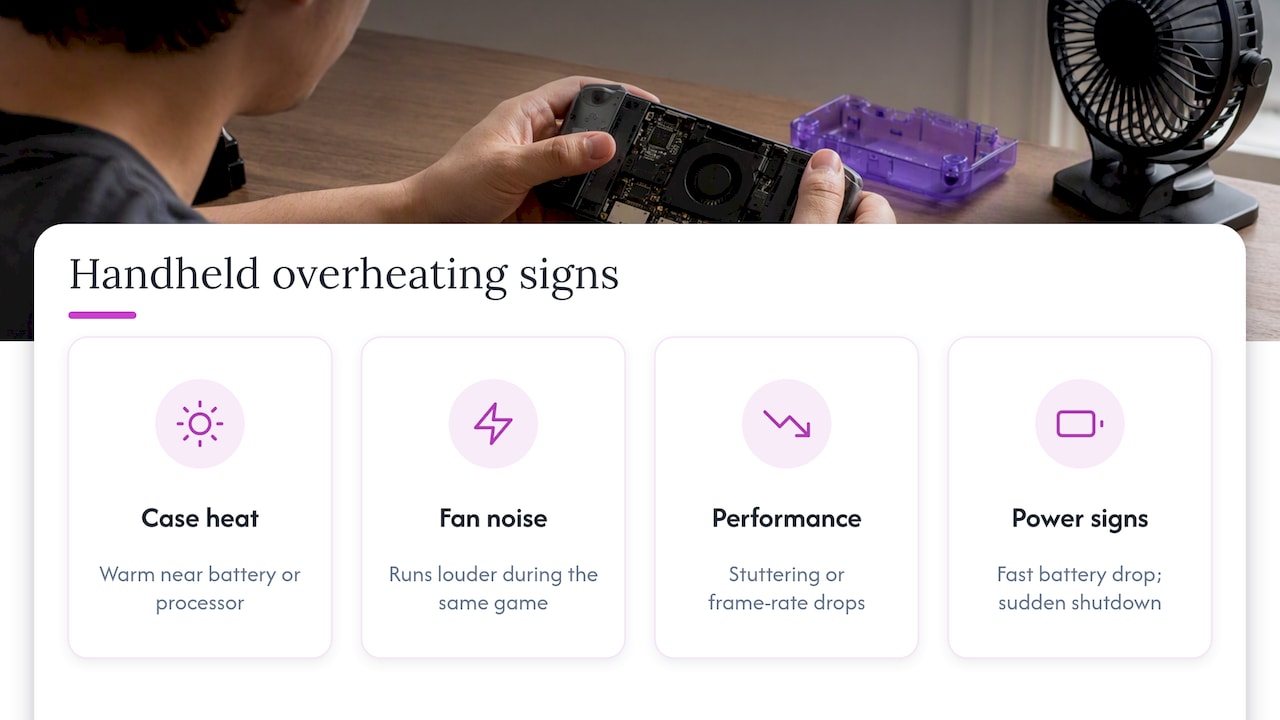
The clearest early sign is the case itself becoming uncomfortably warm to the touch, particularly around the battery compartment or near the processor, usually located behind the screen or control cluster. A fan, if the device has one, kicking on more frequently or running louder than usual during the same game you always play is another tell, since it means the system is working harder to move the same amount of heat.
Performance changes often show up before the heat becomes obvious. Games may start to stutter, frame rates may drop, or the device may slow down noticeably during longer sessions. This kind of throttling is a built-in protection, similar to what manufacturer support documentation describes for consoles that get hot during use: the system reduces performance to manage temperature rather than risk damage.
Battery percentage dropping unusually fast while the device feels warmer than normal can point to the battery itself generating heat internally, rather than the processor. And any sudden shutdown without warning, especially paired with noticeable heat beforehand, is worth treating as a signal to stop and let the device rest before using it again.
Unlike a desktop or a console with a large chassis and multiple fans, a handheld has limited room for heat to spread out, so symptoms tend to show up faster and more intensely relative to how long you have been playing.
Comparing Heat Management Across Retro Handhelds
Heat management on a retro handheld comes down to a mix of hardware choices and how much work the device is actually doing in the background, and that second factor varies more than most buyers expect.
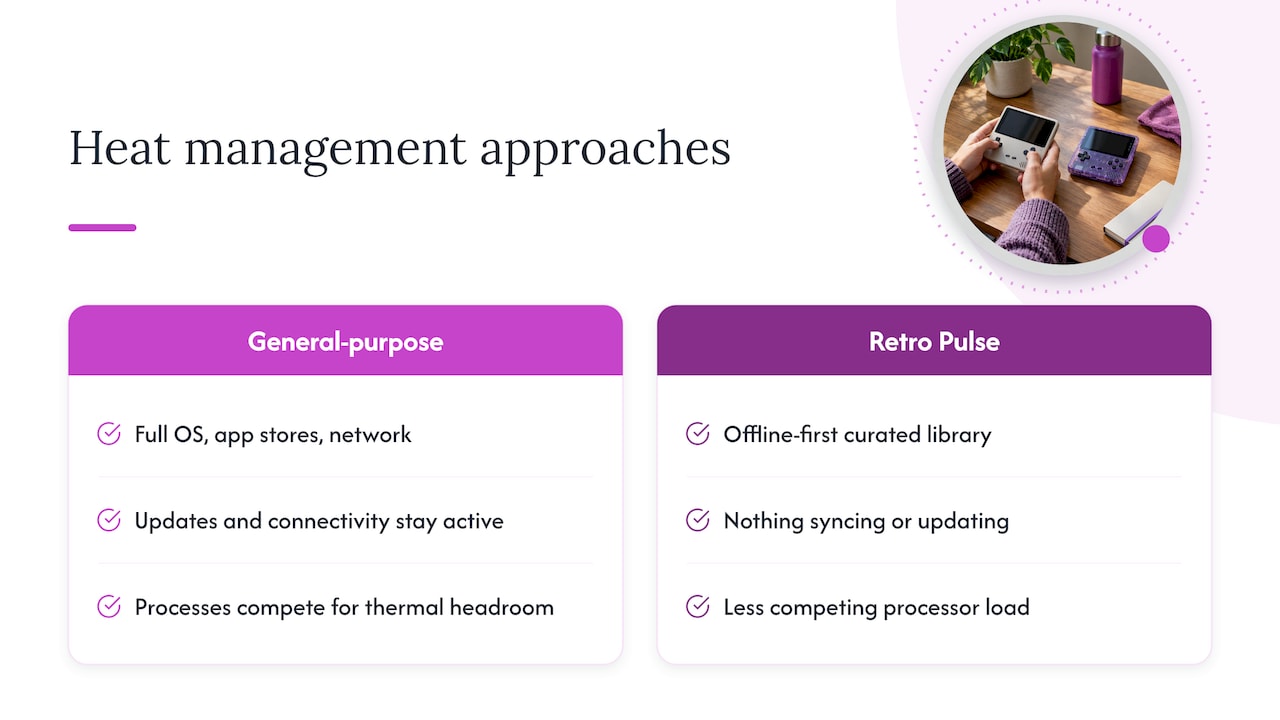
Many general-purpose retro handhelds on the market run a full operating system with app stores, background update checks, and network connectivity features that stay active even when you are only trying to play a single game. Every one of those processes competes for the same limited thermal headroom as the emulator itself, which means the fan or processor works harder than the game alone would require.
Retro Pulse takes a different approach by running offline-first with a curated library rather than an open app ecosystem. With nothing syncing, updating, or phoning home in the background, the processor has less competing load to manage alongside the game itself. A removable battery also means a heat-related battery fault can be addressed with a straightforward swap instead of a full teardown, which matters since battery condition is one of the most common internal heat sources across handhelds generally.
No handheld is immune to heat from dust, high ambient temperatures, or charging while playing. These are physical and usage factors that affect every device on the market. Where curated, offline devices like Retro Pulse differ is in removing one layer of avoidable background load, which gives you one less variable to manage when troubleshooting unexpected heat.
When to Seek Professional Repair for Overheating Issues
Most retro handheld overheating resolves with cleaning, a cooldown period, or a change in charging habits. A smaller set of symptoms means it is time to stop troubleshooting on your own and get the device looked at by a professional.
Get it serviced if the device overheats consistently even when vents are clean, brightness is low, and it is not charging during play. That pattern points to an internal fault, often the battery or the charging circuit, rather than a usage issue you can fix with a setting change.
Any sign of battery swelling, a burning smell, or smoke is an immediate stop-and-call situation. Repair safety guidance notes that lithium battery thermal events can escalate quickly, and the safer move is professional handling rather than attempting removal yourself, particularly since even a lightly punctured swollen cell can pose a fire risk.
If the device shuts down repeatedly without warning, even after resting and cooling, or if performance stays throttled long after you would expect it to recover, those are signs the cooling system or battery can no longer keep pace with normal use. At that point, a repair technician or your manufacturer’s support channel can diagnose whether the fix is a battery swap, a cleaning beyond what compressed air can reach, or something else inside the housing.
What I Check First When a Handheld Overheats
My first move is always the same: unplug any charger, power the device down, set it on a hard surface, and check the battery for swelling or an odd smell before anything else. If none of those show up, a short cooldown and a dust check usually solve it.
— Sean
Keep Overheating Risk Lower With the Right Handheld
A handheld that runs less in the background has less heat to manage in the first place. Retro Pulse is built around a curated, offline library rather than an app store full of syncing and updates, which cuts one of the common sources of unnecessary processor load.

A few practical details matter here too:
- A removable battery makes a future battery swap straightforward instead of requiring a full teardown.
- USB-C charging means replacement cables and adapters are easy to source from a trusted supplier.
- Every unit ships from a U.S. warehouse with a one-year warranty and a 30-day return window, so you have real recourse if a unit arrives with a hardware issue.
Check specifications, warranty terms, and support details on the Retro Pulse product page before you buy, or browse the full handheld lineup to see what is included.
FAQ
How do I stop my console from overheating?
Keep vents clear of dust, leave space around air intakes, and avoid playing while charging. Console manufacturer guidance recommends roughly 10 cm of clearance around vents and cleaning dust regularly as primary prevention steps.
How do I solve an overheating issue once it starts?
Power the device off, unplug any charger, and move it to a cool, hard surface for at least five minutes before trying again. If heat returns quickly during normal use with clean vents and no charging, the battery or internal hardware likely needs professional attention.
How long does it take a handheld to overheat?
There is no fixed timeframe. It depends on ambient temperature, how demanding the game is, whether it is charging, and whether vents are blocked, so watch for warmth, slowdown, or fan noise rather than a clock.
My handheld keeps overheating. What can I do to fix it?
Start with the basics: clean the vents, stop charging while you play, lower brightness, and turn off wireless features you are not using. If the device still overheats consistently afterward, check the battery for swelling and consider professional repair.