The most reliable offline entertainment for kids travel is a travel-ready handheld preloaded with games and parental controls already configured, no app store, no Wi-Fi, no surprises mid-flight. A device like this works because it comes ready to play out of the box. The checklist below walks through how we’d set one up, curate it, and keep sessions balanced on the road.
TL;DR:
- Test each game offline for 30 to 60 seconds the night before departure; move only titles that launch reliably into a dedicated travel folder.
- Screen games by ESRB age ratings and content descriptors, preview borderline titles, and plan 15–30 minute sessions followed by reading or audio breaks.
- Children ages 4 to 12 may feel nausea from close screens in moving cars; save games for steady roads and use audio on curves.
- Choose a handheld with a removable battery, then test the swap and charge both batteries before departure; pack its charger, case, and headphones together.
Table of Contents
- Why offline-first handhelds beat streaming or single-app play on trips
- Pre-trip setup checklist: what to do before you leave
- Choosing age-appropriate games: use ESRB ratings and a family media plan
- Motion sickness, seating, and game selection for rolling roads
- Quick travel-friendly game types and sample play sessions
- Publisher spotlight: why the Retro Pulse fits travel use cases
- Battery and hardware checklist for the road
- Author perspective: practical trade-offs parents should accept
- Where to buy the Retro Pulse and a quick ordering checklist
- FAQ
- Sources
Why offline-first handhelds beat streaming or single-app play on trips
Streaming a game or relying on a single downloaded app sounds convenient until you’re on a plane with no signal, or a game demands a last-minute update the moment you press start. Offline-first handhelds sidestep that entirely because the library already lives on the device.
A few practical advantages stand out:
- No download failures or app-store login prompts when you’re mid-trip and offline.
- No in-flight Wi-Fi restrictions blocking access to a cloud-based library.
- A curated, fixed library means less app-switching and fewer “it won’t load” meltdowns.
- Predictable battery life and a durable shell matter more than processing power once you’re away from a charger.
A device built around a fixed, preloaded library removes the single biggest point of failure in travel gaming: the assumption that you’ll have a connection when you need one.
Pre-trip setup checklist: what to do before you leave
A little prep the night before a trip saves a lot of frustration once you’re on the road. Here’s the order we’d follow:
- Run a “silent check” on every game: open it offline for 30 to 60 seconds and confirm it starts without waiting on a server handshake.
- Create a dedicated Travel folder and move only vetted, offline-confirmed games into it.
- Turn off in-app purchases and push notifications so nothing interrupts play or prompts a connection.
- Fully charge the device the night before and test a battery swap if the device supports a removable battery.
- Pack a charger, a spare battery, a protective case, and headphones in a single travel pouch.
The silent check matters because many free-to-play and cross-platform games appear to load, then stall waiting on a server handshake that never completes offline. Catching that the night before beats discovering it over the Atlantic.
Pro Tip: Label the Travel folder with an icon your child recognizes, so they’re not hunting through menus mid-flight.
Choosing age-appropriate games: use ESRB ratings and a family media plan
Curating a travel library starts with knowing what’s actually in each game. The ESRB rating system breaks games down by content descriptors and age category, and rating summaries are available for most titles, which makes it straightforward to screen a whole library in one sitting.
A large majority of parents report being aware of ESRB ratings, and many check them regularly before allowing a game, according to a Hart Research Associates summary published by ESRB. That habit translates well to travel prep, since checking ratings in advance means you’re not making judgment calls on the fly.
A short process works best:
- Sort candidate games by ESRB rating and content descriptors before adding them to the Travel folder.
- Preview or co-play anything borderline rather than relying on the rating alone.
- Set session lengths and planned swaps using a family media use plan, so gaming doesn’t crowd out sleep, reading, or downtime.
Motion sickness, seating, and game selection for rolling roads
Close-up screens can trigger nausea in moving vehicles because of a mismatch between what the eyes see and what the inner ear feels, a conflict that tends to hit kids roughly ages 4 to 12 more than adults. Guidance on managing motion sickness in kids points to exactly this sensory conflict as the trigger, and recommends audio alternatives or avoiding close-up visual tasks during the roughest stretches.
A few adjustments go a long way:
- Save screen time for stable highway stretches, not winding mountain roads.
- Swap to audiobooks or music during twisty sections, then return to the handheld once the road evens out.
- Pause at the first sign of queasiness rather than pushing through a level.
- Co-play or sit nearby when a child is prone to motion sickness, so you catch early signs.
Short, turn-based games tend to hold up better than fast-scrolling titles when the road gets curvy.
Quick travel-friendly game types and sample play sessions
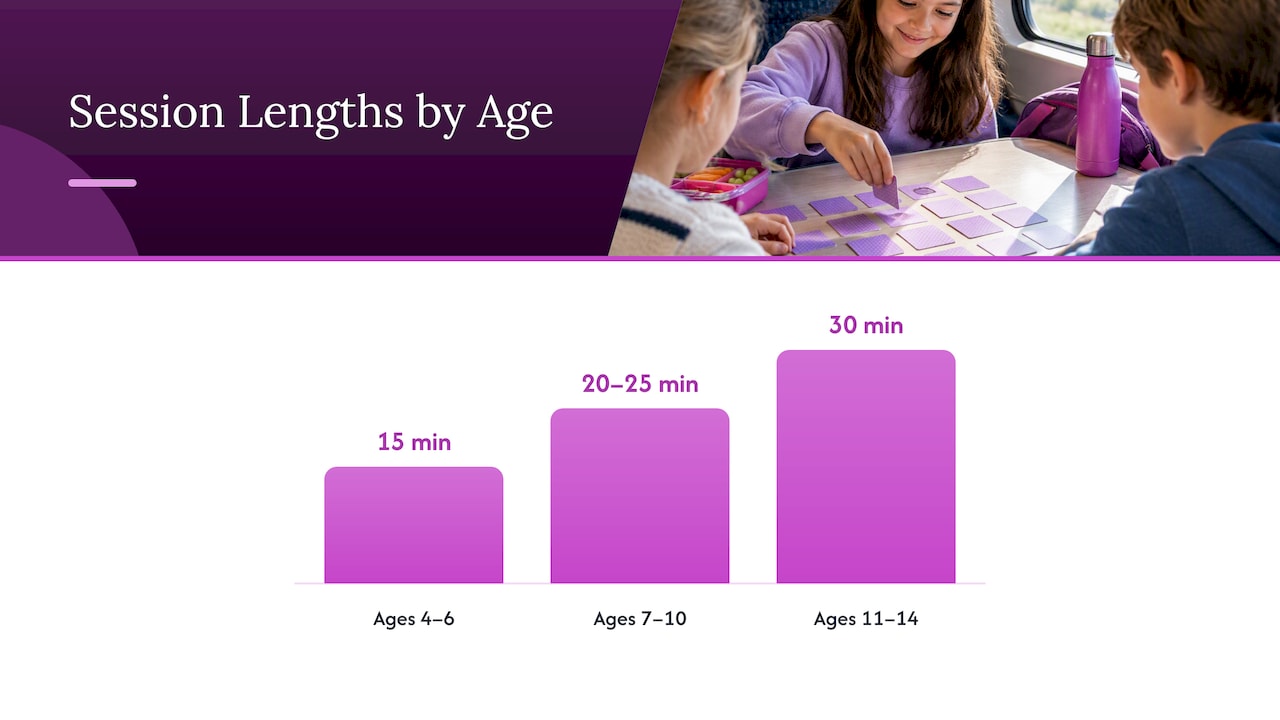
Not every genre travels equally well. Short-level platformers, turn-based puzzles, local co-op titles, rhythm games, and word games tend to hold attention in the 15 to 30 minute windows that travel actually allows, without demanding the long uninterrupted stretches a sprawling adventure game needs.
Sample sessions by age:
- Ages 4 to 6: 15 minutes of a simple platformer or puzzle game, then a swap to a picture book or coloring pad.
- Ages 7 to 10: 20 to 25 minutes of a turn-based puzzle or local co-op game, followed by a window-gazing or snack break.
- Ages 11 to 14: 30 minutes of a rhythm or word game, then a swap to an audiobook chapter or a conversation game with the family.
Rotating sessions with non-screen swaps pulled from your family media plan keeps gaming feeling like one part of the trip rather than the whole trip, and it naturally resets attention before the next session starts, especially if you coordinate with planned Family School Holiday Skiing activities.
Publisher spotlight: why the Retro Pulse fits travel use cases
We built the Retro Pulse around exactly the checklist above. It ships preloaded with 15,000 games across more than 20 systems, including NES, SNES, Genesis, and PS1, so there’s no download step to fail at 30,000 feet. The 3.5 inch IPS display stays readable in a car seat or window seat, and the removable battery runs 6 to 8 hours between charges, long enough for most travel days with one swap.
A few facts that matter most for travel:
- Ready to play out of the box, with no account setup, downloads, or subscriptions required.
- Curated library makes it easy to build a small travel playlist without searching an app store.
- Removable battery supports a spare-battery strategy for long flights or road trips.
- Ships with a warranty.
Setting up a travel folder takes a few minutes: pick a handful of titles by genre and age fit, drop them into a dedicated folder, and run the silent check described earlier. For broader setup help, including getting nontechnical family members comfortable with the device, see our one-page setup guide. Full specs live on the Retro Pulse product page.
Battery and hardware checklist for the road
Hardware failures ruin more travel gaming sessions than bad games do. Before leaving, confirm the device has a removable battery, since that’s what lets you carry a charged spare instead of hunting for an outlet in an airport or rest stop. Pack the original charger along with the spare battery, and keep both in the same pouch as the device so nothing gets left behind.
A quick pre-trip hardware pass:
- Confirm the battery is removable and test a swap before you leave, not on travel day.
- Fully charge both the device and the spare battery the night before departure.
- Pack a protective case to guard against drops in a car seat pocket or overhead bin.
- Bring headphones, since shared spaces like planes and trains usually call for quiet play.
- Check that any microSD card slots are seated properly if the device supports expandable storage.
A device with a sturdy shell and simple, physical controls tends to hold up better to the bumps of travel than one built around a touchscreen alone. For a closer look at hardware trade-offs across handhelds, our handheld comparison guide breaks down what to look for beyond the spec sheet.
Author perspective: practical trade-offs parents should accept
No handheld makes a long trip effortless, and it helps to set expectations early. Rotate games every session so nothing gets stale by hour three of a road trip, set a visible timer so swaps don’t turn into negotiations, and build battery charging into your evening routine the same way you’d charge a phone.
A couple of simple family rules go a long way: device goes away during meals, and headphones stay on in shared spaces. None of this requires a complicated system, just a routine you repeat often enough that it becomes automatic.
— Sean
Where to buy the Retro Pulse and a quick ordering checklist
If the checklist above sounds like what your next trip needs, the Retro Pulse is built to match it: ready to play out of the box, a removable battery for long travel days, shipping from a U.S. warehouse, and backed by a one-year warranty.
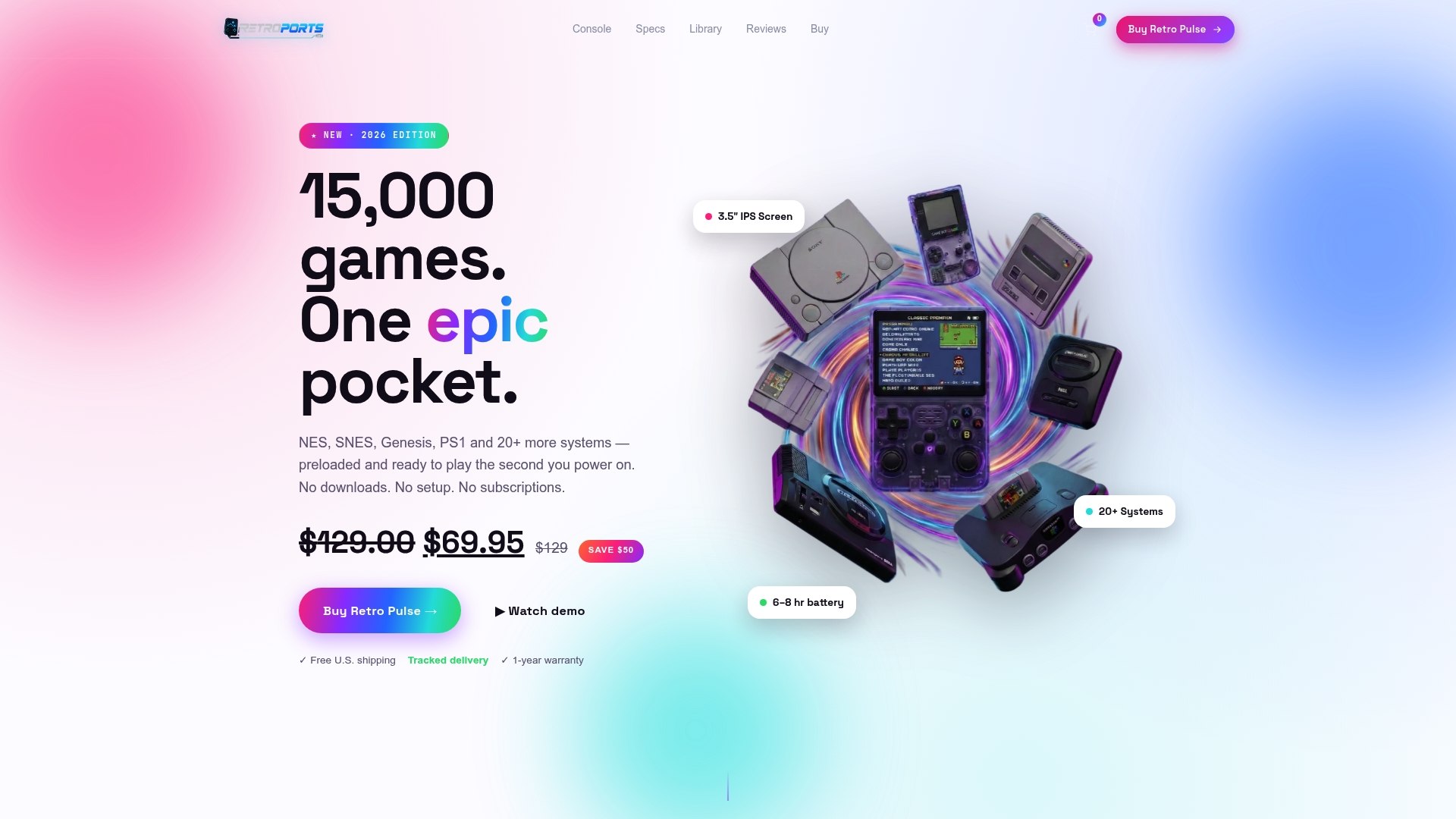
Before ordering, run through a short checklist: confirm the model and battery options you want, pick a shipping speed that fits your travel date, and review the return policy so you know your options if something doesn’t fit your family’s needs. You can browse the full lineup and curated game tags on our product page before deciding.
FAQ
What is the best offline entertainment for kids during travel?
A travel-ready handheld preloaded with offline games is generally the most reliable option, since it avoids downloads, Wi-Fi restrictions, and app-store issues mid-trip. Devices with a curated, fixed library and parental controls already set up tend to cause the fewest headaches on the road.
How do I know a game will actually work without Wi-Fi?
Run a “silent check” the night before your trip: open the game offline for 30 to 60 seconds and confirm it starts without waiting on a server connection. This catches titles that look downloaded but still depend on a handshake that fails without a signal.
How do ESRB ratings help with travel gaming?
ESRB ratings and their content descriptors let you screen a whole game library for age-appropriateness in one sitting, rather than making calls on the fly during a trip. A majority of parents already check ratings regularly, according to Hart Research Associates, which makes pre-trip curation a natural extension of that habit.
Can handheld games cause motion sickness in the car?
Close-up screens can trigger nausea in moving vehicles due to a conflict between visual input and inner-ear signals, according to motion sickness guidance for kids. Scheduling screen time for stable road stretches and switching to audio during winding sections helps reduce the risk.
How long should gaming sessions be during travel?
Sessions of 15 to 30 minutes tend to work best, depending on age, paired with planned swaps to non-screen activities like audiobooks or drawing. A family media use plan helps structure these swaps so screens don’t crowd out sleep or rest during a trip.
Sources
For deeper guidance beyond this checklist, these sources cover ESRB ratings, family media planning, and motion sickness in more detail than we can fit here.
- Healthychildren
- Video game ratings | ESRB ratings
- Managing motion sickness in kids – Offering Hope 4 Kids