Yes, most grandparents can enjoy games if you start with very simple, familiar choices and remove technical friction first. The single best first step is picking one easy game, charging one device, and setting it up before they ever touch it. AARP’s survey work found that almost half of grandparents already play monthly, so you are building on curiosity that is already there.
TL;DR:
- Most grandparents can start gaming with simple, familiar games preloaded on devices that require minimal setup and no account creation.
- Short sessions of 10 to 15 minutes, starting on the easiest difficulty and using games with no time pressure, yield the best onboarding experience.
- Using large icons, high contrast, remapped buttons, and comfortable seating can eliminate common physical and visual barriers quickly.
- Retro handheld devices like Retro Pulse offer instant play with offline access, physical controls, and no software updates needed, reducing first-play friction.
- Gaming benefits include modest improvements in processing speed and cognition, especially with simple, visually clear games that are easy to learn and enjoy.
Table of Contents
- A quick starter checklist and hardware shortcuts
- Easy-to-teach games by format
- How to teach and pace the first few sessions
- Accessibility and comfort adjustments that help right away
- Why a preloaded handheld solves first-play friction
- Managing expectations and common barriers
- What I’ve learned helping grandparents start gaming
- Using Retro Pulse as a first gift or demo device
- FAQ
- Sources
A quick starter checklist and hardware shortcuts
The fastest way to ruin a first gaming session is to spend it fumbling through menus, logins, or tiny text. Prep everything before your grandparent sits down, and the whole visit becomes about play instead of troubleshooting.
Run through this before they arrive:
- Charge the device fully and confirm it powers on without a password prompt.
- Switch on large-font or large-icon mode if the device supports it.
- Set volume to a comfortable, audible level, not just “on.”
- Arrange seating with good back support and the screen at eye level.
- Print a one-page cheat sheet with three or four controls in plain words.
For hardware, three shortcuts work well. A tablet or phone with large icons suits grandparents who already text or video call. A simple handheld like Retro Pulse skips account setup entirely since it comes preloaded. A single-controller console loaded with one curated game removes decision fatigue for someone who has never touched a joystick.
Whichever option you choose, build a shortcut folder or home screen with only the chosen game visible. Hide everything else. A grandparent should never see an app store, a sign-in screen, or a battery warning on their first try. The goal is one tap, one game, no detours.
Easy-to-teach games by format
Not every game teaches well. The ones that work fastest share short turns, obvious goals, and forgiving mistakes. Here are formats worth trying, in order of how quickly most beginners pick them up.
- Card and board games: Rummy, dominoes, and Uno translate almost directly to digital versions and need no new rules, just a new screen.
- Simple tablet puzzles: Matching and tile games with large graphics, such as mahjong or solitaire apps, reward pattern recognition most grandparents already have from decades of card play.
- Casual puzzle apps: Titles similar to Wordle or classic matching games are popular among adults 50 and older and can ease mood and stress without demanding quick reflexes.
- Retro handheld games: Platformers and simple arcade titles from the NES or SNES era use one button at a time and short levels, which makes them surprisingly forgiving for someone who has never held a controller.
Retro titles deserve a closer look because they were built for short attention spans decades before mobile gaming existed. A device like Retro Pulse bundles this advantage automatically: its library spans more than 20 classic systems, so you can hand over a controller and let a grandparent try a dozen different simple games in one sitting without reinstalling anything.
Session length matters as much as game choice. Keep first sessions to 10 or 15 minutes per game, and let the grandparent decide when to stop rather than pushing for a full level or match. Difficulty should scale slowly: start on the easiest setting available, and only increase it once they ask for more of a challenge.
Pro Tip: Pick games with a pause button and no time pressure for the first three sessions, then introduce anything timed once basic controls feel automatic.
A Bayesian network meta-analysis of 47 studies involving 3,244 older participants found that games with strong interactivity and clear visuals produced the biggest improvements in processing speed and general cognition, which lines up with why simple, visually direct games tend to land best with new players.
How to teach and pace the first few sessions
Teaching an adult beginner works differently than teaching a child. Demonstrate the whole action first, then co-play with your hand near theirs, then step back and let them take full control, one mechanic at a time. Skipping straight to “you try it” tends to overwhelm.
- Show one control, let them repeat it, then add the next.
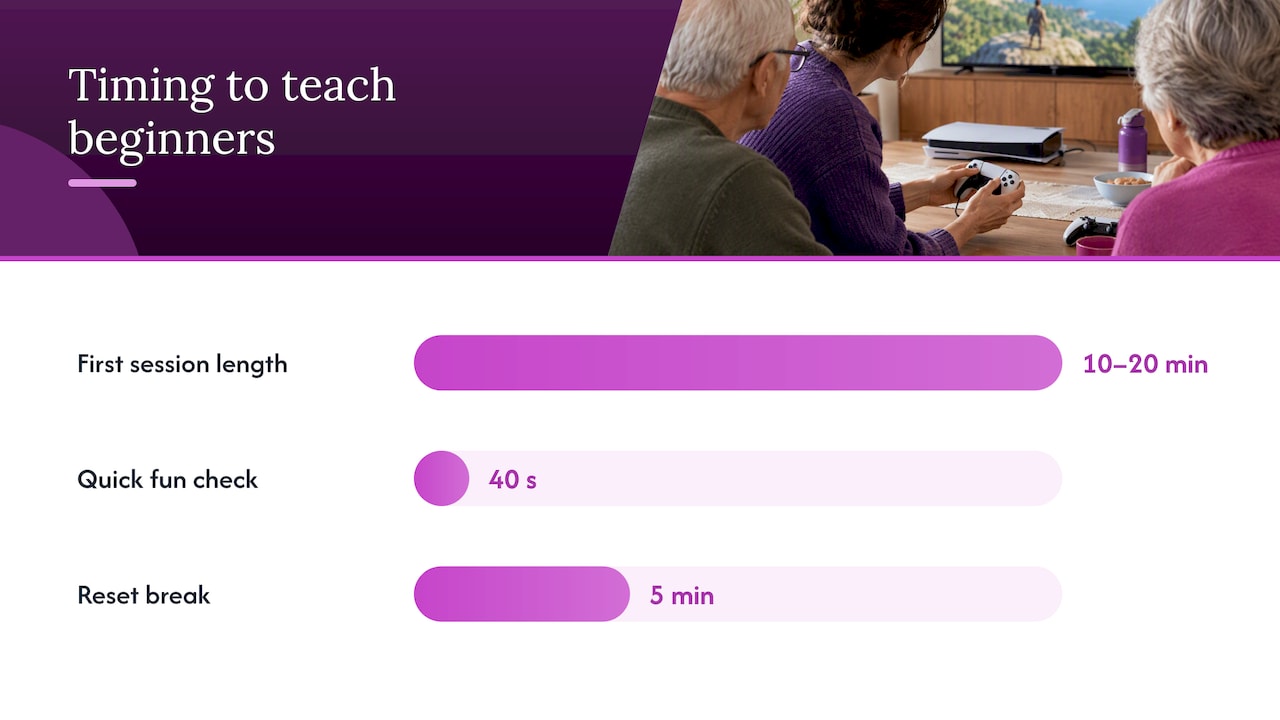
- Keep first sessions between 10 and 20 minutes.
- Use plain words like “push this to jump,” never jargon like “press A.”
- Celebrate small wins out loud instead of narrating every mistake.
A useful trick borrowed from game design: most players, including beginners, need roughly 40 seconds to notice whether a new mechanic is fun or frustrating. If a grandparent seems confused or tense after that window, step in with a quick tip rather than letting frustration build silently.
Watch for signs that a break is overdue: sighing, repeating the same mistake, or going quiet. When you see it, pause instead of pushing through. A five-minute walk or a cup of coffee resets the mood far better than one more attempt at the same level.
Pro Tip: If a grandparent says “I’m just not good at this,” switch games immediately rather than offering more instructions. A fresh, easier game rebuilds confidence faster than repeating advice.
Accessibility and comfort adjustments that help right away
Small physical and visual tweaks remove more barriers than any amount of patience. Most of these take less than a minute to set up.
- Remap buttons or switch to a simplified control scheme when a device allows it.
- Use a stylus or touch-only game for anyone with limited finger dexterity.
- Increase font size and contrast, and turn on captions for any game with dialogue.
- Position the screen away from windows or overhead lights to cut glare.
- Keep sessions short, with a seated setup at a comfortable table height and a break every 20 to 30 minutes.
None of these require special equipment. A pillow for better seat height or a lamp moved a few feet can matter more than the game itself.
Why a preloaded handheld solves first-play friction
The biggest barrier to a good first session is usually not the game, it is everything around it: account creation, downloads, software updates, or a confusing home screen. A device that works the instant you pick it up removes that friction entirely.

Retro Pulse ships preloaded with its library and runs offline, so there is no account to create and no app store to navigate. For a grandparent who associates “technology” with confusing updates, that absence of steps matters. The device uses a real D-pad and triggers instead of touchscreen-only controls, which tends to feel more familiar to someone who grew up with physical buttons. Its 3.5-inch IPS display keeps text and sprites clear, the battery is removable for longer sessions, and it ships from a U.S. warehouse with a one-year warranty.
For a first session, try this: pick two familiar-sounding classics ahead of time, demonstrate both for a minute each, then hand over the controller and co-play the one they liked more.
A grandparent who has never held a controller can still recognize a game they remember from childhood, and that recognition does more to build confidence than any tutorial.
Managing expectations and common barriers
Not every grandparent will love gaming, and that is fine. Taste varies as much among older adults as it does among anyone else: some will gravitate toward puzzles, others toward retro platformers, and some will simply prefer cards. Pushing a specific genre because you enjoyed it as a kid often backfires.
Motor limits are common and rarely a dealbreaker. Slower reaction time just means slower-paced games fit better, not that gaming is off the table. Arthritis or tremor can make small buttons hard to press, which is another reason a controller with larger, well-spaced buttons tends to outperform a touchscreen for first tries.
Tech anxiety is often the biggest hurdle, bigger than any physical limit. Many older adults worry that gaming is “for kids” or that they will look foolish failing at something unfamiliar. Reframing the activity as a way to relax or stay mentally sharp, rather than as a test, tends to lower that resistance. If a grandparent declines after one try, do not treat it as a failure. Offer a different game or format later rather than repeating the same pitch.
What I’ve learned helping grandparents start gaming
Patience matters more than game choice. Let your grandparent set the pace, even if that means watching them fumble through the same screen for a while. Ask simple questions first: “Did you ever play cards for money?” or “Do you like puzzles or action more?” Their answers usually point to the right game faster than any list.
If they end up playing alone most of the time, that is a win, not a letdown. AARP’s research found many older gamers play solo most of the time even after a family member introduced them, and that independence is the goal.
— Sean
Using Retro Pulse as a first gift or demo device
For a grandparent who wants something ready the moment it is unboxed, Retro Pulse offers a practical starting point. It arrives preloaded with its library, so there is no setup beyond charging it.
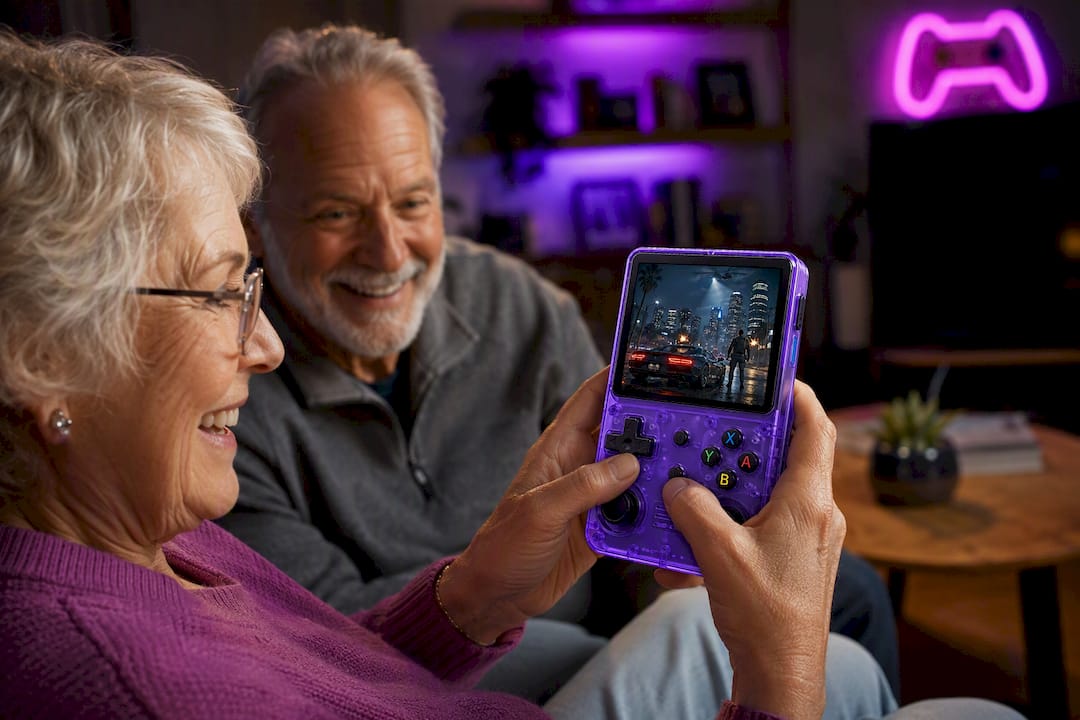
- No downloads, subscriptions, or account creation required before play.
- Physical controls that feel closer to classic consoles than a touchscreen.
- Removable battery, shipping from a warehouse, and warranty and returns policies.
A simple bundle works well as a gift: the device, its charger, and a printed one-page setup card with two or three games circled as starting points.
| Consideration | Detail |
|---|---|
| Setup required | None, preloaded and offline-first |
| Warranty | One year |
| Returns | 30 days |
| Shipping origin | U.S. warehouse |
Check current availability on the Retro Pulse product page before ordering as a gift or starter device.
FAQ
What is the 40-second rule of gaming?
It refers to the idea that most players, including beginners, need roughly 40 seconds with a new game mechanic to decide if it feels fun or frustrating. If a grandparent looks confused or tense after that window, step in with a quick tip instead of letting them struggle alone.
At what age is it okay to introduce video games?
There is no fixed age limit for starting, and grandparents of any age can begin with simple, familiar games. The more relevant factor is matching the game’s pace and controls to comfort level rather than age itself.
How do I entertain grandkids with grandparents around?
Choose a game simple enough for both generations to play together, such as a matching or card-style title with short turns. Letting the grandchild teach the grandparent a control or two often works better than an adult explaining rules to both.
What games do grandparents typically play?
Casual puzzle and matching games are especially popular among adults 50 and older, according to AARP’s reporting. Retro platformers and simple arcade titles also tend to work well since their one-button mechanics feel familiar to anyone who grew up near an arcade.
Does gaming actually help older adults?
Research suggests modest but real benefits. A meta-analysis of 47 studies found improvements in processing speed and general cognition from video game play, while reviews of active computer games point to small gains in mood and physical function as well.