For most readers who want arcade games running with minimal fuss, the Retro Pulse is the easiest practical pick: it ships ready to play, with no downloads or subscriptions required. Its 3.5" IPS display and real D-pad and twin-stick layout fit arcade and classic console titles without extra setup. The sections below walk through the specs, trade-offs, and setup details that explain why.
TL;DR:
- Choose a handheld that preserves 4:3 rather than stretching games, and favor a responsive directional pad; analog sticks cannot reproduce trackballs or spinners.
- Neo Geo and CPS1 games run well on modest hardware, while CPS2 needs more power and CPS3 or complex MAME titles can strain cheaper devices.
- Arcade games may fail when ROMsets mismatch emulator versions; check required BIOS and CHD files, and confirm whether the device supports the needed formats.
- Treat large preloaded game counts cautiously unless the seller identifies licensing, because game copyrights belong to original manufacturers and commercial distribution requires permission.
- Players who need cabinet style inputs can consider Atari Gamestation Go, which adds a trackball, paddles, and keypad, but costs $179.
Table of Contents
- What to Look for in an Arcade-Capable Handheld
- How to Choose a Handheld for Arcade Emulation
- Controls and Input Fidelity: Making Arcade Games Feel Right
- Software Compatibility, MAME Realities, and the Legal Basics
- Practical Setup: Getting Arcade Games Running
- Publisher Expertise and What Retro Pulse Actually Offers
- An Experienced Gamer’s Quick Take on Convenience vs. Authenticity
- Ready to Buy: How Retro Pulse Matches the Checklist
- FAQ
- Sources
What to Look for in an Arcade-Capable Handheld
Arcade games were built for 4:3 cabinet screens, so a handheld’s aspect ratio and scaling behavior matter more than raw resolution. A display that stretches a 4:3 image to fill a widescreen panel distorts sprites and makes precision shooters and fighters harder to read. Devices that preserve the original ratio, even with black bars on the sides, keep the visual accuracy that arcade games were designed around. Our own breakdown of why 4:3 scaling beats diagonal stretching covers this in more detail for anyone comparing screen specs across devices.
Screen size plays a secondary role. A 3.5 to 4 inch panel is common in this category, and a sharp IPS display at that size reads arcade sprites clearly without the glare or color washout you get from cheaper LCD panels.
Controls are just as important as the screen. At minimum, an arcade-ready handheld needs:
- A responsive D-pad for fighters, shooters, and platformers that depend on precise directional input.
- Dual analog sticks for games ported from systems like N64 or PSP that need two axes of movement.
- Shoulder buttons (L/R triggers) for titles that map extra actions outside the main face buttons.
- Enough face buttons to cover six-button fighters without remapping compromises.
Some arcade cabinets used nonstandard inputs like trackballs or spinners, and no handheld D-pad fully replicates those. That’s a trade-off worth understanding before you buy, and it’s covered more in the controls section below.
Performance underneath the screen determines which arcade systems actually run at full speed. A capable SoC paired with enough RAM handles classic 2D arcade boards (CPS1, Neo-Geo, most pre-3D titles) comfortably on modest hardware. More demanding boards with 3D or heavier logic chips need more headroom, which is one reason buyers should check what a device’s processor class supports before assuming “it plays arcade games” means every arcade game.
Storage and expandability round out the checklist. Dual microSD slots, like the ones on Retro Pulse, let you keep the preloaded library separate from anything you add later, which keeps file management simple. Battery life matters for portability: a removable battery rated for 6 to 8 hours covers a commute or a long car ride without hunting for an outlet, and USB-C charging means you’re not stuck with a proprietary cable. For devices that double as a bigger-screen experience, HDMI output is a nice-to-have rather than a requirement for most arcade play.
How to Choose a Handheld for Arcade Emulation
Once you know what to look for, the next step is weighing those features against your own priorities. Not every reader needs the same thing: a commuter wants convenience, while a collector building a MAME-accurate cabinet replacement wants raw accuracy above all else.
A practical order of priorities for most buyers looks like this:
- Arcade accuracy: does the device run the specific boards you care about, or just a generic “arcade” label?
- Controls: does it have a real D-pad and enough buttons for the genres you play most?
- Screen scaling: does it preserve 4:3 or correct aspect ratios instead of stretching?
- Performance headroom: can it handle demanding boards like CPS3, or only lighter CPS1-era games?
- Battery life and portability: will it survive a commute or trip without recharging?
- Storage and expandability: can you add games later, or are you locked into what’s preloaded?
- Price relative to what’s included: does the cost reflect a curated, ready-to-play library or bare hardware you have to fill yourself?
Matching systems to expectations helps avoid disappointment. Neo-Geo and CPS1 titles are relatively light and run well on modest hardware. CPS2 adds more demand but is still manageable on most modern handheld SoCs. CPS3 and multi-board MAME titles with heavier logic chips are the most demanding and are where cheaper devices start to struggle or require specific core optimizations.
Before buying, check a product page for a few specific answers: does it specify supported image or file types (ROM, CHD), does it mention BIOS handling at all, and does it make a clear claim about whether its library is licensed or simply bundled. A vague “15,000 games included” claim with no mention of licensing is worth a second look, a point covered in more depth in the software and legal section below.
Pro Tip: If a listing doesn’t mention aspect ratio, screen type, or control layout at all, assume it’s a generic import board and look elsewhere.
Price bands in this category generally fall into three tiers. Budget devices under $50 typically use weaker SoCs and lower-quality screens, with inconsistent ROM compatibility. Mid-range devices in a moderate price range usually balance a decent IPS screen, real buttons, and a preloaded library against a reasonable price. Specialized handhelds built around unique inputs, like the Atari Gamestation Go at $179, cost more because they add hardware like trackballs and paddles that standard D-pad devices skip entirely.
Controls and Input Fidelity: Making Arcade Games Feel Right
Arcade cabinets were never built around a single control scheme. Many classic games used nonstandard inputs that a modern handheld has to approximate rather than replicate exactly:
- Trackballs (used in games like Centipede or Marble Madness) are typically approximated with an analog stick, which changes the feel of precision movement.
- Spinners (common in driving and puzzle games) are harder to emulate with a D-pad and often feel noticeably different.
- Paddles (used in games like Arkanoid) can work reasonably well with an analog stick but lose some of the fine control of the original.
- Numeric keypads, used in some fighting and quiz cabinets, are usually remapped to face buttons or a menu overlay.
Devices built specifically around these inputs exist. The Atari Gamestation Go includes a physical trackball, paddles, and a numeric keypad alongside its 200-plus game library, which shows one end of the spectrum: authentic inputs at the cost of a higher price and a more specialized device.
For the large majority of arcade titles, a quality D-pad outperforms an analog stick. Fighters, run-and-guns, and platformers were designed around discrete 8-direction input, and a loose or overly sensitive analog stick introduces input drift that a tight D-pad avoids. Analog sticks earn their place on games ported from systems that genuinely used them, like N64 or PSP titles, which is why dual-stick layouts matter for cross-system handhelds rather than pure arcade boxes. Our D-pad versus analog stick comparison walks through this in more detail for specific genres.
Ergonomics matter beyond button count. A handheld that puts shoulder buttons at an awkward angle or crowds face buttons too close together causes fatigue during longer sessions, something worth testing in person or checking in detailed reviews before buying. Some devices support external controllers or adapters for players who want a full arcade stick experience at home, and if you do connect one, correct autoconfig files make the difference between instant compatibility and manually mapping every button. RetroArch’s controller autoconfig documentation explains how these mapping files work, and the ability to edit them yourself is worth checking before you buy a handheld that doesn’t officially support your preferred controller.
Software Compatibility, MAME Realities, and the Legal Basics
Arcade emulation runs into technical walls that console emulation mostly avoids, and understanding them prevents a lot of buyer frustration. The biggest one is ROMset versioning: arcade ROM dumps are tied to specific MAME releases, and a mismatched set often means a game simply won’t boot.
ROMsets evolve over time, and many arcade games require CHD files, BIOS ROMs, or correctly named parent and clone sets; missing files will cause MAME to report errors and prevent games from running.
That guidance comes straight from the MAME documentation on ROMs and sets, which lays out exactly how parent/clone structures and CHD dependencies work. If a game errors out with a missing file message, the usual cause is an outdated or incomplete ROMset rather than a problem with the handheld itself.
MAME FAQ: only certain ROM releases are cleared for non-commercial use, and devices that bundle them for sale require separate licensing to do so legally, according to the MAMEDEV wiki FAQ on ROMs.
That distinction is the one buyers most often overlook. The MAME project’s legal page is direct about this: ROM copyright belongs to the original game manufacturers, not to the emulator, and including those ROMs in a commercial product requires proper licensing from the rights holder. A device advertising “15,000 games preloaded” without any mention of how that library was licensed is a claim worth questioning before you buy, not after.
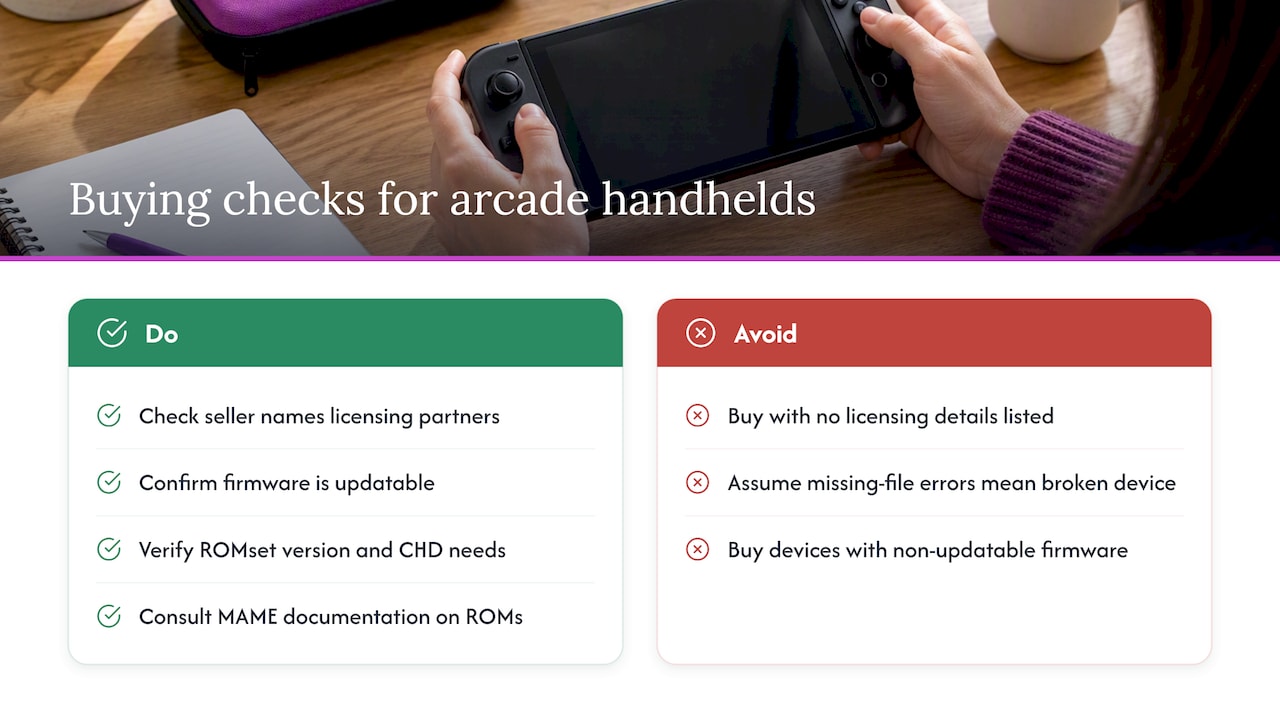
Practical steps help here. Check whether a seller names specific licensing partners or simply states a game count with no sourcing detail. Favor devices that keep firmware updatable, since ROMset and emulator core updates happen regularly and a handheld that can’t update its software falls behind quickly on compatibility fixes.
Practical Setup: Getting Arcade Games Running
Once a device is in hand, most setup friction comes down to file organization and matching the right supporting files to the right games. A clear process avoids most of the common errors.
- Check ROMset organization. Merged sets combine parent and clone ROMs into a single file, while split sets keep them separate; know which your device or emulator expects before copying files over.
- Confirm CHD requirements. Some arcade games store large data (audio, additional ROM content) in CHD format, and the game won’t run without the matching CHD file placed alongside the ROM.
- Verify BIOS files. Many arcade systems (Neo-Geo, CPS2) need a shared BIOS file present in the ROM folder, and a missing BIOS produces a clear error rather than a working game with glitches.
- Set up controller autoconfigs. Most modern cores detect standard controllers automatically, but unusual layouts or external controllers may need manual button mapping the first time.
- Test performance settings. If a demanding board runs slowly, lowering the frame-skip setting or confirming the correct core variant is selected usually resolves it faster than assuming the hardware can’t handle it.
Pro Tip: Keep a backup of your working ROM and BIOS files before updating firmware or emulator cores, since version mismatches are the most common cause of games that “used to work” suddenly failing.
Common error messages map to specific fixes: “ROM not found” usually means a missing or misnamed file, “BIOS missing” means the shared system BIOS wasn’t copied into the folder, and a game that loads but shows no sound or a black screen often points to a missing CHD file rather than a hardware fault.
Publisher Expertise and What Retro Pulse Actually Offers
Our console, Retro Pulse, comes preloaded with 15,000 classic games spanning more than 20 systems, including NES, SNES, Genesis, PS1, N64, Game Boy, GBA, and arcade titles. Every unit ships from a U.S. warehouse, which we built into our process specifically to avoid the long shipping waits and inconsistent quality control common with overseas-only sellers.
Mapped against the buyer checklist above, here’s how it holds up:
- The 3.5" IPS display preserves screen clarity for arcade sprites without the washed-out colors common on budget LCD panels.
- A real D-pad, dual analog sticks, and L/R triggers cover both arcade-style directional input and console titles that need two sticks.
- Dual microSD slots let you keep the preloaded library intact while adding your own files separately.
- A removable battery designed to support multiple hours of gameplay and USB-C charging support longer sessions away from an outlet.
- Offline-first operation means nothing to download, no account to create, and no subscription to maintain before playing.
- Every unit is backed by a one-year warranty and a 30-day return window, which matters for a product you’re buying sight-unseen.
For readers weighing control schemes further, our comparison of D-pad versus analog stick performance and our breakdown of dual-analog handhelds built for N64 and PSP-era games go deeper into how those choices play out across genres.
An Experienced Gamer’s Quick Take on Convenience vs. Authenticity
The arcade emulation space splits into two camps: people who want the most accurate possible reproduction of a cabinet experience, and people who want to play Street Fighter on a train without fiddling with ROMsets. Both are legitimate, but most buyers underestimate how much setup time separates them. A trackball-equipped specialty handheld rewards patience and technical comfort. A ready-to-play device trades a bit of input authenticity for the simple fact that it works the moment you turn it on.
If you’re buying for a commute, a long flight, or as a gift for someone who just wants the games they grew up with, a ready-to-play handheld like Retro Pulse is the better fit. If you’re an archivist chasing cycle-accurate MAME behavior for one specific cabinet, a specialized build or dedicated PC emulation rig suits that goal more directly.
— Sean
Ready to Buy: How Retro Pulse Matches the Checklist
If the checklist above matters to you, here’s the short version of where Retro Pulse lands: a 3.5" IPS screen built for clear retro visuals, real D-pad and dual-stick controls, a removable battery for extended sessions, and an offline-first design that skips downloads and subscriptions entirely. The 15,000-game library spans more than 20 systems, so you’re not limited to arcade titles alone if your taste shifts between genres.
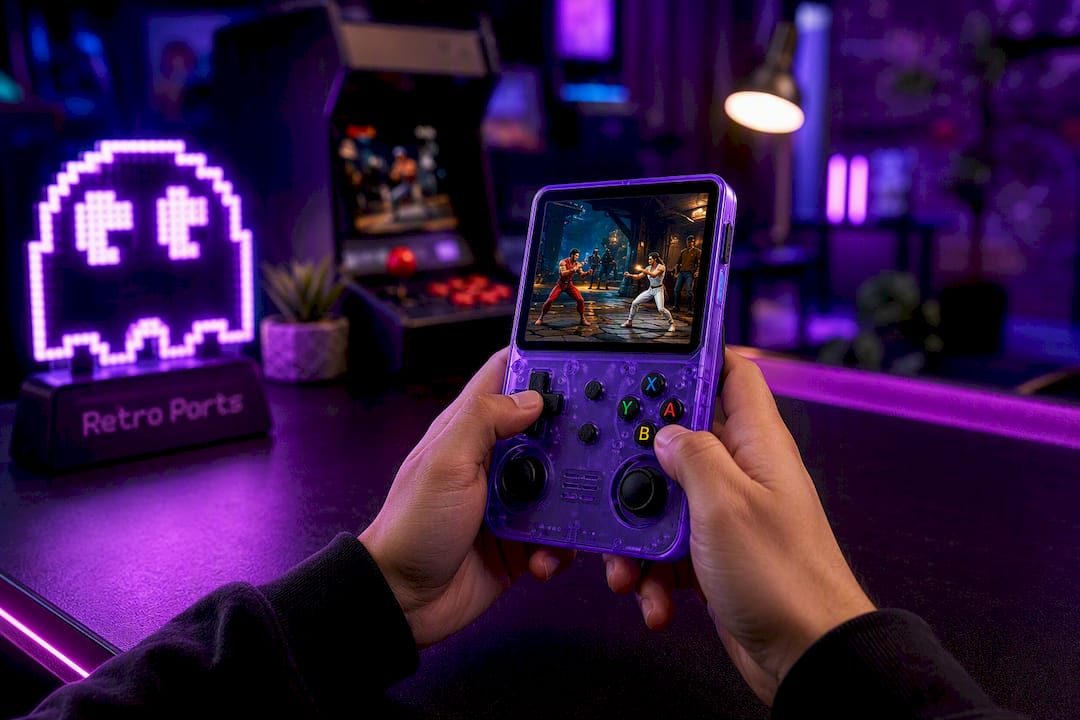
Units ship from a U.S. warehouse and come with a warranty and return window, providing some assurance about quality before arrival. If you’ve read through the specs and criteria above and want a device that skips the ROMset troubleshooting entirely, check current availability on the Retro Pulse product page and see which bundle fits your household.
FAQ
Is the R36s legal to own and use?
Owning a handheld is generally not illegal on its own, since the hardware itself isn’t the issue. What matters legally is how any preloaded or added ROMs were sourced, since the MAME legal page explains that ROM copyright belongs to the original manufacturers and commercial distribution requires proper licensing.
Are emulation handhelds legal to buy and use?
Emulation software itself is generally legal, since emulators are just programs that mimic original hardware. The legal risk comes from the ROM files, and the MAME FAQ on ROMs notes that only certain releases are cleared for non-commercial use, so buyers should check how a device’s library was licensed before assuming it’s fully legitimate.
What should I look for in the best handheld for emulation?
Prioritize a device with accurate screen scaling for 4:3 arcade titles, a responsive D-pad, enough processing power for the specific arcade boards you want to play, and a battery that holds up for your typical play sessions. A curated, ready-to-play library with a clear licensing claim, like the one on Retro Pulse, removes the guesswork of sourcing files yourself.
What counts as the best arcade game emulator?
MAME remains the standard reference project for arcade emulation accuracy, and its own documentation on ROMsets explains the file structures, BIOS, and CHD requirements that most arcade cores are built around. Handheld devices typically run a MAME-based core under the hood rather than a separate standalone emulator.
Why do some arcade games fail to load on a handheld?
The most common cause is a mismatched or incomplete ROMset, since arcade dumps are tied to specific MAME versions and missing BIOS or CHD files will stop a game from booting. The MAME ROMset documentation details exactly which files each game depends on, which is the first place to check when a title won’t run.
Sources
- MAME | Legal information
- About ROMs and Sets — MAME documentation
- FAQ: ROMs — MAMEDEV Wiki
- Atari Gamestation Go handheld coverage — Tom’s Hardware