PAL games typically run at 50 Hz with a 576i picture, while NTSC games run at 60 Hz with 480i. That difference in refresh rate sounds minor, but it meant older PAL ports often played slower and got letterboxed borders, while NTSC originals usually match the speed developers actually designed around. There are exceptions, so check your console and title before assuming the worst.
TL;DR:
- Most PAL ports run at 50 Hz, causing slower gameplay and pitch issues unless the game supports PAL 60 or related fixes.
- Only select consoles like Dreamcast, GameCube, and Xbox extensively support PAL 60, which avoids slowdown and pitch changes.
- Display connection types and hardware modifications can influence compatibility and video quality across regions.
- Checking game files, packaging, or in-game speed can reliably identify whether a game is PAL or NTSC.
- A handheld device like Retro Pulse offers a region-free, plug-and-play alternative, bypassing signal, speed, and region-lock issues altogether.
Table of Contents
- What PAL and NTSC actually mean
- How those technical differences change gameplay
- Console-era exceptions worth knowing
- Fixing compatibility without buying every region
- How to tell if a file or disc is PAL or NTSC
- How Retro Pulse removes PAL/NTSC friction
- When to prioritize authentic hardware over easy playability
- Try a region-free way to play retro games
- Sources
- FAQ
What PAL and NTSC actually mean
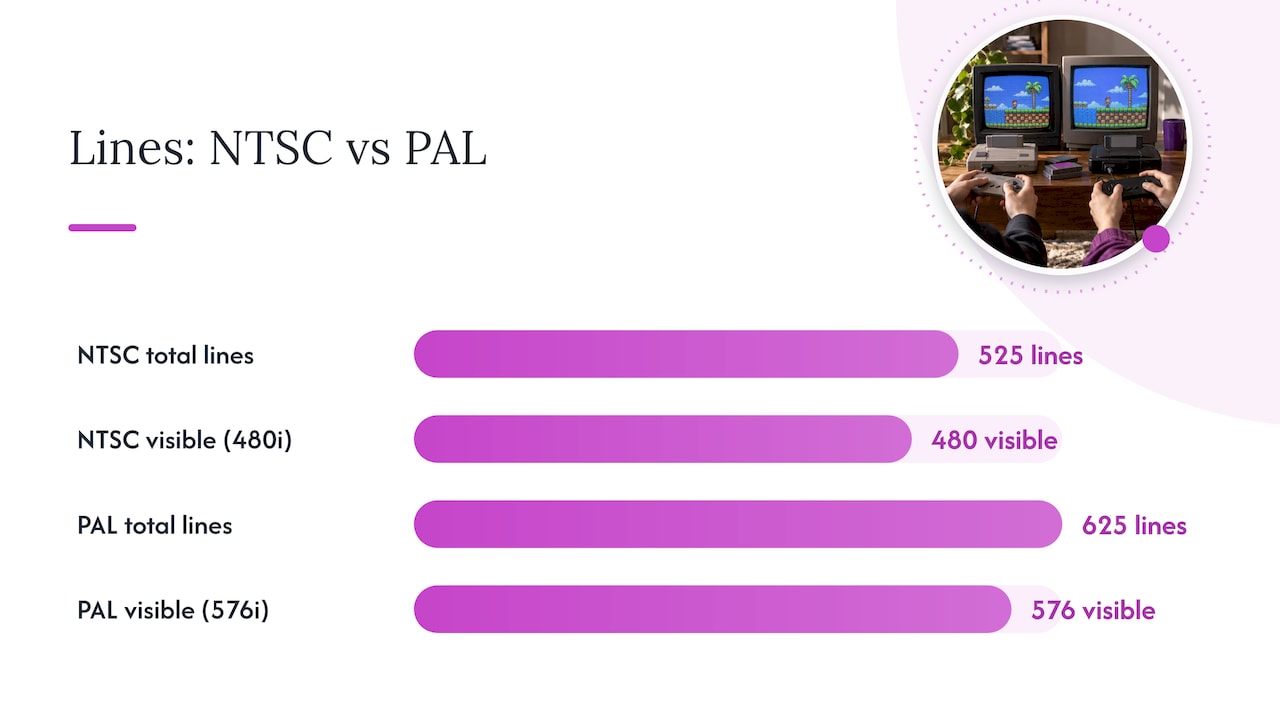
PAL and NTSC are broadcast television standards, not game-specific formats. NTSC uses 525 lines at roughly 60 fields per second, displayed as 480i on a standard-definition screen. PAL uses 625 lines at 50 fields per second, displayed as 576i. Interlacing splits each frame into two fields, odd and even lines, shown in rapid succession to create the illusion of a full picture.
The term “PAL” gets used loosely today. On DVDs and older game discs, PAL often just signals 625 line, 50 Hz content, separate from the original analog color encoding method the name once described. That shorthand carried over into how retro communities talk about game regions.
A few facts worth keeping straight:
- NTSC: 525 lines, about 60 fields per second, 480i visible resolution.
- PAL: 625 lines, 50 fields per second, 576i visible resolution.
- PAL has more visible lines, but a slower field rate.
- “PAL” on modern media often just means 576i/50 Hz content, not the original color system.
How those technical differences change gameplay
The 50 Hz versus 60 Hz split isn’t cosmetic. When a PAL port simply ran the same game code at 50 Hz instead of 60 without adjusting timing, the entire game slowed down.
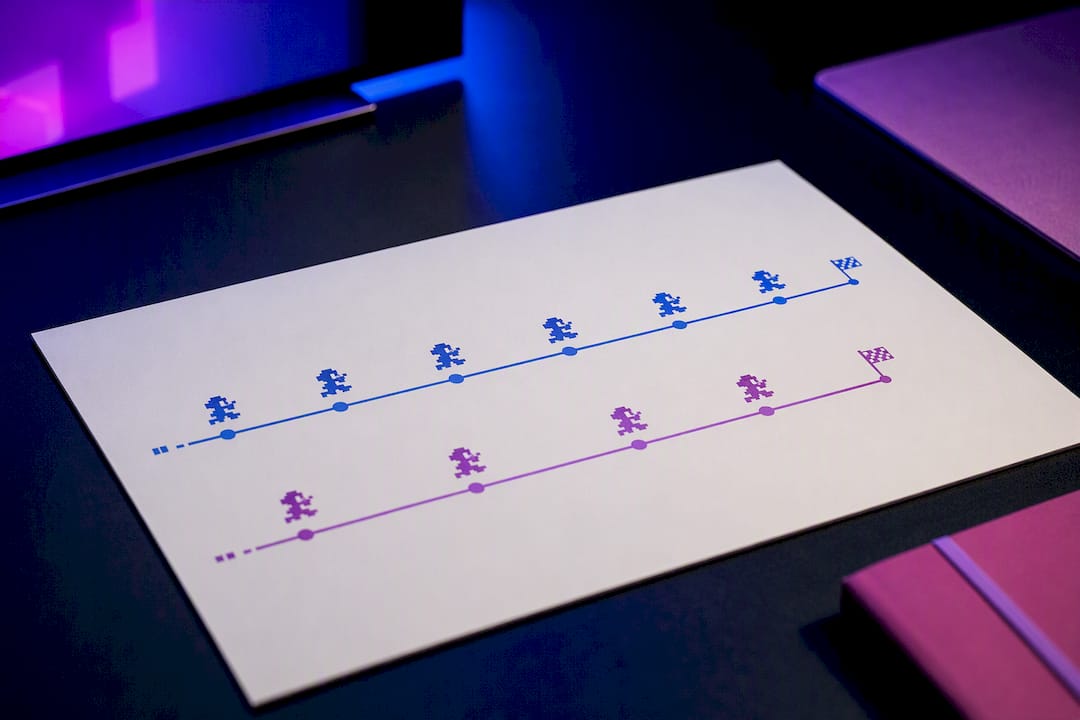
A PAL port that runs unmodified at 50 Hz instead of 60 Hz plays notably slower, since 50 divided by 60 works out to five-sixths of the original speed, and that gap shows up directly in gameplay pace.
That slowdown didn’t just affect movement speed. Music and sound effects tied to the frame rate dropped in pitch, and some developers had to retune audio or redraw frame counts to compensate. A few examples retro players run into constantly:
- Early NES cartridges sometimes had visible timing glitches on PAL hardware because of the different vertical blanking period.
- Many PS1 era PAL ports ran audibly slower with lower-pitched music compared to their NTSC counterparts.
- Some PAL releases added black bars top and bottom rather than using the extra vertical resolution PAL actually offered.
Console-era exceptions worth knowing
Not every PAL release suffered. Some consoles and games supported “PAL 60,” sometimes called pseudo-PAL, which kept the 60 Hz timing of NTSC while using PAL’s color subcarrier settings. That combination avoided the slowdown problem while staying compatible with PAL televisions.
- Sega Dreamcast pioneered PAL 60 support, letting many PAL titles run at full NTSC speed.
- GameCube and Xbox titles frequently included PAL 60 as a standard option, especially later in each console’s life.
- PlayStation 2 behaved differently. Its official user guide notes that progressive scan modes depend on the disc’s original format, and PAL 60 implementations often generated something closer to an NTSC signal rather than a true hybrid.
Display connections matter here too. RGB SCART and component outputs generally handle these hybrid modes better than composite cables, and whether your TV or monitor accepts a given signal can matter as much as the console setting itself.
Fixing compatibility without buying every region
Region locking and timing differences are two separate problems, and mixing them up leads to wasted money. A region lock is a deliberate hardware or software check that blocks foreign discs or cartridges. Timing and resolution differences exist regardless of any lock, baked into how the game was originally coded.
Several fixes address one or both problems:
- Region-free mods or modchips bypass lockout checks on original hardware, letting an NTSC console play PAL discs or vice versa.
- Switchless region adapters plug into a cartridge slot and trick the console into ignoring the region check.
- RGB or component output upgrades improve picture quality regardless of region and often help with PAL 60 compatibility.
- Quality upscalers and scalers can convert or clean up a signal for use on modern displays that no longer handle analog PAL or NTSC natively.
- Emulation with correct region settings lets you run either version at native speed, provided you own the original game.
Pro Tip: If you only care about correct speed and pitch, look for the NTSC version of a game before hunting down PAL specific fixes, since PAL 60 support was never universal.
One honest note on software fixes: fan patches and translation projects exist for plenty of PAL exclusive or NTSC exclusive titles, but downloading ROMs of games you don’t own crosses into copyright infringement. Dump your own cartridges or discs if you go the emulation route.
How to tell if a file or disc is PAL or NTSC
A few quick checks settle the question fast:
- Check the file header: NES ROMs use the iNES header format, which often flags the intended region, and PS1 or PS2 disc images carry region metadata in their file structure.
- Look at the box, cartridge label, or disc printing: most official releases state PAL or NTSC directly, sometimes alongside the region number.
- Boot the game and watch: a slower than expected pace, black borders around the image, or lower pitched music are strong signs of an unmodified PAL port.
How Retro Pulse removes PAL/NTSC friction
A handheld with its own built-in display sidesteps this entire problem. Since there’s no external TV decoding the signal, there’s no PAL/NTSC mismatch to troubleshoot in the first place.
The handheld device comes preloaded with thousands of games across multiple systems, featuring a 3.5 inch IPS display that reads timing and resolution directly rather than converting an analog broadcast signal. It includes a removable battery and a warranty, and every game boots straight from the device without menus, downloads, or subscriptions.
When to prioritize authentic hardware over easy playability
Collecting original PAL or NTSC hardware makes sense when authenticity and presentation matter, a shelf of region-correct boxes and manuals. Playability matters more when you just want a game to run at the speed it was built for. Use a simple rubric: collect for history, play for experience, and compromise with mods or a handheld like Retro Pulse when you want both without the hassle.
— Sean
Try a region-free way to play retro games
None of the fixes above are hard, but they take time, cables, or a soldering iron you might not want to touch. Retro Pulse skips all of it: preloaded games, a 3.5 inch IPS screen, and a removable battery in one offline device.
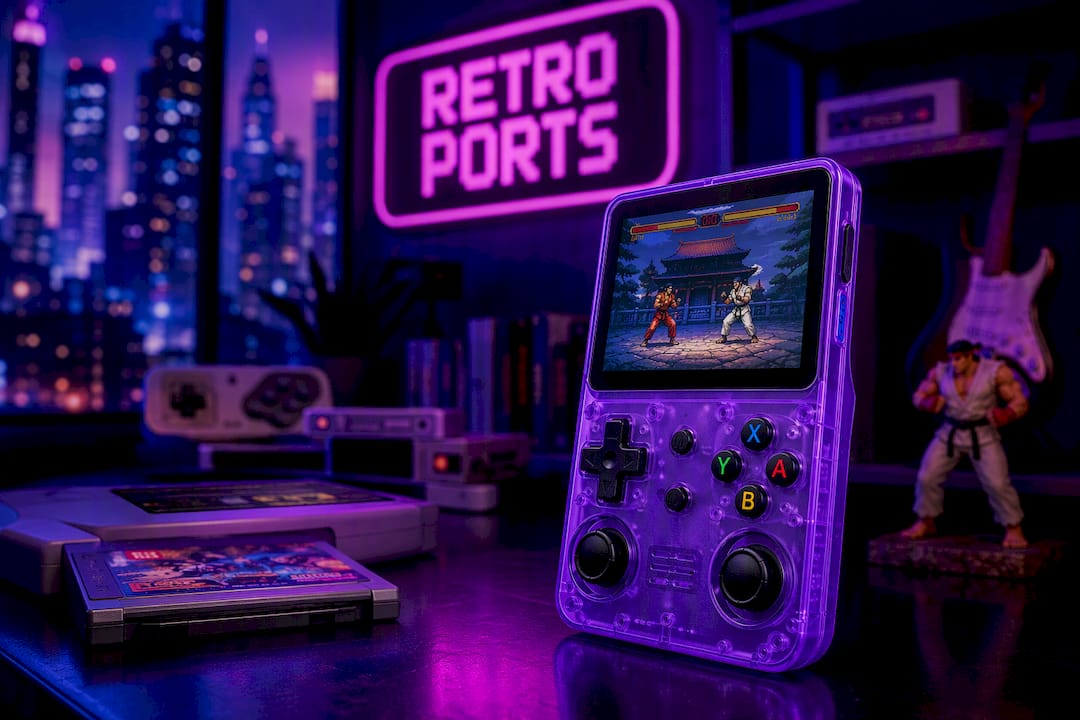
Check the full specs and warranty details on Retro Pulse’s product page before you decide.
Sources
FAQ
Can an NTSC PS2 play PAL games?
Generally no without modification, since PlayStation 2 consoles enforce region locking on discs, and PAL and NTSC PS2 games are built around different timing standards. Modding or a region free setup is typically required to run PAL discs on NTSC hardware.
Is it better to use NTSC or PAL for gaming?
NTSC generally offers smoother, correctly paced gameplay for older ports, since many original PAL versions were slowed to fit 50 Hz timing. Newer consoles supporting PAL 60 close that gap, so the format matters less than the specific game and console generation.
Are Japanese games PAL or NTSC?
Japanese games use NTSC, the same 60 Hz, 480i standard used in North America, though region locking can still prevent a Japanese disc or cartridge from working on hardware sold elsewhere.
Which looks better, PAL or NTSC?
PAL offers more visible lines at 576i versus NTSC’s 480i, giving it a technical resolution edge, but NTSC’s 60 Hz field rate produces smoother motion. Neither is strictly better since the tradeoff is sharper detail versus smoother movement.