Most readers who want a truly pocketable device with sharp, correctly scaled retro visuals should lean toward a 3.5-inch handheld, while anyone who plays for hours on a couch and wants more hand spacing will likely prefer a 4.0-inch model. The real trade-off isn’t the half inch of screen, it’s comfort and carry versus raw image size. If you want to weigh your own priorities before deciding, the buyer checklist further down breaks it into a few quick questions.
TL;DR:
- A 3.5-inch handheld is more pocket-friendly, but may compromise long-session comfort compared to a 4.0-inch model with more hand spacing.
- Matching the display aspect ratio to 4:3 is crucial for authentic retro visuals, regardless of screen size, and poorly scaled screens can look worse than smaller, sharper displays.
- Control layout, thumb reach, and stick quality matter more for long-term playability than raw specs like size or battery capacity.
- Battery life typically ranges from 6 to 8 hours for lighter games, but can be extended with removable batteries and portable charging options.
- Compatibility with classic systems depends on chipset and firmware, not screen size, meaning both sizes handle NES, SNES, GBA, and PS1 games equally well.
Table of Contents
- Comparing the practical trade-offs at a glance
- How screen size and aspect ratio change the way games actually look
- Ergonomics and controls: shells, hand spacing, and long-session comfort
- Portability and everyday carry: pocketability, weight, and daily use cases
- Battery, performance, and real-world runtime
- Which game systems each size actually handles well
- How to choose: a buyer checklist and pre-purchase tests
- Retro Pulse: what it offers and who it suits
- When I’d choose 3.5" vs 4.0"
- Retro Pulse: solving the instant-play buyer’s main concerns
- FAQ
- Sources
- Authoritative resources and tools to check before buying
Comparing the practical trade-offs at a glance
Before getting into specs, it helps to sort handhelds by how you’ll actually use one. A commuter stuffing a device into a jacket pocket has different needs than a collector building a shelf of consoles, and both differ from someone handing a controller to a kid on a road trip.
- Best for commuting: a smaller 3.5" shell that disappears into a pocket or small bag.
- Best for couch sessions: a 4.0" horizontal shell with more hand spacing and a bigger battery.
- Best for collectors: either size, since library depth and build quality matter more than diagonal.
- Display: both sizes can use a 4:3 panel; what varies is panel quality (IPS vs TN) and scaling accuracy.
- Ergonomics: 4.0" horizontal shells generally offer more thumb room for long play.
- Battery: larger screens draw more power, though removable batteries narrow the gap.
- Compatibility: chipset tier, not screen size, decides which systems run well.
How screen size and aspect ratio change the way games actually look
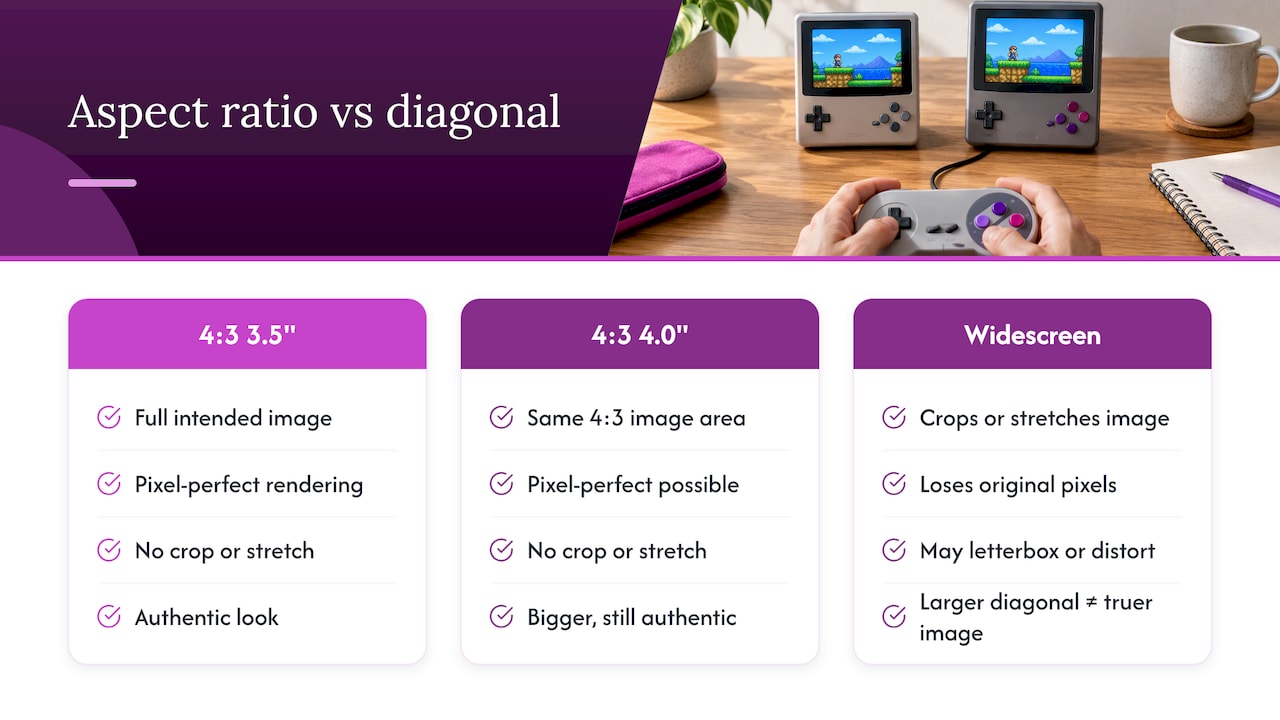
The half inch between 3.5" and 4.0" matters less than whether the panel uses the correct aspect ratio. Most 8-bit, 16-bit, and PS1-era games were built for a 4:3 picture, and a device that respects that ratio shows the full intended image without stretching or letterboxing. A widescreen panel, regardless of diagonal, has to crop or distort that image to fill the frame.
This is why a sharp 3.5" IPS screen can look better than a poorly scaled 4.0" display. Display specialists argue that matching a 4:3 panel to pre-HD games preserves pixel-perfect presentation, a deliberate design choice that favors authenticity over a bigger spec sheet number. Before buying, use a tool like Retrosizer to compare how different diagonals and aspect ratios render specific systems at true scale, since aspect ratio determines the real image area more than the diagonal measurement does.
Ergonomics and controls: shells, hand spacing, and long-session comfort
Screen size gets the headline, but shell shape decides whether a handheld feels good after an hour of play. Horizontal shells, common on 4.0" devices, spread your hands further apart and give thumbs more room to move between the D-pad and face buttons without cramping. Vertical or compact shells, often paired with 3.5" screens, keep everything tighter, which favors pocket fit but can crowd your grip during longer sessions.
A 4.0" horizontal shell often improves hand spacing and allows for larger batteries, trade-offs that benefit extended play at the cost of pocketability. Before buying, check a few things with your own hands: how far your thumb has to travel to reach the D-pad, how much travel the face buttons have, and whether the analog sticks resist unwanted drift when you rest your thumbs on them.
Portability and everyday carry: pocketability, weight, and daily use cases
Half an inch sounds trivial until you’re deciding whether a device fits a tight jeans pocket or needs a bag. Some 4.0" horizontal devices measure about 6.35 by 3.08 by 0.62 inches and roughly 7.2 ounces, comfortable in a jacket pocket but noticeably bulkier in pants. A 3.5" device typically shaves off enough width and weight to make a real difference on a commute or a flight.
Think through your actual scenarios: a daily subway ride favors the smaller shell, a cross-country road trip with kids favors the bigger battery and grip, and a gift for a casual player often favors whichever size feels least intimidating to hold. Check the listed dimensions and weight rather than trusting diagonal alone.
Battery, performance, and real-world runtime
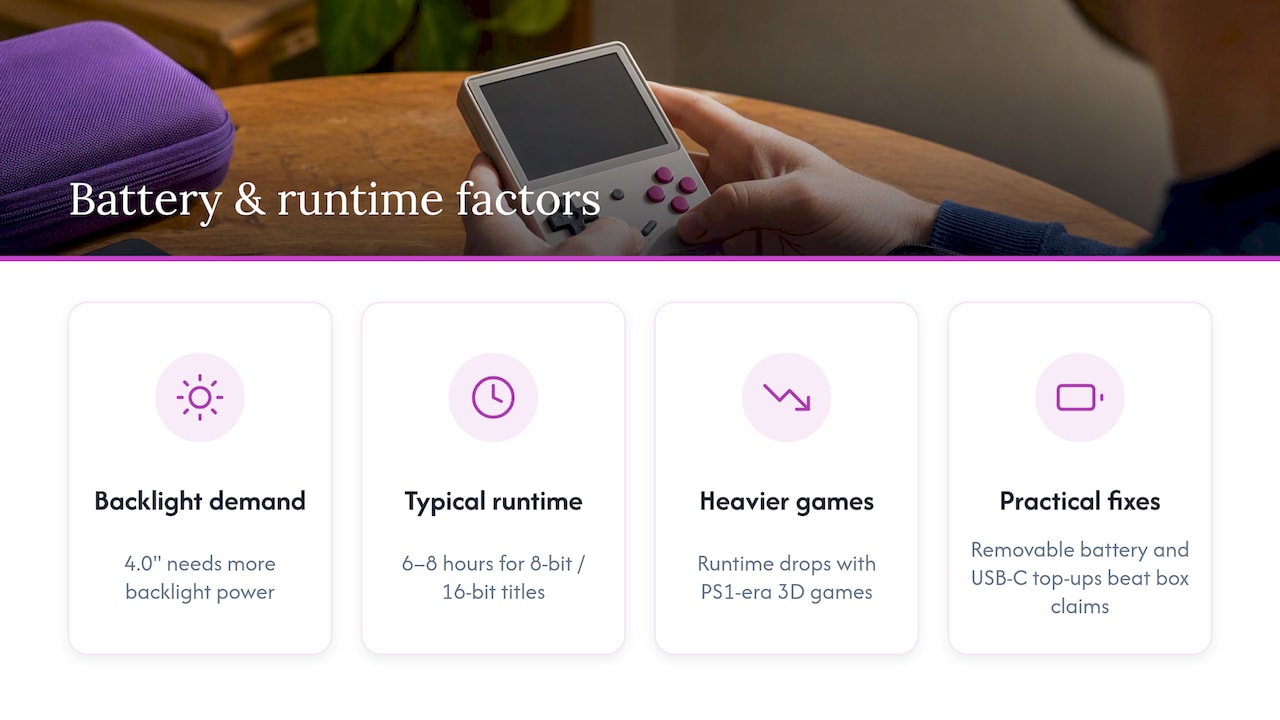
Larger screens need more backlight power, so all else being equal, a 4.0" handheld drains its battery faster than a 3.5" one running the same game. Devices in this category commonly land in the 6 to 8 hour range for lighter 8-bit and 16-bit titles, with runtime dropping when you switch to PS1-era 3D games that tax the chipset harder. A removable battery and USB-C fast charging matter more day to day than the runtime number printed on a box, since you can swap or top up between sessions instead of waiting out a full charge cycle.
Which game systems each size actually handles well
Screen size has nothing to do with which systems a handheld can emulate. NES, SNES, Genesis, Game Boy, GBA, and most PS1 titles run comfortably on this tier of hardware regardless of whether the screen is 3.5" or 4.0". What determines the ceiling is the chipset and firmware underneath, not the half inch of glass on top.
For PS1 and N64-era games specifically, analog stick quality and trigger responsiveness affect playability far more than screen diagonal. A device with twitchy or imprecise sticks will frustrate you in 3D platformers no matter how big or sharp the display looks.
How to choose: a buyer checklist and pre-purchase tests
Narrow the decision with a short, prioritized list rather than comparing every spec equally.
- Rank portability first if you need pocket fit for daily carry.
- Check panel type and confirm it’s IPS, not a dimmer TN screen.
- Test control layout for thumb reach and stick precision if possible.
- Compare battery claims against your typical session length.
- Decide between a preloaded library and a device meant for tinkering.
Pro Tip: Spec sheets tell you aspect ratio and panel type, but only hands-on testing reveals stick drift, button travel, and real comfort, so read a hands-on review before trusting the numbers alone.
Retro Pulse: what it offers and who it suits
For readers whose checklist leans toward instant play over setup, the Retro Pulse handheld pairs a 3.5" IPS display with a preloaded library of 15,000 games across more than 20 systems, including NES, SNES, Genesis, and PS1. It ships with a removable battery, dual microSD slots for adding more games, and a one-year warranty.
That combination maps directly onto the priorities covered above: a correctly scaled 4:3 image on a quality IPS panel, real D-pad and dual analog controls, and a battery configuration that supports swapping. Compare specs against your own checklist before deciding whether a curated, offline-first device fits better than one built for software tinkering.
When I’d choose 3.5" vs 4.0"
For a bag or jacket pocket on a commute, I’d grab a 3.5" device every time. For a weekend of couch sessions where my hands matter more than my pocket, I’d reach for a 4.0" horizontal shell. Neither choice is wrong, it just depends on whether you’re optimizing for carry or for comfort during long play.
— Sean
Retro Pulse: solving the instant-play buyer’s main concerns
If your checklist points toward a device you can pick up and play without downloading software or hunting for ROMs, Retro Pulse is built around exactly that: a curated library of 15,000 games, a 3.5" IPS screen with correct 4:3 scaling, and real controls instead of a touchscreen workaround.
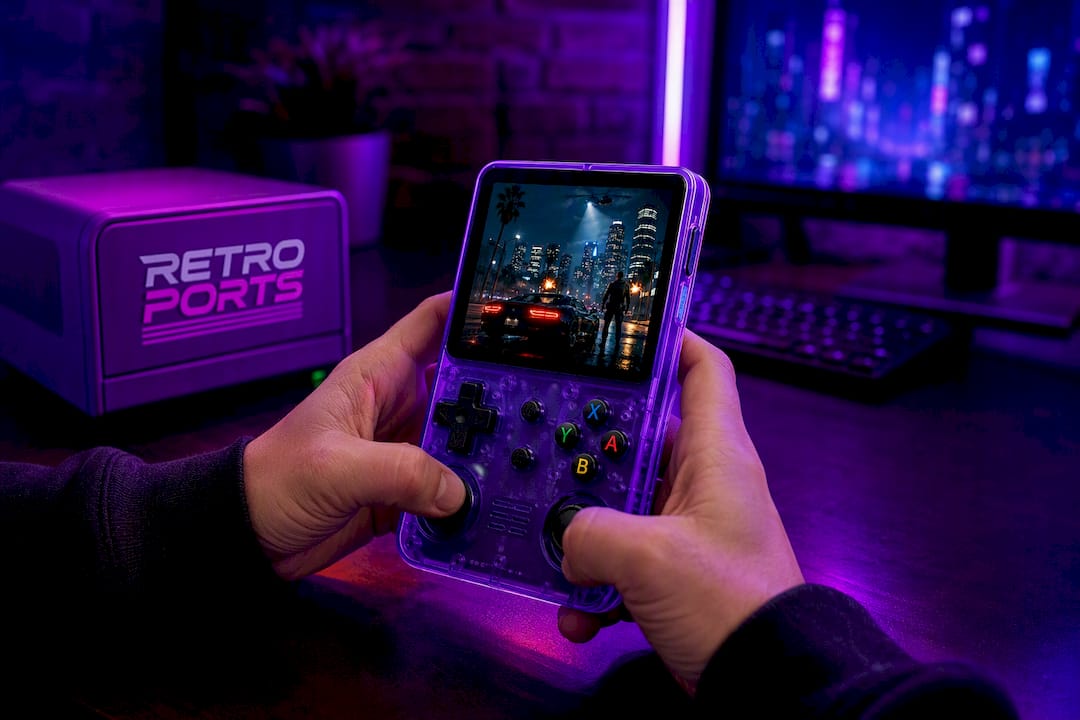
It may include a removable battery for extended sessions, dual microSD slots if you want to add more games later, and a warranty backed by returns policy. Shipping origin varies and can affect delivery times and quality assurance. Take a look at the Retro Pulse product page to see whether the specs match what your checklist calls for.
FAQ
Is a 3.5-inch or 4.0-inch handheld better for retro gaming?
Neither size is universally better since correct aspect ratio and panel quality matter more than the diagonal measurement. A sharp 3.5" IPS screen with accurate 4:3 scaling can look better than a larger panel that stretches or letterboxes the image, according to display specialists.
Does a bigger screen mean better game compatibility?
No, game compatibility depends on the chipset and firmware, not screen size. NES, SNES, Genesis, GBA, and most PS1 titles run well on either a 3.5" or 4.0" device as long as the underlying hardware supports them.
How much battery life should I expect from a handheld in this category?
Expect roughly 6 to 8 hours for lighter 8-bit and 16-bit games, with shorter runtime on demanding PS1-era titles. A removable battery and USB-C charging help you keep playing without waiting for a full recharge cycle.
Will a 4.0-inch handheld fit in my pocket?
It depends on the pocket. Some 4.0" horizontal devices measure about 6.35 by 3.08 by 0.62 inches and roughly 7.2 ounces, which fits a jacket pocket but can feel bulky in tighter pants pockets.
What should I check before buying a retro handheld?
Prioritize portability needs, confirm the screen uses IPS rather than TN, and test the control layout for thumb reach and stick precision if you can. Comparing battery claims against your typical session length and deciding between a preloaded library or a tinkering-friendly device rounds out the checklist.
Sources
- The best gaming handhelds for 2026
- This Retro Gaming Handheld Uses the Screen Ratio Everyone Else Stopped Making – The Gadgeteer
- Retrosizer – Compare and explore handheld gaming devices
Authoritative resources and tools to check before buying
Before settling on a size, run your shortlist through Retrosizer to see how different diagonals and aspect ratios render specific systems at true scale. Pair that with hands-on reviews and official spec sheets so you’re comparing measured dimensions and panel types rather than marketing claims alone, since measured runtime and dimensions tend to reveal trade-offs that spec lists gloss over.