
A save state is an emulator level snapshot that records the entire emulated system, every register, memory address and timer, so you can restore that exact moment later. It restores the precise frame you saved, but that restore usually only works on the same emulator core and version that created it. The rest of this guide covers what a save state actually captures, how it differs from a native in-game save, and how to avoid losing progress to corruption or version mismatches.
TL;DR:
- Save states capture the entire emulator system state, including CPU registers, memory regions, timers, and peripheral data, to restore games exactly as saved.
- Restoring a save state is hardware- and emulator-version dependent, with incompatibility common after updates or across different cores or systems.
- Native in-game saves are limited to game-defined progress data and are more portable across emulator versions, unlike save states.
- Using save states is ideal for practice, testing, or bypassing difficult sections, but they should be backed up and supplemented with native saves for long-term progress.
- Corruption or failure typically results from version mismatches, incomplete saves, or switching cores, so maintaining backups and matching files to emulator versions is essential.
Table of Contents
- What a save state actually is: how emulator snapshots work
- Exactly what data is saved: a practical checklist
- Save states vs in-game saves: a side-by-side comparison
- When to use save states: common use cases and practical tips
- Compatibility, corruption, and common failure modes: how save states break
- How to create, manage, and test save states safely
- How we think about save states and suspend points
- Instant-play convenience without the save-state management
- FAQ
- Sources
What a save state actually is: how emulator snapshots work
An emulator is a piece of software standing in for a physical console. The only way any value inside that emulated system changes, a CPU register, a pixel in video memory, a counter on a timer, is through the emulator’s own code updating it. That single fact is what makes save states possible: since the software controls every change, it can also write down the complete current condition of everything it is tracking, then read that record back later to put the system in the exact same condition.
That write-and-read process is called serialization. The emulator takes every piece of data it is responsible for and writes it to a file on disk. Loading the save state reverses the process, known as deserialization, and the emulated system resumes exactly where it left off, frame for frame.
This is fundamentally different from how a game designed to save progress works. A game only writes the specific data its own code was built to store, like inventory, position or level completion. A save state has no such limits because it captures the full machine state rather than a curated slice of it. According to MAME’s save state fundamentals, this is why restoring a save state can put you back mid-animation or mid-sound-effect, something a native save was never designed to do.
What this comes down to in practice:
- A save state captures everything the emulator tracks, not just what a game chooses to record.
- Serialization writes that full snapshot to disk; deserialization reads it back to restore the system.
- Because the restore is total, it can resume a game at any instant, not just at a designed checkpoint.
Exactly what data is saved: a practical checklist
When an emulator builds a save state, it is not just grabbing a single memory block. According to MAME’s save state fundamentals, a complete state capture includes CPU registers and processor flags, every RAM region including main system RAM, video RAM and sound RAM, and the current palette data controlling on-screen colors. It also includes audio buffers and the internal state of the sound chip, so audio resumes mid-note rather than restarting.
Beyond the obvious memory and processor data, a handful of less visible elements have to be captured for a restore to work correctly:
- Timers and internal clocks that govern frame pacing and in-game events.
- The currently selected memory bank, since many older systems swap banks to access more memory than their address space allows.
- Peripheral device states such as EEPROM, SRAM and IDE controller status on systems that use them.
- Controller input buffers, so a button press mid-animation does not get lost or duplicated on restore.
There is an implementation detail worth knowing if you ever wonder why a save state restore looks almost right but not quite: some emulator architectures, MAME among them, require developers to explicitly register each piece of stateful data before it gets included in a save. If a driver author misses a variable, that piece of data simply will not survive a save and reload, which is one of the quieter causes of a slightly broken restore.
Pro Tip: If a restored save state looks visually correct but audio or controller input seems off, the issue is usually an unregistered or incompletely saved state variable in that specific emulator core, not a corrupted file.
Save states vs in-game saves: a side-by-side comparison
The core distinction comes down to who generates the save and what gets preserved. According to higan’s documentation on save states, an in-game save is produced by the game’s own internal code, while a save state is produced by the emulator software itself, independent of whether the game supports saving at all.
That difference in origin drives everything else about how each one behaves.
| Aspect | Save state | Native in-game save |
|---|---|---|
| What it preserves | Full system state: CPU, RAM, video, audio, timers | Only game-defined data like progress and inventory |
| Portability | Tied to the exact emulator core and version that made it | Broadly portable across emulator versions and sometimes emulators |
| File size | Larger, since it stores the entire machine state | Smaller, since it stores only designed save data |
| Number of slots | Multiple slots per game, often several at once | Limited by the game’s own save system |
| Instant load | Yes, loads mid-frame at any point | No, only at the game’s designed save points |
The portability gap matters more than it first appears. Higan’s documentation notes that native saves remain compatible across emulator versions and sometimes even across different emulators entirely, while a save state is typically only guaranteed to load correctly on the exact version of the emulator that created it.
There is also an interaction risk between the two that catches people off guard. Loading an earlier save state resets the emulated console, including its in-game save memory, back to that earlier point. If you made a native save after creating the save state, loading that state afterward can erase or overwrite the newer native save, since the console’s internal save memory reverts along with everything else.
- A save state restores everything at once, including save memory, so it can silently undo a native save made afterward.
- A native save only ever reflects what the game itself wrote, so it survives emulator updates that a save state would not.
When to use save states: common use cases and practical tips
Save states earn their place in a few specific situations rather than as a replacement for normal saving.
- Speedrunning: runners use save states to practice individual segments repeatedly without replaying an entire game from the start.
- Playing games with no native save support: many older arcade and early console titles never had a built-in save system, so a save state is the only way to pause progress at all.
- Testing and development: anyone debugging a ROM hack or translation patch can jump straight to a specific scenario instead of replaying up to it each time.
- Savescumming through difficult sections: reloading a state right before a hard boss fight or platforming section lets you retry instantly rather than restarting a level.
The safest workflow treats save states as temporary checkpoints and native saves as the record of real progress. Create a save state for short-term convenience, but still make a native save at designed save points whenever the game supports one, so your progress survives an emulator update or a core switch.
Pro Tip: Label each save state with a short description or timestamp rather than relying on slot numbers alone, since “slot 3” means nothing a week later.
Compatibility, corruption, and common failure modes: how save states break
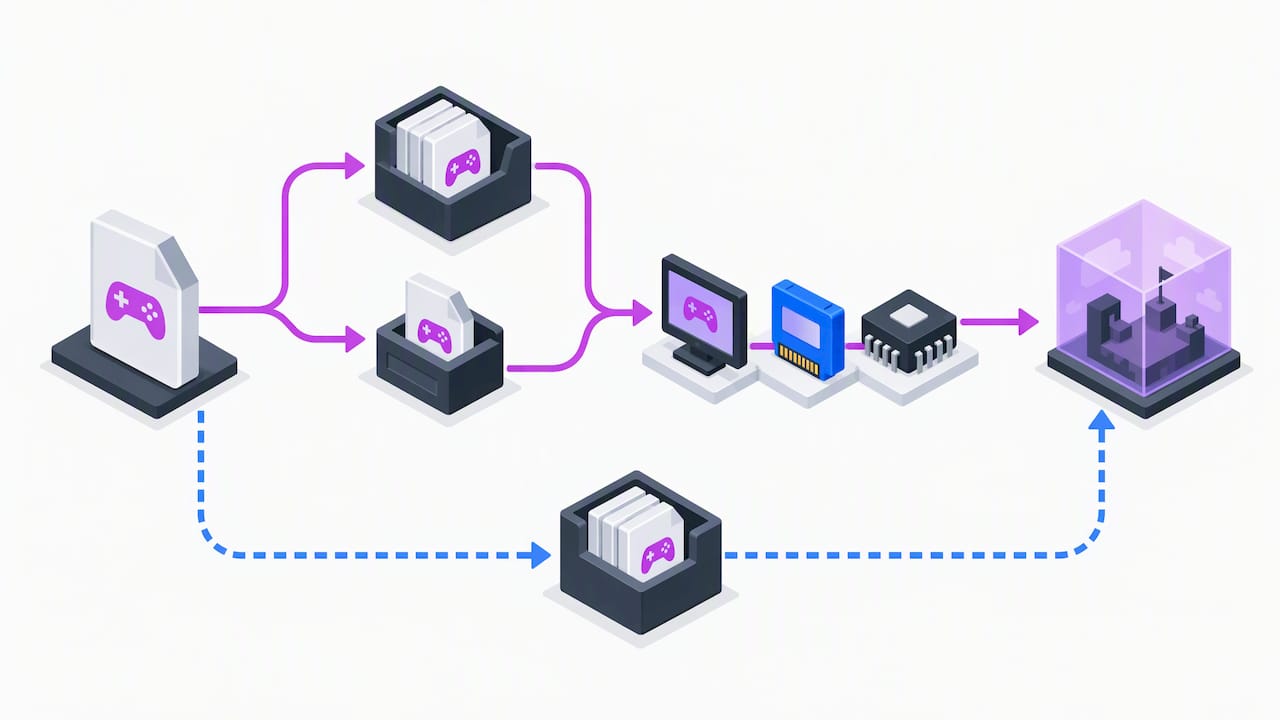
The most common failure is version lock. A save state is a direct snapshot of how a specific emulator core represents the system in memory, so when developers change that internal structure in a later version, older save states can fail to load or load incorrectly. This is a known limitation across emulator platforms rather than a flaw unique to one program.
A handful of other issues show up repeatedly:
- Partial or interrupted writes, such as closing the emulator mid-save, which leave a truncated or unreadable file.
- ROM mismatches, where the save state was created against a different revision of the same game.
- Differing BIOS files between systems, which can cause a state to load with missing or incorrect peripheral data.
- Switching between emulator cores (for example, different Game Boy cores within the same frontend), which breaks compatibility even when the game itself is identical.
A save state is typically only compatible with the exact version of the emulator that created it, according to higan’s save-state documentation, which is the single biggest reason restores fail after an update.
The fix is mostly discipline rather than technical skill: keep backups of important save states before any emulator update, maintain native saves in parallel so progress is never solely dependent on one state file, stick to a stable core build while you are deep into a long game, and confirm your ROM and BIOS files match what the state was originally created with before assuming a failed load means corruption.
How to create, manage, and test save states safely
A reliable save state habit only takes a few consistent steps.
- Create the save state and name it clearly. Use a descriptive label or timestamp instead of a bare slot number, and keep several slots in rotation so you always have a fallback.
- Make a native save right after, if you need persistence. If the game supports saving and you want progress that survives an emulator update, save through the game’s own menu immediately after setting your save state.
- Back up both file types regularly. Copy native save files and save-state files to external storage or a cloud folder on a regular basis, since a single corrupted file can otherwise cost you real progress.
- Archive everything before updating your emulator. Export or copy your save states and native saves to a separate folder before installing a new emulator or core version, since that update is exactly when version-lock problems tend to surface.
Following that order protects you from the two most common regrets: losing a save state to a botched update, and losing a native save because a loaded state silently reverted it.
How we think about save states and suspend points
Save states solve a real problem on emulators: older systems were not built with pause-anywhere saving in mind, so software has to recreate that convenience after the fact. A handheld device that includes built-in suspend points sidesteps the whole issue, since the hardware and firmware handle the snapshot instead of leaving file management to the player.
A handheld retro gaming device can come preloaded with thousands of games across many systems and run offline-first, with no downloads or account setup standing between you and a session. A suspend-style feature on a dedicated device removes the version-lock and core-compatibility questions that come with emulator save states entirely, because there is no separate core update to break compatibility with an old file.
— Sean
Instant-play convenience without the save-state management
Everything covered above, the version lock, the corruption risks, the need to keep native saves and save states straight, comes from managing software emulation yourself. Retro Pulse sidesteps most of that by handling it at the hardware level: the console can come preloaded with thousands of games from classic systems, runs offline-first with no downloads or subscriptions required, and may ship with a warranty and a removable battery for extended sessions.

If you want the convenience of instant restore without tracking emulator versions, cores or BIOS files, the Retro Pulse product page has the full details and current availability.
FAQ
How does a save state work?
A save state works by writing the emulator’s entire current condition, CPU registers, RAM, video memory, audio state and timers, to a file on disk. Loading that file later restores the system to that exact instant, according to MAME’s documentation.
Are most games lost without save states?
There is no reliable figure for how many games lack native save support. Many older arcade titles and early console games never included a saving feature at all, which is one of the main practical reasons save states exist.
What is the rule about waiting before saving in emulators?
There is no established technical rule tied to a specific wait time before using a save state. The practical guidance from emulator documentation is simpler: avoid saving or loading during active writes to peripheral memory, and never close the emulator mid-save, since an interrupted write is a common cause of a corrupted state file.
What are save states in emulators?
A save state is a snapshot of the complete emulated system, not just the game’s own save data, created and loaded by the emulator software itself. According to higan’s documentation, this is different from a native save, which the game’s own code generates and which tends to be more portable across emulator versions.
Is using save states considered cheating?
Whether save states count as cheating depends entirely on context: using one to practice a speedrun segment is standard practice, while using one to bypass intended difficulty in a competitive setting is generally frowned upon. Most casual and offline play treats save states as a convenience feature rather than an unfair advantage.
Sources
For implementation-level detail, see MAME’s save state fundamentals, higan’s save-state concepts, and the Wikipedia entry on saved games for broader context on save-state history.